

Article by
Gabi
Hi, I'm Gabi - Co-Founder of Bestever Pics. Thanks for visiting our blog. We are working hard to produce content which we hope resonates with you. Feel free to drop us a line on socials or via the contact form on the site.
The party was incredible, but now comes the hard part: chasing everyone for their photos. You know the drill—sending dozens of texts, only to get a handful of blurry, compressed images weeks later. We'll show you the most effective, app-free strategies to gather every candid moment from your guests, without the post-event headache.
The hidden cost of chasing guest photos after an event
Relying on old methods to collect guest photos is more than just an inconvenience; it costs you time and precious memories. The window of opportunity to gather those candid shots is surprisingly small, and common sharing methods often degrade the quality of the photos you care about most.
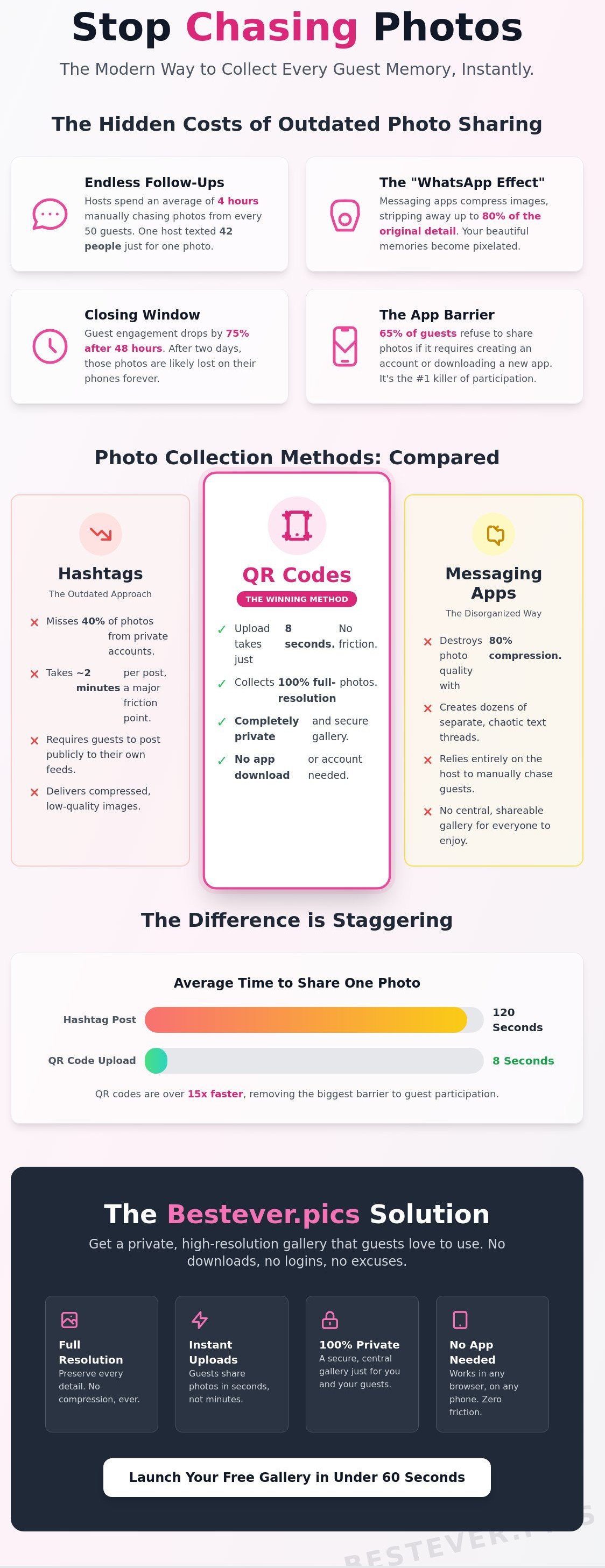
- The 'WhatsApp effect': When guests send photos through messaging apps, the images are automatically compressed. This process ruins the quality, making your favourite candid memories blurry and unsuitable for printing.
- Why texting fails: The old way of individually texting guests for photos simply doesn't work. It's time-consuming for you and easily forgotten by them, resulting in a tiny fraction of the pictures actually taken.
- The 48-hour window: Guest excitement is highest during and immediately after the event. After about 48 hours, the motivation to find and send photos drops dramatically as normal life resumes.
- The admin headache: A central digital album saves you hours of work. You won't have to download images from multiple chats, organise them into a folder, and deal with duplicate files.
Why apps are the enemy of engagement
You might think a dedicated app is the modern solution, but it often creates more problems. The friction of downloading new software is a major barrier for guests who just want to enjoy the party. App fatigue is the primary reason for low participation rates; guests simply refuse to install new software for a single event.
Beyond the initial hassle, many people have valid data privacy concerns and don't want to create yet another account. This friction means a significant number of your guests won't even bother, and their photos will be lost forever.
The quality vs. convenience trade-off
Using a simple Instagram hashtag seems easy, but it comes with significant downsides. You're immediately limiting participation to guests who have public social media profiles and who remember to use the correct tag on every post.
- The problem with private accounts: If a guest's account is private, you won't see their photos in the hashtag feed, even if they use the tag. This means you could be missing half your gallery without even knowing it.
- The trade-off: Free social media tools may seem convenient, but they cost you dearly in photo quality, privacy control, and the number of photos you ultimately collect.
Modern methods to collect guest photos compared
Today’s event hosts have better options that balance ease of use for guests with control for the host. The most successful methods remove as many steps as possible, making sharing an instant, thoughtless action. In 2026, the clear winner is the app-free browser upload, typically triggered by a QR code.
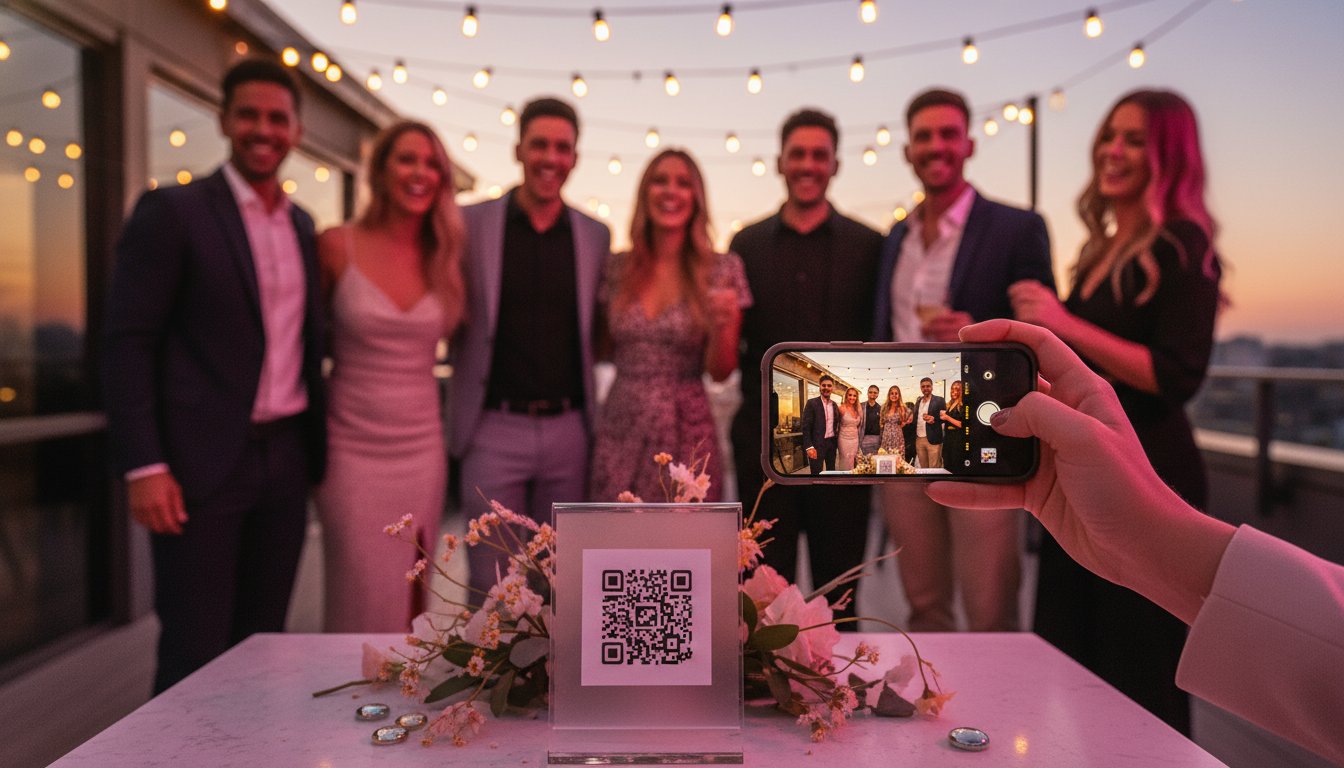
QR codes have become a universal language at events. Guests understand them instantly, and a quick scan with their phone camera is all it takes. This is a massive improvement over shared folders, which can get messy, or hashtags, which are unreliable.
QR codes vs. Hashtags: Which wins?
When you need to reliably collect guest photos, QR codes are vastly superior to hashtags. A hashtag relies on guests having public profiles, remembering the exact tag, and manually posting to social media. A QR code, on the other hand, takes them directly to a private upload page with zero extra steps.
The 'time to upload' is the critical difference. With a QR code, a guest can scan and upload a photo in under 15 seconds. With a hashtag, they have to open an app, create a post, write a caption, and add the tag—a process that can take minutes and is easily forgotten in the moment.
Shared folders and why they get messy
Using a shared Google Drive or Dropbox link seems like a simple solution, but it’s full of hidden risks. The biggest danger is that guests with editing access can accidentally delete photos uploaded by others, permanently erasing those memories.
Even if you use a 'view only' link, that doesn't solve the collection problem; you still need a separate way for guests to send you their files. Furthermore, a standard cloud storage link lacks any branding or special 'event feel', coming across as a functional but uninspired afterthought.
Tailoring your collection strategy to your event type
The best way to collect guest photos depends on the atmosphere and goals of your gathering. A corporate conference has different needs than a milestone birthday, and your strategy should reflect that.
- Weddings: The goal is to capture everything from the 'morning of' preparations to the late-night dance floor antics. A QR code allows guests to contribute moments your professional photographer might miss.
- Corporate Events: Use guest photos as social proof and marketing assets. A branded gallery can showcase your company culture and provide high-quality images for your LinkedIn or annual report.
- Community & Sports: Build a sense of belonging with a shared gallery. It’s a fantastic way to document a local club's history or capture every goal at the footy finals without hiring a professional.
- Milestone Birthdays: Create a digital time capsule for the guest of honour. Guests can upload photos from the night as well as older pictures, creating a rich collection of memories.
Corporate gatherings and brand engagement
For conferences, product launches, or even a fancy hen's night, presentation matters. Using a branded QR code and a custom-coloured gallery keeps the experience professional and aligned with your company or event theme. It’s a simple way to collect high-resolution assets while ensuring data privacy for work-related functions.
Sports clubs and community fetes
For local clubs and community events, a shared photo album is about creating a collective history. It allows you to capture the spirit of the day from hundreds of different perspectives. To involve older guests who might be less tech-savvy, ask them to partner with a younger family member to upload their photos—it’s a great way to get everyone involved.
5 Practical tips to ensure guests actually share their photos
Having the right tool is only half the battle. Success comes from making it incredibly easy and obvious for your guests to participate. Here are five practical tips to get a huge number of uploads.
- The 'Rule of Three': Don't just have one sign. Place your QR codes in at least three high-traffic locations. Think of the bar, the welcome table, and the back of the toilet doors.
- Gamify the process: A small incentive can drive massive results. Announce a prize for the 'funniest photo' or 'best dance floor shot' to encourage participation.
- The power of the MC: A quick, 30-second announcement from the MC or DJ makes a world of difference. Ask them to explain how it works and encourage everyone to scan the code on their table.
- Time your reminders: After the event, send a 'thank you' message that includes the upload link. This catches anyone who forgot to share their photos on the night.
- Make signage that pops: A small, discreet card on a table is not enough. Your signs should be big, bold, and have a clear call to action like "Scan Me to Share Your Photos!"
Signage and physical placement
Your QR code needs to be impossible to miss. Use high-contrast designs so the code scans easily, even in the low light of a reception venue. Place signs at eye level where people congregate, like the bar, gift table, or photo booth area. The more visible it is, the more photos you’ll collect.
Encouraging the 'non-photographers'
Some guests might not think their photos are 'good enough'. Encourage them by asking for specific types of shots, like 'the best-dressed guest' or 'the group selfie'. Another powerful tool is a live slideshow. Seeing other people's photos appear on a screen is a powerful motivator for others to join in.
Set up your Bestever.pics gallery in 60 seconds
The key to a successful digital album is removing every single barrier for your guests. That’s why the father-daughter team behind Bestever.pics built a tool that prioritises a simple, human experience. It’s a dedicated platform that gives you a private, beautiful gallery without forcing guests to download an app or create an account.
The process is incredibly simple: you create your event gallery online, print the unique QR code for your signs, and watch the photos roll in. After the event, you can easily filter, download, and share the entire high-resolution collection.
The Bestever.pics difference
Unlike messy shared folders or unreliable hashtags, a dedicated service gives you full control in a polished package.
- Unlimited storage and high-resolution downloads come as standard.
- You can customise your gallery's colours and text to match your event's theme or brand.
- It's designed from the ground up to be the easiest way to collect guest photos. [LINK: How Does a QR Code Photo Album Work?]
Getting started today
You can generate your unique QR code instantly and even test the gallery before the big day to see how easy it is. For event morning, your final checklist is simple: create your gallery, print your signs, and get ready to see your event from every angle.
Frequently Asked Questions
Do guests need to download an app to share photos? No. Guests simply scan the QR code with their phone's camera and can upload directly from their web browser. No apps or account creation are required.
Is there a limit to how many photos guests can upload? There are no limits on the number of photos or videos that can be uploaded to your gallery, and storage is unlimited.
Can I see the photos in real-time as guests upload them? Yes. Photos appear in your gallery instantly after they are uploaded. You can even connect your gallery to a projector for a live slideshow during the event.
What happens to the photos after the event ends? The photos are stored securely in your private gallery. You can download the entire collection in high resolution at any time.
Is it possible to password-protect my guest photo gallery? Yes, you can add a password to your gallery to ensure only your guests can view and upload photos.
Does Bestever.pics support video uploads as well as photos? Yes, guests can upload both photos and videos to the shared gallery.
How do I get my QR code onto my physical event signage? After creating your gallery, you can download your unique QR code as a high-quality image file. You can then add it to any print design, from table cards to large posters.
Ready to collect every memory?
- Used by event planners across Australia
- No app download required for guests
- Unlimited high-resolution storage
Start your Bestever.pics gallery for free today
Meta Description: Stop chasing guests for photos. Learn how to collect every candid moment from your Australian event using simple QR codes and digital albums—no app required.


