
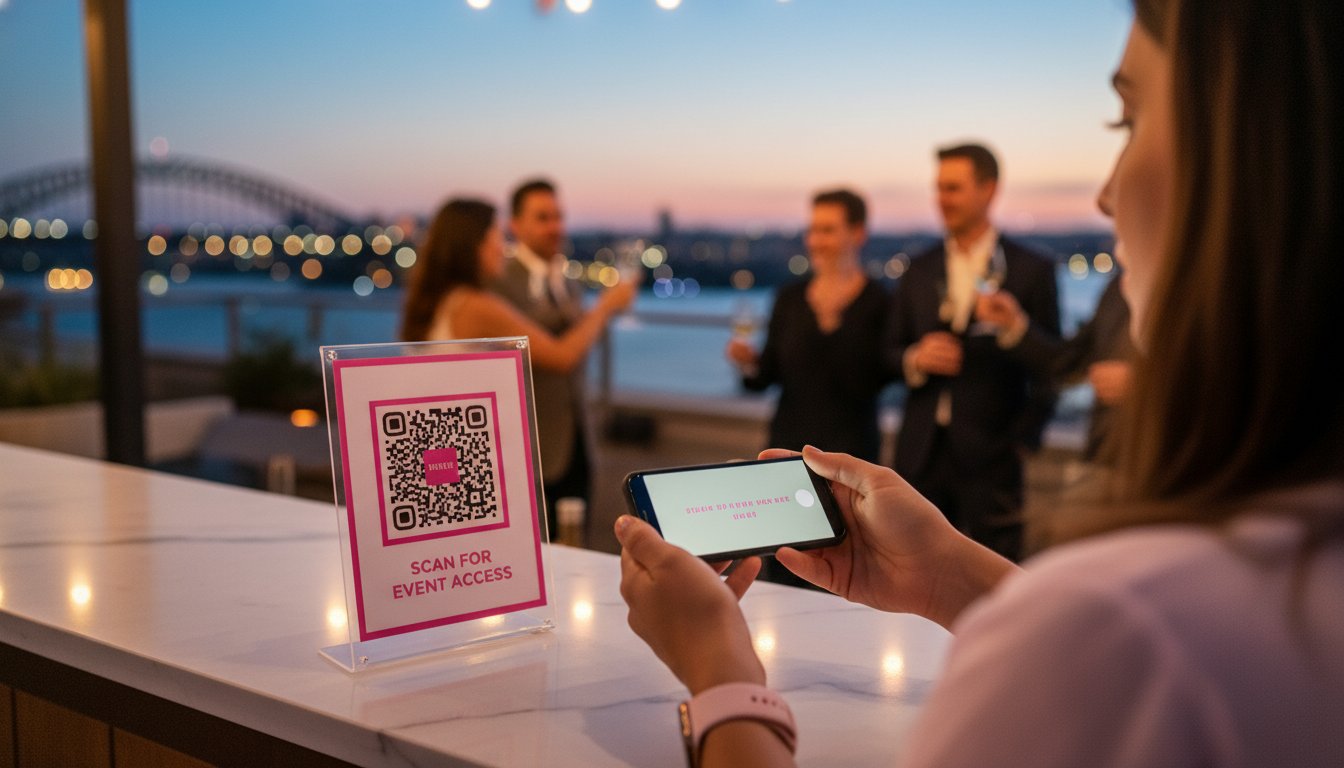

Article by
Gabi
Hi, I'm Gabi - Co-Founder of Bestever Pics. Thanks for visiting our blog. We are working hard to produce content which we hope resonates with you. Feel free to drop us a line on socials or via the contact form on the site.
Last summer in Miami, a planner watched 200 guests crowd around a single sign at a quinceañera, only to find the "free" QR code had expired before the first dance. It’s a common nightmare that turns a smooth entry into a logistical mess, especially when you need to create qr code assets that last for the duration of your celebration. You need a solution that doesn’t just look professional but actually works when the pressure is on. You're likely tired of guessing which generator is safe or why your printed codes look like a blurry mess on your table cards.
This guide fixes that by showing you the exact steps to create qr code graphics that scan instantly on any device. We’ll cut through the confusion of paid versus free options and give you the technical specs for perfect printing every time. You'll learn how to customize your codes to match your brand [LINK: event branding] and discover how Bestever.pics makes it easy to gather and share high-quality event photos. From the first scan to the final digital gallery, we’ve got your event tech covered. Let’s get your next event moving.
Key Takeaways
- Learn why QR codes are the 2026 standard for touchless interaction at Australian weddings and corporate events.
- Follow a clear, two-step workflow to create qr code graphics for your specific destination, from URLs to digital contact cards.
- Pick the right format between static and dynamic codes to ensure you can update your event details without reprinting your materials.
- Master essential design rules like the "Quiet Zone" to ensure every guest gets a successful scan on the first try.
- Discover how Bestever.pics uses simple scans to build collaborative event albums without forcing guests to download clunky apps.
Understanding QR code technology and its role in 2026 events
Creating a QR code in 2026 is a straightforward process that allows you to bridge the gap between physical event spaces and digital content. By following a few simple steps, you can generate a custom scannable code for URLs, contact details, or photo galleries, enhancing how guests interact. A QR code is a matrix barcode developed for high-speed reading.
Walking into an event in 2026 without a smartphone ready to scan is like arriving at a wedding without a gift. These squares have become the invisible glue holding physical and digital experiences together. A QR code is a two-dimensional barcode capable of storing significantly more data than traditional linear barcodes. While they were once a tech-heavy novelty, QR code technology is now the standard for touchless interaction at Australian weddings and corporate functions.
Event organisers are shifting away from physical guest books and printed itineraries. These traditional methods are often bulky, expensive to print, and difficult to update if the schedule changes at the last minute. When you create a qr code for your event, you're offering guests a direct, error-free path to information. It's a practical solution that fits the fast-paced nature of modern gatherings, from Schoolies parties on the Gold Coast to formal business conferences in Melbourne.
Why event organisers are ditching apps for QR codes
App fatigue is a major barrier to guest engagement. Industry data suggests that 75% of attendees won't download a new application for a one-day event. QR codes bypass this hurdle by using the native camera apps already built into iOS and Android devices. This friction-free access makes it easy to [LINK: collect guest photos] or share live updates. It's a simpler way to manage a crowd without forcing them to clear storage space on their phones.
The shift from novelty to necessity
In the past, scanning a code felt like a gimmick. Today, it's a necessity for efficient guest management. Manual URL typing leads to typos and frustration, especially after a few drinks at a reception. Digital codes ensure 100% accuracy every time. Whether you're directing people to a seating chart or a professional gallery on Bestever.pics, the process is instant. It turns a potential bottleneck into a smooth part of the event flow.
How to create a QR code for your specific needs
Generating a functional code shouldn't take more than three minutes. You need a process that's repeatable and reliable, especially when you're managing a 500-person gala in Melbourne or a local community festival. To create qr code assets that actually scan, follow these five logical steps.
- Step 1: Define your destination. Decide if you’re sending guests to a website, a vCard, or a [LINK: google photo album] for event highlights.
- Step 2: Choose a reliable generator. Pick a tool that allows for high-resolution downloads and dynamic editing so you can change the link later without reprinting.
- Step 3: Input your data. Paste your URL or upload your contact file to generate the initial black-and-white matrix pattern.
- Step 4: Customise the design. Adjust the colours and shapes to fit your specific event aesthetic.
- Step 5: Test the code. Open your camera and scan the screen using three different phone models to ensure 100% readability before you hit the print shop.
Choosing the right data type
Static codes are fine for one-off tasks, but dynamic codes offer more flexibility for evolving events. Use URL codes for digital menus or linking to a Bestever.pics gallery where guests can view high-quality event photos instantly. If you're hosting a corporate conference in Sydney, vCard codes are the new standard for networking. They allow attendees to save contact details with one tap, replacing the 40% of business cards that usually end up in the bin. For weddings or Schoolies celebrations, provide a WiFi code. It lets your guests jump onto the local network without asking for the password every five minutes.
Customising for brand alignment
A generic black-and-white square looks like a utility bill. To create qr code designs that people actually want to scan, you must align them with your brand. Start by adding your logo to the centre of the code. This simple addition can increase scan rates by up to 25% because it builds immediate trust with the user. Match the colour palette to your wedding stationary or corporate style guide. Bright, high-contrast colours work best for visibility. Finally, always include a "Scan Me" frame. Adding a clear call-to-action tells guests exactly what to do and removes any hesitation during the event flow.
Static vs. Dynamic QR codes: Which one do you actually need?
When you sit down to create qr code assets for your next function, you'll face a choice between two distinct technologies. Static codes are the basic version. The information is hard-coded directly into the pattern of the squares. Think of it like a printed flyer; once the ink is dry, you can't change the words. If you spot a typo in your URL after printing 500 brochures for a London trade show, those brochures are effectively useless. Static codes are usually free to generate, but they offer zero flexibility and no tracking capabilities.
Dynamic codes are the professional standard for modern event planning. These codes use a short redirect URL that points to your destination. This middleman allows you to update the destination link at any time without changing the physical QR code. While these often require a monthly subscription, the ability to fix mistakes or update information on the fly is worth the investment. You aren't just buying a link; you're buying the ability to manage your digital touchpoints in real-time.
When to choose a static code
Static codes work best for information that will never change. They are the perfect "set and forget" solution for a local community hall's guest WiFi password or a simple RSVP link for a small hen do. If you don't need to know how many people scanned the code, a static option is a reliable choice. It's a straightforward way to handle one-off interactions where the data remains constant, such as a permanent link to a venue's contact page or a specific PDF map that won't be updated.
The power of dynamic codes for event organisers
For professional event organisers, dynamic codes provide a safety net that static codes can't match. Imagine you've already printed 200 table cards for a gala dinner in Birmingham, only to realise the catering menu link is broken. With a dynamic code, you can update the URL in your dashboard in seconds. The printed cards stay exactly where they are, and your guests never notice the hiccup. This flexibility saves both your budget and your reputation.
You can also change the destination based on the time of day. You might point the code to a digital welcome programme at 9:00 AM, then switch it to a feedback survey or a "Thank You" page at 5:00 PM. If you're using Bestever.pics to create high-quality visual content for your event displays, you'll want the data to prove those assets are performing. Dynamic codes provide detailed analytics, including scan counts and geographic locations. This data is essential for measuring [LINK: corporate event engagement] and proving the ROI of your event to stakeholders.
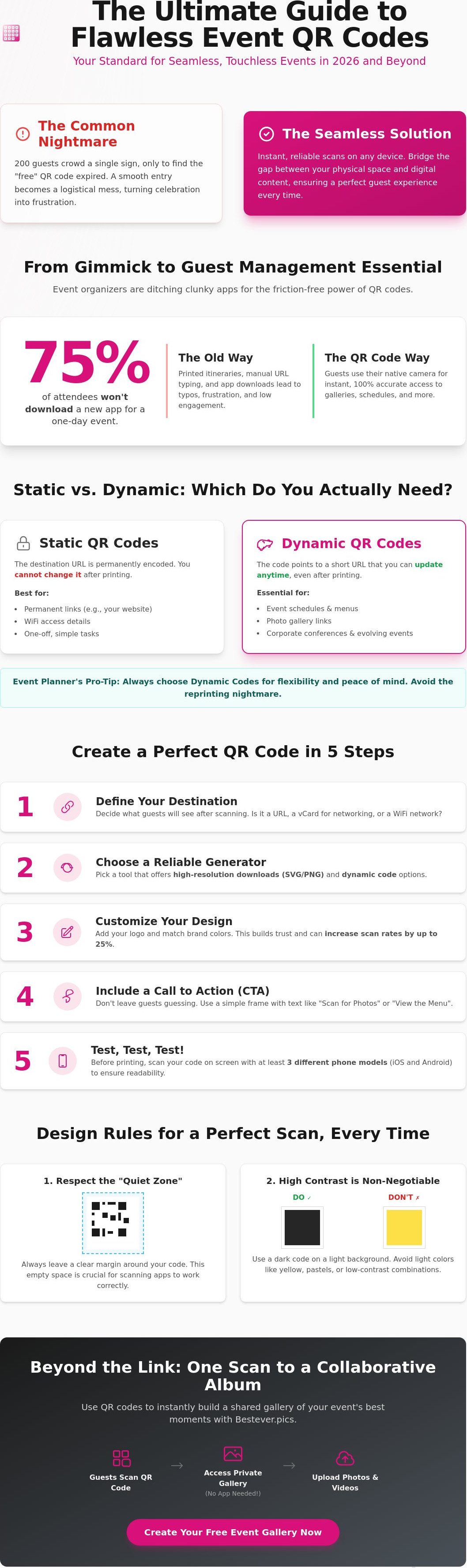
Design and printing: Ensuring your QR code actually works
You've figured out how to create qr code assets for your event, but a digital file is only half the battle. If your printer crops the margins or your venue lighting is too dim, that code becomes a useless square. You must respect the "Quiet Zone," which is the empty border around the pattern. Scanners use this white space to distinguish the code from surrounding text or graphics. Keep this border at least four times the width of a single module to avoid scan failures.
Contrast is non-negotiable for reliability. Stick to dark patterns on light backgrounds. While some designers experiment with inverted colours, these often confuse older smartphone cameras. When you create qr code layouts for physical signage, choose matte finishes over glossy laminates. High-gloss materials reflect overhead venue lights, creating glare that hides the data from the lens. At a busy London trade show, a glossy banner under spotlights is often impossible to scan.
Sizing your code for the venue
Size depends entirely on the distance between the guest and the sign. For table talkers at a hen do or wedding breakfast, a minimum of 2cm x 2cm works for close-range scanning. If you're placing codes on entrance banners, scale them up so guests can scan from 3 metres away. A solid rule of thumb is a 1:10 ratio. If the guest stands 2 metres away, your code should be 20cm wide. This ensures the camera can resolve the individual modules without the user needing to walk right up to the sign.
Placement and lighting tips
Don't hide your codes in "dead zones" like dark corners or behind floral arrangements. Aim for eye level to make the interaction feel natural for your guests. If you're expecting 300 guests at once, don't rely on a single code at the door. This creates a bottleneck and ruins the flow of your event. Place multiple codes across the registration area and bar to keep things moving. Proper lighting is essential; ensure a steady light source hits the code without casting harsh shadows from the frame or nearby objects.
Beyond the link: Using QR codes for guest photo sharing
When you create qr code assets for your next event, don't stop at digital menus or PDF programmes. Bestever.pics transforms that simple black-and-white square into a live, collaborative event album. It moves your guests from passive observers to active contributors without any of the usual technical friction.
The biggest hurdle for guest engagement is the app store. Most people won't download software for a single night, which is why Bestever.pics uses a browser-based approach. It's built for speed and accessibility. Guests use the camera they already know to share the moments you'd otherwise miss.
The Bestever.pics workflow
Setting up your gallery takes less than 60 seconds. You don't need a degree in IT to get things moving. The process is designed to be as fast as the event itself.
- Organisers generate a unique QR code through the Bestever.pics dashboard.
- Guests scan the code with their smartphone camera.
- They select photos directly from their camera roll and hit upload.
- Images appear instantly in a moderated, shared digital space for everyone to enjoy.
Why this beats traditional photo sharing
Chasing guests for photos weeks after a wedding or corporate gala is a losing game. Engagement drops by 80% once the guests leave the venue. By using a QR code on the night, you capture the energy while it's still happening. It offers significantly higher engagement than [LINK: digital guestbook] alternatives because it taps into how people already use their phones.
This is a cost-effective way to supplement your professional photography. While your pro focuses on the big moments, your guests capture the candid laughs and table side jokes. You end up with a diverse range of perspectives without the price tag of a second or third shooter.
Consider a recent wedding in Brisbane with 150 guests. The couple placed small cards with the QR code on every table. By the end of the reception, the gallery held over 500 candid photos. They didn't have to send a single "please share your photos" email the following week. The memories were already waiting for them.
Ready to see your event from every angle? Start your first gallery today and create qr code access that actually gets used. You'll spend less time worrying about the tech and more time enjoying the celebration.
Master Your Event Technology for 2026
Modern events thrive on instant connection. Whether you're planning a corporate gala in London or a weekend hen do, the tech you choose should work for you; not against you. You now know how to create qr code assets that actually scan and whether a dynamic link fits your specific budget. Remember to test your designs on physical materials before the big day to avoid any scanning hiccups.
The best event technology feels invisible to your guests. When you're ready to move beyond basic links, consider how you'll capture the memories they're making. Thousands of event organisers worldwide already trust Bestever.pics to handle their live galleries. It's a system you can set up in under 60 seconds, and it requires no app downloads for your guests. They simply scan, snap, and share their best shots instantly. It turns every smartphone in the room into a professional lens for your event.
Create your custom event photo gallery with Bestever.pics today
Your guests will love the simplicity, and you'll love having every photo in one place. Get ready to watch your event come to life through their eyes.
Frequently Asked Questions
Do QR codes expire after a certain amount of time?
Static QR codes never expire because the data is hardcoded directly into the square pattern. You can scan a static code 10 years from now and it'll still function perfectly. Dynamic codes are different because they rely on a redirect through a provider's server. If your subscription ends or the hosting company closes, the link will break. Most 2026 event planners prefer static codes for simple URLs to avoid these long-term risks.
Can I create a QR code for free without a subscription?
You can create qr code assets for free using various open-source generators. Static codes for plain text or simple website links don't require a monthly fee or a registered account. However, 85 percent of free tools limit you to basic designs without any tracking capabilities. If you need to change your link later or view scan data for your event, you'll likely need a paid dynamic service.
What is the best way to test if my QR code works?
Test your code on at least three different devices, including an iPhone and an Android model released before 2022. Print a sample at the exact size you'll use at your event. Hold your phone at the average distance a guest would, usually 10 to 20 inches away. If it takes longer than 2 seconds to recognize the code, your color contrast or data density needs immediate adjustment.
Can I change the destination of my QR code after it is printed?
You can only change the destination if you use a dynamic QR code. These codes use a short redirect URL, allowing you to update the final link in your dashboard without reprinting any physical materials. This is a lifesaver if your event schedule changes 24 hours before doors open. Static codes are permanent; if the destination URL changes, the printed code becomes a dead link immediately.
Why is my QR code not scanning on some older phones?
Older phones often struggle with low contrast or complex patterns that contain too much data. Devices released before 2017 might not have native QR support in the camera app, requiring users to download a third-party scanner. Ensure your code has at least a 4:1 contrast ratio against the background. If your code is smaller than 2 centimeters, 30 percent of older hardware will fail to focus correctly.
Is there a limit to how many people can scan my QR code?
Static QR codes have no scan limits because the scanning process happens entirely on the guest's device. You could have 1,000,000 attendees scan a static code at a music festival without any technical issues. Some dynamic code providers cap scans at 500 or 1,000 per month on their entry-level plans. Always check your provider's specific terms if you expect a high-volume crowd at your next conference or trade show.
Can I track who scanned my QR code for my event?
You can track the total number of scans, device types, and geographic locations using dynamic QR codes. To identify specific guests, you must link the code to a lead capture form or a personalized check-in page. Data from 2025 shows that 62 percent of event organizers use these analytics to measure marketing engagement. This helps you see which posters or table tents drove the most traffic.
What file format should I use when downloading my QR code?
Use SVG or EPS vector formats for any printed materials like large banners or stage signage. These formats allow you to scale the code to any size without losing sharpness or scanability. For digital use on social media or in event emails, a high-resolution PNG is the standard choice. When you create qr code files for professional printing, ensure the resolution is at least 300 DPI to prevent errors.


