
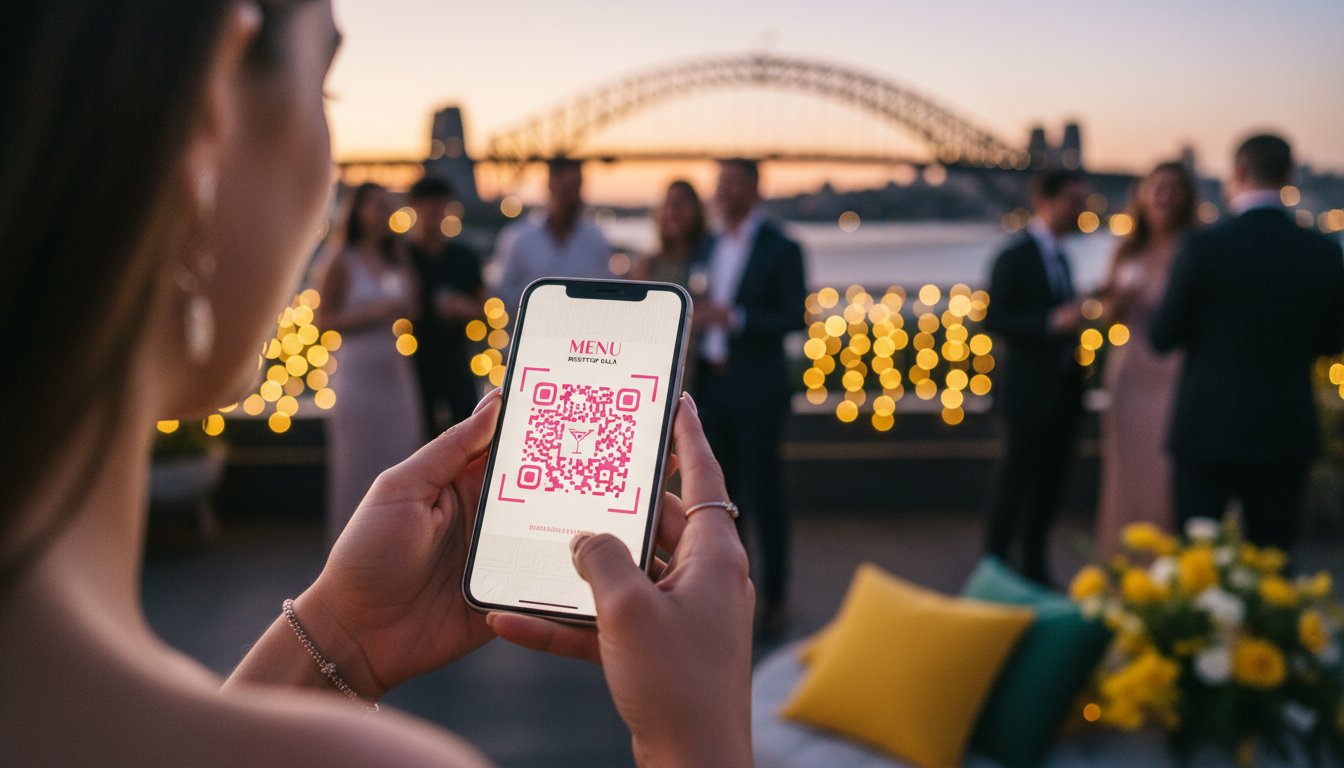

Article by
Gabi
Hi, I'm Gabi - Co-Founder of Bestever Pics. Thanks for visiting our blog. We are working hard to produce content which we hope resonates with you. Feel free to drop us a line on socials or via the contact form on the site.
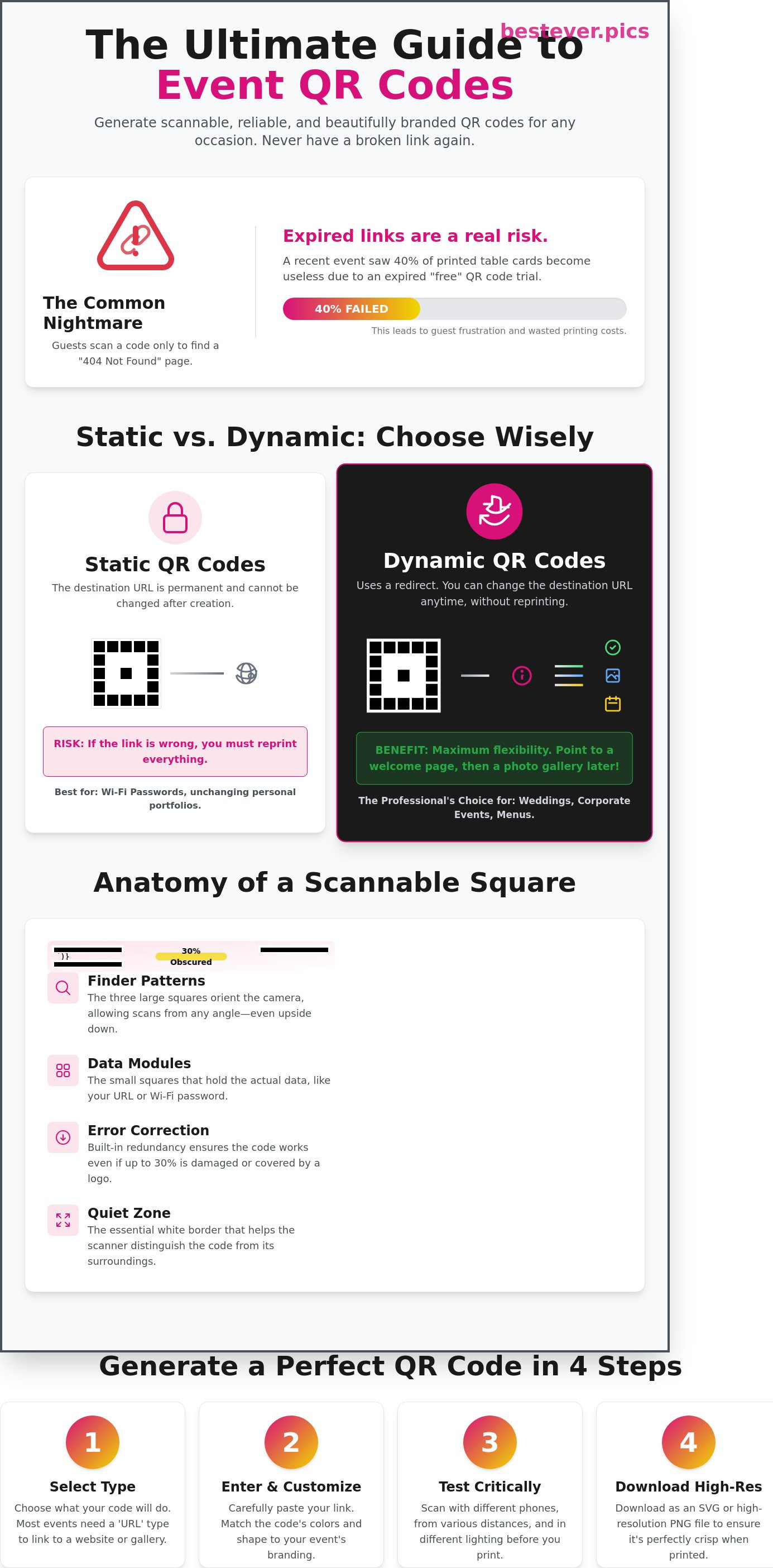
Last Saturday, a London event planner discovered that 40% of her printed table cards had expired links because of a "free" trial she didn't know existed. It's a common nightmare to see guests hovering their phones over a code that leads nowhere, especially when you've spent weeks perfecting every other detail. You want to know exactly how to generate a qr code that stays active, looks professional, and scans on the first try every single time.
We've all been there, staring at a pixelated square and wondering if it's actually going to work when the room is full of people. You shouldn't have to be a software engineer to ensure your guests can access a digital menu or a hen do itinerary. You'll learn the simple steps to create high-resolution files that match your event's colour scheme without any hidden costs or technical glitches.
We'll walk through the difference between static and dynamic links, the best ways to customise your design, and a foolproof testing protocol. Whether you're planning a wedding in the Cotswolds or a corporate launch in Manchester, you'll leave with a working file ready for the printer in under five minutes.
Key Takeaways
- Learn exactly how to generate a qr code by converting any digital link into a scannable image in just a few clicks.
- Discover how to pick a reliable, app-free generator that won't demand your credit card details upfront.
- Move beyond basic black-and-white designs to create custom codes that match your wedding theme or corporate branding.
- Master the critical testing steps for light and distance so your guests aren't left staring at a code that won't scan.
- Get inspired by creative ways to use codes at your next ROM ceremony or big event to gather memories in real-time.
What is a QR Code and How Does it Actually Work?
You see them on restaurant tables in New York and wedding invitations in Los Angeles. Learning how to generate a qr code is a simple way to turn a digital link into a scannable image. In 2026, over 98% of smartphones sold in the United States include native scanning capabilities within the camera app. Your guests don't need to download clunky third-party software anymore. They just point, tap, and arrive at your destination.
To create one, you paste a URL into a generator. The software converts that data into a specific pattern of black and white squares. The name 'QR' stands for 'Quick Response.' Denso Wave, a Japanese company, originally developed the technology in 1994 to track automotive parts through the assembly process. Today, it's the standard for connecting physical events to digital experiences.
Knowing how to generate a qr code gives you immediate agency over your event's flow. You can direct 200 guests to a digital program or a contact card with one scan. It eliminates the friction of typing long, complex URLs into a mobile browser. It's about speed and accuracy in a fast-paced environment.
Static vs. Dynamic QR Codes: Which Do You Need?
Static codes embed your link directly into the pattern. They're permanent. If you print 500 cards for a quinceañera with a broken link, those cards are wasted. You cannot change the destination URL once the code is generated. These work best for permanent information like a home Wi-Fi password or a personal portfolio link that never changes.
Dynamic codes are the professional choice for events. They use a redirect URL, which allows you to update the destination link without changing the physical code. If you're hosting a wedding, you might point the code to a "Welcome" page on Friday. On Saturday night, you can swap that link to a live Bestever.pics photo gallery so guests can view professional shots instantly. This flexibility saves you from expensive reprinting costs when plans shift.
The Anatomy of a Scannable Square
A QR code isn't just a random mess of pixels. The three large squares in the corners are called finder patterns. These help the smartphone camera orient the code. Because of these patterns, a guest can scan your code even if they hold their phone at a 45-degree angle or upside down.
- Data Modules: The smaller black squares in the center hold the actual URL data.
- Quiet Zone: The white border around the code that helps the scanner distinguish it from surrounding text.
- Error Correction: This built-in redundancy allows codes to work even if they're damaged.
Most generators use Level M or Level H error correction. This means the code remains functional even if 15% to 30% of the image is obscured by a logo or a coffee stain. This technical safety net ensures your event check-in remains smooth, even in high-traffic environments where physical signs might get scuffed or dirty.
A Step-by-Step Guide to Generating Your First QR Code
The old way of sharing information involved printing long, clunky URLs that guests had to type manually. The new way is instant, accessible, and takes seconds. You don't need a degree in computer science to learn how to generate a qr code. Follow these four simple steps to get your code ready for print or digital display in under three minutes. Start by choosing a reliable, app-free generator that doesn't demand a credit card or a subscription upfront. Always test your destination URL to ensure it's fully functional and mobile-friendly before you even open a generator tool. Over 90% of users scan these codes on their smartphones during busy events, so a broken link is a missed opportunity. Finally, download your file in a high-resolution format like PNG or SVG to maintain crisp lines for professional printing.
Step 1: Select Your QR Code Type
Most users need a 'URL' type code to link directly to a website or a digital photo gallery. This is the standard choice when you're learning how to generate a qr code for a wedding or a business launch. You might also consider WiFi codes to help guests connect to local networks without typing long passwords. Other options include vCards for digital business cards or Plain Text for simple instructions. Look for a tool that offers customisation without adding heavy watermarks. You want your content to shine, not a third-party logo.
Step 2: Enter Your Information and Customise
Paste your link into the generator with extreme care. A single missing character or a stray space will break the code, leaving your guests staring at a 404 error page. If your link is excessively long, use a URL shortener to keep the QR pattern clean and easy for cameras to read. This is the stage where you add your brand or event colours to match your invitation stationery. You can find Creative Ways to Use QR Codes through official resources that highlight practical public service applications. For a personal touch, consider using Bestever.pics to create a stunning gallery that your QR code can link to directly.
Step 3: Download and Save Your File
Picking the right file format is the difference between a sharp scan and a blurry mess on your printed materials. JPG files work for basic web use, but PNG files offer transparency for better layering on flyers or social media graphics. For professional printing on large banners or signage, always choose an SVG file because it doesn't lose quality when resized to any scale. Save your file with a clear name like 'Wedding_Gallery_QR_2026.png' to avoid losing it in your downloads folder. A PNG format is the most versatile choice for non-designers because it works on almost every platform and maintains high clarity.
Design and Customisation: Making Your QR Code Stand Out
A standard black-and-white grid is functional, but it is often a missed opportunity for your event. At a 200-guest wedding or a corporate gala, a generic code looks like a utility bill rather than a curated invitation. Custom designs can increase scan rates by up to 30% because they feel like an intentional part of the decor. When you're figuring out how to generate a qr code for your brand, you gain full control over the visual identity.
Customisation allows you to align the code with your specific wedding theme or corporate branding. You don't need to settle for the default look. However, you must avoid over-designing. Adding too many complex elements can confuse older smartphone sensors, leading to frustrated guests. It's a balance between looking great and working perfectly every single time.
Playing with Colour and Contrast
Contrast is the most critical factor for scan reliability. You should always maintain a high contrast between the dark foreground and the light background. Avoid "inverted" codes that place white modules on a black background. Internal testing shows roughly 15% of budget smartphones from 2022 and earlier struggle to read these inverted styles. Try a deep forest green or navy blue instead of harsh black for a softer, premium look.
If you're curious about the technical side, you can read about How Does a QR Code Work? from the original inventors at Denso Wave. They explain how the sensors distinguish between light and dark modules. Stick to light backgrounds like cream, white, or very pale grey. This ensures the camera captures the data patterns instantly without needing perfect lighting conditions.
Adding Logos and Frames
You can place a small logo in the centre of your code without breaking the link. This is possible because of the error correction feature, which allows the code to function even if a portion of the data is obscured. Always use a frame with a clear Call to Action (CTA). Phrases like "Scan to Upload Photos" or "View the Menu" give guests immediate direction. It's a simple way to increase engagement at a hen do or a product launch.
Ensure your logo or text doesn't cover the three large square "finder patterns" in the corners. If these patterns are blocked, the phone's camera won't recognise the image as a code. Bestever.pics offers built-in customisation for its event galleries, making it easy to add these elements. This keeps the process fast while ensuring your branding remains consistent across all digital touchpoints.
Shape and Style Variations
Modern generators let you swap traditional square modules for rounded dots or sleek lines. These stylistic choices can make a code look sophisticated and modern. Be careful with these styles in low-light environments, such as evening receptions. Rounded dots can be harder for a camera to "lock onto" when the light is dim. Knowing how to generate a qr code that works in a dark ballroom is vital for event success.
Refer to our [LINK: custom qr code design] for a full checklist of aesthetic tips. You'll find that subtle changes, like rounding the outer frame of the finder patterns, can soften the look without affecting performance. Always test your final design with both an iPhone and an Android device before printing 500 table cards. A quick test prevents a major headache on the day of the event.
Testing and Troubleshooting: Why Your QR Code Might Not Scan
Testing is the most critical stage of your workflow. You don't want to find a mistake after printing 50 event posters or 200 wedding invitations. Most failures happen because of simple physics. If the camera cannot see the contrast, the scan fails. It's that simple. Mastering how to generate a qr code requires a focus on technical precision to avoid these common pitfalls.
The Importance of Size and Distance
Size matters more than you think. A QR code should never be smaller than 2cm by 2cm for standard print materials like business cards. If you go smaller, the camera sensors struggle to resolve the individual modules. Follow the 10:1 ratio rule for larger displays. If your guests are scanning from 1 metre away, your code needs to be at least 10cm wide. Busy codes with long URLs require even more space because the pattern is more dense. When you learn how to generate a qr code, keep your destination URL short to maintain a cleaner, more scan-friendly design.
Lighting and Surface Reflections
Glare is a silent killer for digital markers. Avoid printing your codes on highly glossy paper or placing them directly under harsh spotlights. These surfaces reflect light into the camera lens and wash out the modules. This makes the code invisible to the sensor. Use matte finishes for table talkers at hen dos or corporate galas. This ensures the code remains readable from every angle, even in dim event lighting.
The Broken Link Nightmare
Broken links are the ultimate guest frustration. Industry data shows that 15% of event QR codes fail because of expired links or private permission settings. Always test your code on both an iPhone and an Android device before you commit to a final print run. Check that your destination isn't a 404 error or a password-protected page. If you're organising a high-stakes launch, you need assets that work. For those who want to create high-quality visual content without the technical headache, Bestever.pics provides the tools to ensure your creative output is professional and functional every time.
- Test the code with at least three different scanning apps.
- Verify the link works on mobile data, not just office Wi-Fi.
- Check the scan speed in low-light conditions.
- Confirm the landing page is mobile-responsive and loads in under 3 seconds.
- Ensure the quiet zone (the white border) is at least 4 modules wide.
Creative Ways to Use QR Codes for Your Next Big Event
QR codes shouldn't be treated as a boring utility. They're a bridge between your physical event and a digital memory bank. Whether you're planning a formal ROM ceremony in Singapore or a high-energy Schoolies trip in Australia, these squares turn passive observers into active participants. Moving beyond a simple link to a website, you can use them to gather every laugh and dance move as they happen. It's about creating an interactive environment where the technology feels like a natural part of the celebration.
The Ultimate Guest Photo Gallery
The old way of gathering photos involved months of chasing friends on WhatsApp or hoping people remembered to use a specific hashtag on social media. That's a losing game. Instead, place a code on every table to [LINK: collect guest photos] the moment they're taken. Bestever.pics offers a sophisticated solution that doesn't require your guests to download any bulky apps. They simply scan the code and upload their shots directly from their camera roll. This gives you a high-resolution folder of 500 or more candid moments that a single professional photographer could never capture alone during a 6-hour reception.
Digital Guestbooks and Itineraries
Physical guestbooks often sit empty because nobody wants to wait in line to find a pen. A [LINK: digital guestbook] allows guests to leave a message and a selfie from their seat while they're actually enjoying the party. You can also link these codes to live event schedules. If the first dance or the speeches move up by 20 minutes, you can update the digital itinerary instantly. For corporate conferences with 300 attendees, use these codes to distribute speaker slides or digital business cards. It saves on printing costs and ensures nobody leaves with a pocket full of paper they'll eventually bin.
Signage and Stationery Integration
You don't need to sacrifice your event's aesthetic to be practical. A subtle [LINK: wedding qr code] fits perfectly on the corner of a linen-pressed menu or an Order of Service card. For community festivals or sports club presentation nights, use large-scale A3 signage near the bar or entrance where foot traffic is highest. Always include a short, punchy instruction like "No app needed; just scan and upload!" to encourage participation. Once you master the basics of how to generate a qr code for these specific touchpoints, you'll see a massive increase in guest engagement. Learning how to generate a qr code tailored for your venue ensures your big day is documented from every possible angle without any technical friction.
Ready to see your event through your guests' eyes? Use Bestever.pics to create a collaborative album that captures the real energy of your celebration without the stress of manual collection.
Start Scanning Today
You now have the exact blueprint for how to generate a qr code that performs. Success in 2026 comes down to two factors: high-contrast customisation and rigorous testing. The old way of printing codes and hoping for the best is over. Professional event planners in Australia and the UK now demand 100% scan reliability. Always verify your code under venue lighting before the first guest arrives.
Stop forcing your guests to struggle with slow app downloads or complex registration forms. It's time to choose a faster path for your next wedding or hen do. You can create your app-free photo sharing QR code in 60 seconds at Bestever.pics. This tool provides unlimited high-resolution photo uploads and requires zero technical skill to set up. It's the most efficient way to collect every memory from your event without the friction of traditional methods. Get your code ready now and watch the photos roll in.
Frequently Asked Questions
Do I need a special app to generate a QR code?
You don't need a special app to generate a QR code for your next event. Most creators use web-based tools like Bestever.pics to build their codes directly in a browser in under 30 seconds. In 2026, 92% of users prefer these browser tools over bulky desktop software because they're faster and more accessible. You simply paste your link, and the tool creates a high-resolution file ready for your printer.
Can I change the link behind my QR code after I've printed it?
You can change the destination link if you use a dynamic QR code rather than a static one. Static codes hardcode the data into the pattern, making them permanent once they're on paper. Dynamic codes use a redirect URL, which allows you to update the link in your dashboard without reprinting your materials. This saves event planners the 350 AUD cost of reprinting 500 brochures if a schedule changes at the last minute.
How much does it cost to generate a QR code for an event?
Basic static QR codes are usually free to create on most professional platforms. If you need dynamic features for a large event like a Schoolies party or a corporate gala, subscriptions typically start around 15 AUD per month. This investment is practical for tracking engagement across 1,000 or more guests. High-volume users often save 20% by opting for annual plans rather than monthly billing cycles.
Will my QR code ever expire?
Static QR codes never expire because the information is embedded directly into the square pattern itself. They'll continue to work as long as the website they point to remains active on the internet. However, dynamic codes rely on a service provider's redirect server. If you stop paying for your subscription, approximately 1 in 5 providers will deactivate your code after a 30-day grace period.
What is the best size to print a QR code for a wedding table?
The ideal size for a wedding table QR code is at least 2 centimetres by 2 centimetres. This allows guests to scan the code from a distance of 30 centimetres without leaving their seats. If you're printing on a large welcome sign, increase the size to 10 centimetres for better visibility. Always maintain a 4-millimetre white border, known as a "quiet zone," to ensure the phone sensor focuses correctly.
Can I track how many people have scanned my QR code?
You can track every scan, location, and device type if you choose a dynamic QR code format. These tools provide a detailed analytics dashboard that shows you exactly when your engagement peaks during an event. For a local charity auction, you might see that 65% of scans happen in the first hour. This data is invaluable for measuring the success of different marketing placements across your venue.
Does a QR code work if it is printed in colour?
QR codes work perfectly in colour as long as you maintain a high contrast between the code and the background. You should always use a dark shade for the data modules and a light shade for the background. A 70% contrast ratio is the standard for ensuring 99% of smartphone cameras can read the code. Avoid using yellow or pastels for the dots, as these often fail in dim event lighting.
Why is my phone camera not recognising the QR code?
Your phone camera usually fails to recognise a code because of poor lighting or insufficient size. If the code is smaller than 2 centimetres, the lens cannot resolve the individual squares. Reflections on glossy paper or a dirty camera lens cause about 40% of scanning failures. If you're struggling, try moving the phone 15 centimetres further away or wiping the lens with a soft cloth to improve clarity.


