

Article by
Gabi
Hi, I'm Gabi - Co-Founder of Bestever Pics. Thanks for visiting our blog. We are working hard to produce content which we hope resonates with you. Feel free to drop us a line on socials or via the contact form on the site.
A collaborative wedding album is a central digital hub where guests contribute high-resolution photos and videos via QR codes. It eliminates the need for app downloads, ensuring 100% participation. This guide teaches you how to build your shared gallery, choose the right platform, and capture every candid moment from your celebration.
Did you know that requiring guests to download a specific app can reduce your photo participation by up to 70%? It's a frustrating reality when you're trying to capture every candid laugh and dance floor fail from your big day. You want to see the celebration through your friends' eyes without chasing blurry WhatsApp photos months later.
We agree that your wedding memories shouldn't be trapped on someone else's phone or lost to low-quality compression. This guide will teach you how to create a collaborative wedding album that guests actually use by removing every technical hurdle. We'll walk through the best platforms for 2026, including how Bestever.pics helps you ditch expensive rentals for an authentic, guest-driven experience.
Key Takeaways
- Bridge the gap between professional shots and raw guest moments to capture the full story of your celebration.
- Learn how to create a collaborative wedding album that prioritises high-resolution downloads over low-quality social media shares.
- Simplify the upload process for guests by using customisable QR codes that don't require any app downloads or accounts.
- Boost your photo collection by using the "Rule of Three" to ensure every guest knows exactly where to share their snaps.
- Capture every perspective of your day by setting up a central digital hub that works on any smartphone instantly.
What is a Collaborative Wedding Album and Why Do You Need One?
A collaborative wedding album is a central digital hub where your guests can drop their photos and videos instantly. It's the modern version of those disposable cameras on reception tables, but without the blurry shots or the expensive developing fees. When you decide to create a collaborative wedding album, you ensure that every perspective of your big day is saved in one high-quality gallery. To understand the evolution of what is image sharing, you only have to look at how we've moved from physical prints to instant digital hubs.
Your professional photographer is essential for the ceremony and formal portraits. However, they can't be everywhere at once. This creates the "Candid Gap", the space between the polished professional shots and the raw, unscripted moments captured by your friends. Hiring a second shooter can easily add £500 or more to your budget. A shared digital gallery fills this gap for a fraction of that cost. In 2026, the gold standard is app-free sharing. Nobody wants to spend their night waiting for a 50MB app to download on patchy venue Wi-Fi.
The Problem with Traditional Photo Sharing
Texting or emailing photos is a nightmare for everyone involved. WhatsApp and Messenger compress your images, turning beautiful memories into pixelated messes that look terrible if you try to print them later. Then there's the "Social Media Black Hole". Guests post to their stories, and 24 hours later, those memories are gone forever. You might never even see them if you aren't tagged. Forcing guests to create accounts or download specific software creates friction. Most people simply won't do it. A frictionless, browser-based approach is the only way to ensure you actually get the files.
Capturing the Moments Your Photographer Misses
The best way to create a collaborative wedding album is to start the collection early. These galleries capture the behind-the-scenes magic that a pro might miss. Think of the laughter during hen dos, the quiet morning prep with your bridesmaids, or the chaotic energy of the dance floor at midnight. Your friends see you differently than a hired professional does. They catch the inside jokes and the emotional glances. These albums serve as a living [LINK: digital guestbook] for your event. You'll end up with a collection of memories that feel personal, authentic, and completely unique to your circle of friends.
How to Choose the Best Platform for Your Shared Gallery
Selecting the right tech for your big day shouldn't feel like a chore. When you decide to create a collaborative wedding album, you're looking for three things: speed, quality, and privacy. You don't want your private moments floating around a public social media feed where anyone can see them. A dedicated platform keeps your gallery secure and ensures you actually own the high-resolution files. It's about finding a balance between a beautiful guest experience and professional-grade storage.
Traditional social media hashtags are becoming a thing of the past. They compress your photos and make it impossible to download a full-quality version for your physical album. Instead, look for a system that uses a simple QR code. It's much cleaner than a list of instructions on a chalkboard. If you want a platform that looks as good as your venue, Bestever.pics offers a sleek gallery interface that matches the vibe of a modern Australian wedding.
Why "No-App" is Non-Negotiable
Guest participation lives or dies by how easy the process is. Most people are already juggling battery life and limited storage at a wedding. Asking them to find an app in the store and create an account is a massive hurdle. Browser-based uploads are the ultimate user journey. It's a simple flow that even your Great Aunt can handle during the reception. By removing the need for a download, you're much more likely to capture those spontaneous moments from the dance floor.
Storage and Quality Requirements
Your wedding memories deserve better than pixelated thumbnails. By 2026, 4K video and high-resolution photo support are essential features. Many free services compress your images to save space, which ruins them for future printing. This is a common pitfall in [LINK: wedding planning] that many couples overlook until it's too late. When you create a collaborative wedding album, check if your gallery expires after 30 days or if it offers long-term hosting. You want a digital archive that stays accessible while you're busy enjoying your honeymoon in the Whitsundays or the Yarra Valley.
Step-by-Step: How to Create a Collaborative Wedding Album
Setting up your digital space shouldn't be a weekend project. You can create a collaborative wedding album in under ten minutes. Pick a platform that feels like an extension of your style. Secure a short, punchy event link. Once you've got the URL, make it your own. This process ensures you're ready to capture every moment from the first toast to the final dance.
- Choose a platform with browser-based uploads.
- Secure your unique event URL.
- Customise the gallery with your names and date.
- Test the scan-to-upload flow on your own phone.
Customising Your Digital Gallery
Your gallery shouldn't look like a stock website. Add your names, your wedding date, and a welcome message that sounds like you. If your wedding features native Australian florals or a rustic winery vibe, choose a theme that reflects that. Platforms like Bestever.pics allow you to upload a custom cover photo to set the mood instantly. This is the first thing guests see when they scan. You can even set up a redirect page to say "thanks" once they finish their upload.
Testing and Troubleshooting Before the Big Day
Don't wait until the reception to find out the venue has a massive dead zone. Perform the "Grandma Test" early. If your least tech-savvy relative can't figure it out in five seconds, it's too complex. You also need to verify that your [LINK: create qr code] process works in the mood lighting of a dinner setting. Test the upload speed on both the venue's Wi-Fi and your own 5G. This ensures your live slideshow doesn't lag when the party hits its peak. It's about being prepared for any connectivity hurdle.
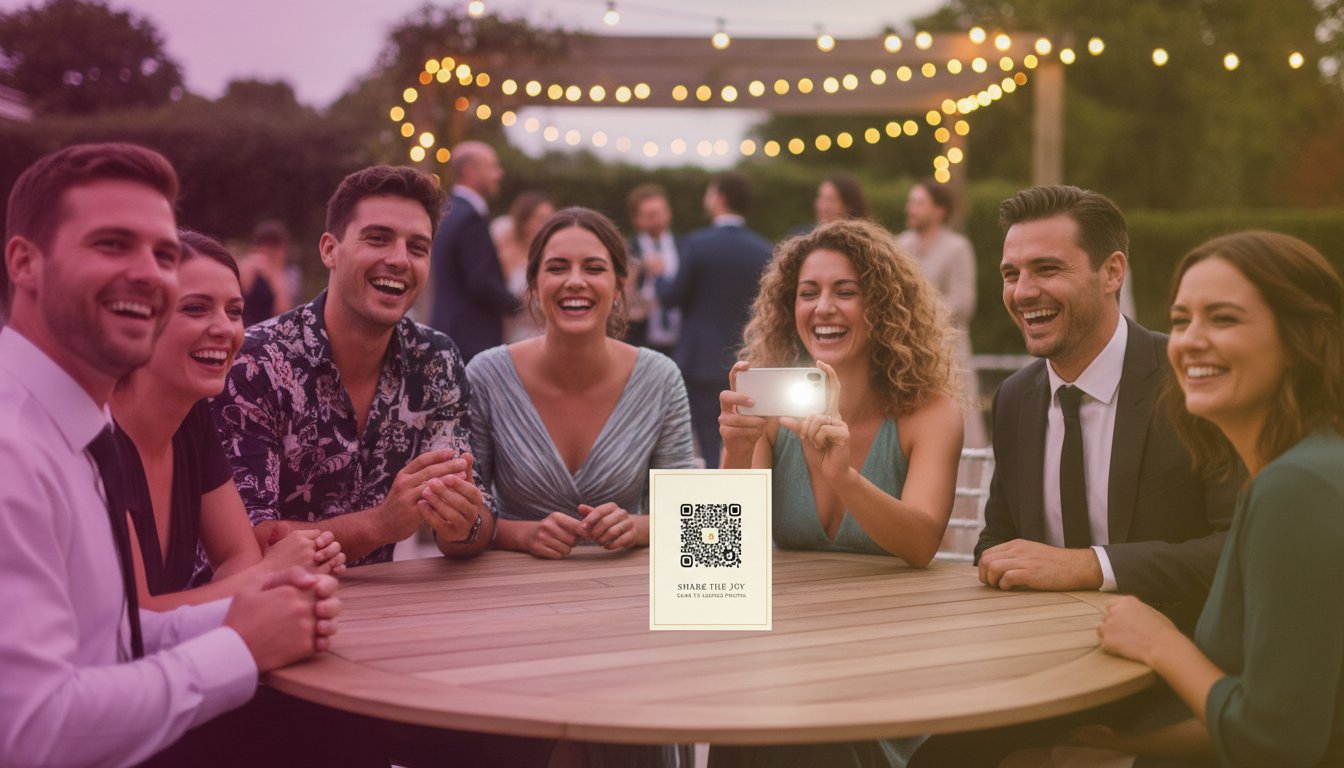
Physical signs are just as vital as the digital ones. Design your QR code cards to match your stationery and colour palette. Scatter them on every table and near the bar where people congregate. Check your moderation settings before the first guest arrives. You can approve photos before they hit the screen to keep the gallery sharp. This gives you full control over your digital archive while you focus on enjoying the day.
Strategies for 100% Guest Participation
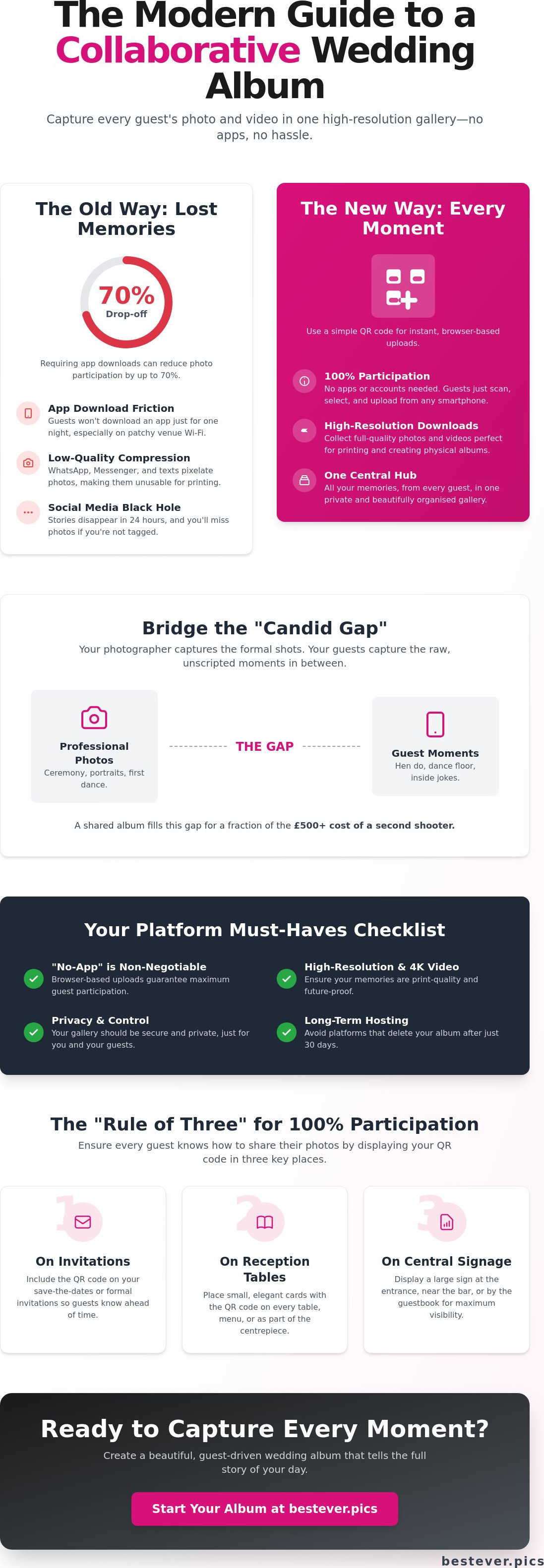
You've built the tech, but now you need to get your guests involved. To successfully create a collaborative wedding album, you need a strategy that goes beyond a single sign at the entrance. We recommend the "Rule of Three". This means your guests should encounter the QR code in at least three distinct locations throughout the day. Repetition is the key to breaking through the noise of a busy celebration. If they see it once, they might forget. If they see it three times, they'll likely join in.
Don't wait for the reception to start the momentum. Launch your gallery during the hen do or the rehearsal dinner. When your core group of friends starts uploading early, it sets the tone for everyone else. By the time the wedding morning arrives, you'll already have a vibrant collection of behind-the-scenes moments. This early adoption creates a "social proof" effect that encourages more reserved guests to contribute once the main event begins.
Your MC or DJ plays a vital role in driving engagement. A quick, enthusiastic announcement between the main course and the speeches can trigger a massive wave of uploads. Ask them to mention that the couple is looking for the best candid snaps of the night. Personalised place cards or "Table Talkers" are also incredibly effective. When a guest sits down for dinner, the QR code is right there in front of them, making it impossible to miss.
Physical Signage That Actually Works
Visibility is everything when it's time to create a collaborative wedding album. Place your codes where people naturally congregate and wait. The bar is the single best spot for signage. Guests often reach for their phones while waiting for a drink, making it the perfect moment to scan. Put codes at the entrance, near the cake, and definitely in the photo booth area. Use high-contrast designs and large fonts. Dimly lit reception rooms make small, stylish codes very difficult to scan. Think about creative spots too, like the back of the order of service or custom coasters.
Incentivising Your Contributors
Instant gratification is a powerful motivator for wedding guests. Use a live slideshow feature to project guest photos onto a screen in real-time. People love the thrill of seeing their own snaps appearing on the big screen during the dance floor sets. It turns your guests from passive observers into active participants. You can even host a "Photo of the Night" contest. Offer a small prize, like a bottle of gin or a local hamper, for the best candid shot captured by a guest. This approach to [LINK: modern wedding photo sharing] builds a genuine sense of community among your friends and family.
Ready to see your celebration through the eyes of your favourite people? Start your Bestever.pics gallery today and ensure every laugh is captured forever.
Why Bestever.pics is the Ultimate Choice for Your Shared Album
Choosing the right platform to create a collaborative wedding album is about more than just software. It's about trust. This refined, Australian-made solution was born from a father-daughter founding story. They wanted a better way to capture family moments without the technical headaches. Today, the platform provides sophisticated couples with a high-octane tool that rivals professional photography archives. You get unlimited storage and high-resolution capabilities that ensure your memories look stunning on any screen.
Most platforms stop working the moment the reception ends. The post-wedding workflow is just as vital. This system makes it simple to close the loop with your guests. Once you're back from the honeymoon, you can use your gallery to share professional shots back with everyone who contributed. It's a thoughtful way to say thank you while giving your friends high-quality versions of the photos they're actually in.
Built for Simplicity and Speed
Speed is the primary obsession here. The user journey from scan to upload takes under 10 seconds. The minimalist interface works perfectly on any smartphone without requiring a single app download. The platform handles high-volume uploads without breaking a sweat, so your gallery stays fast even when 150 guests are uploading at once. When you're ready to print your physical book, you can download the entire collaborative archive in one click. It's the ultimate way to create a collaborative wedding album that actually lasts.
- Scan to upload in under 10 seconds.
- No app downloads or account creation required.
- Unlimited high-resolution photo and video storage.
- One-click archive downloads for easy printing.
Local Support for Your Milestone
Choosing a local business makes a difference. The Gold Coast-based support team understands the Australian wedding industry inside out. Whether you're hosting a black-tie event in Sydney or a barefoot elopement in Perth, the platform is built for regional reliability. You won't find any hidden chatbots or overseas call centres here. If you have a technical query, you'll talk to a real human who cares about your big day. It's time to ditch the old way of sharing and embrace the inevitable evolution of your wedding memories.
Secure Your Wedding Memories Forever
You've seen how removing technical hurdles like app downloads can skyrocket guest participation. By following the "Rule of Three" and placing QR codes where people naturally wait, you'll capture hundreds of candid moments that professional photographers simply can't reach. It's about building a digital archive that reflects the real energy of your celebration. When you create a collaborative wedding album, you're investing in a legacy of shared memories that your friends and family will talk about for years.
Don't let your favourite moments stay trapped on a guest's phone or lost to low-quality social media compression. You need a system that's fast, reliable, and incredibly easy for everyone to use, regardless of their tech skills. Bestever.pics provides that bridge between your big day and a lifetime of high-resolution memories. It's the most effective way to ensure no laugh or dance floor fail goes unrecorded.
Ready to get started? Create your collaborative wedding album in 60 seconds with Bestever.pics. Trusted by thousands of couples worldwide, our platform offers unlimited high-resolution storage with no app downloads required. Your wedding day will pass in a flash, but these photos will keep the magic alive forever.
Frequently Asked Questions
How do I get my wedding guests to actually use the QR code?
Visibility is the secret to high engagement. Place your QR codes at the bar and on every reception table. Have your MC announce the gallery right before the first dance or during the speeches. When guests see their friends' photos popping up on the live slideshow, they'll naturally want to join the fun. It's about making the process part of the night's entertainment rather than a chore.
Will my older guests struggle with a digital wedding album?
Not at all. If your older relatives can scan a QR code for a restaurant menu, they're already experts. The beauty of a no-app system is that it removes the frustration of passwords and app store updates. It's a simple, two-tap process that works on any modern smartphone. You'll likely find that grandparents are some of your most enthusiastic contributors because the interface is so intuitive.
Is there a limit to how many photos guests can upload to the album?
Most premium event platforms allow for unlimited photo and video uploads. You won't have to worry about hitting a storage cap while the party is still going. This freedom encourages guests to snap away throughout the day, from the quiet morning moments to the high-energy dance floor sets. You'll end up with a massive, diverse archive of your entire celebration without ever checking a storage meter.
Do guests need to download an app to share their wedding photos?
No, and they shouldn't have to. The most effective way to create a collaborative wedding album is through a browser-based system. App downloads are a major friction point that can kill guest participation by up to 70%. By using a simple QR code that opens in a mobile browser, you ensure that everyone can contribute instantly without any technical hurdles or storage issues on their personal devices.
Can I moderate the photos before they appear in the shared gallery?
Yes, you have complete control over what appears in your gallery. Most platforms include a moderation feature that lets you approve photos before they hit the live slideshow or the public gallery. You can even appoint a "photo captain", like a trusted bridesmaid or groomsman, to handle the approvals. This keeps your digital space safe and ensures only the best, most appropriate moments are displayed for everyone to see.
What happens to the photos after the wedding is over?
Your photos stay safe in a secure digital hub. Once you're back from your honeymoon, you can download the entire high-resolution collection to your computer with a single click. Most services keep your gallery live for a full year, giving you plenty of time to sort through the shots. It's a permanent archive that you can revisit whenever you feel like reliving the day with your partner.
Is a collaborative wedding album cheaper than a photo booth?
Definitely. Renting a physical photo booth in Australia often costs between $600 and $1,200 for just a few hours. A digital shared album costs a small fraction of that and captures the whole day, not just a corner of the room. It's a smarter way to get those fun, candid shots without the bulky equipment, the long queues, or the massive price tag on your budget.
Can I print high-quality photos from a shared digital album?
Yes, as long as you use a platform designed for high-resolution storage. Unlike social media or messaging apps that compress your images, dedicated sharing tools preserve the original quality. This means your guest's lucky candid shot will be sharp enough to print for your physical wedding book or a framed wall print. It's the best way to ensure every guest-captured memory stays crisp and clear forever.


