

Article by
Gabi
Hi, I'm Gabi - Co-Founder of Bestever Pics. Thanks for visiting our blog. We are working hard to produce content which we hope resonates with you. Feel free to drop us a line on socials or via the contact form on the site.
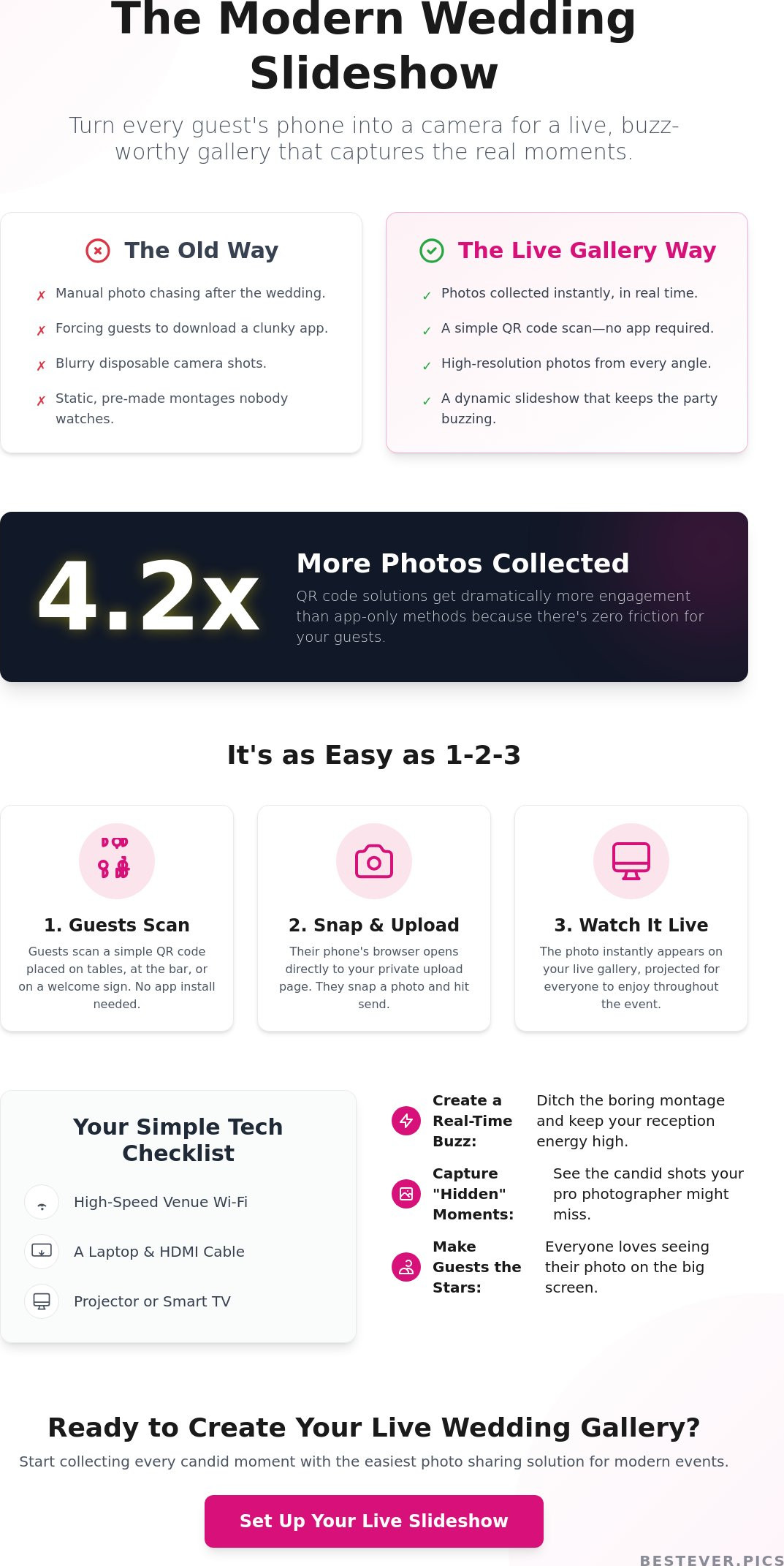
Did you know that wedding photo sharing solutions using QR codes collect 4.2 times more photos than traditional app-only alternatives? It's a staggering difference that proves guests want to share their snaps, but they don't want the friction of a slow download. If you're wondering how to make a slideshow of wedding guest photos that actually works, you've likely felt the frustration of realizing those perfect candid moments are trapped on your guests' phones. Traditional methods are slow and manual, but your wedding deserves something more immediate.
We're here to bridge that gap. You'll learn how to collect and display real-time guest photos for a dynamic wedding slideshow without any of the typical tech headaches. Stop worrying about manual editing or guests refusing to download apps; most people will simply ignore your request if it involves an App Store password. We'll show you how to build a live-updating gallery that keeps the energy high and ensures you have a digital copy of every candid shot before the night ends. It's time to trade the slow turnaround of legacy processes for the instant gratification of a modern, digital-first solution.
Key Takeaways
- Swap boring, static montages for live guest galleries that keep your reception buzzing and the energy high.
- Learn how to make a slideshow of wedding guest photos using QR codes to skip the frustration of app store downloads.
- Check your tech list for high-speed Wi-Fi and HDMI basics to ensure your gallery stays live all night without a hitch.
- Capture the authentic, "hidden" moments of your wedding that a professional photographer might not see.
Why Guest-Sourced Slideshows Beat Traditional Montages
Legacy wedding montages are predictable. Most guests tune out after the first three minutes of childhood photos and vacation snaps. If you want to keep the energy high, you need to change the format. Learning how to make a slideshow of wedding guest photos allows you to ditch the static background noise for a living, breathing gallery that updates in real-time. This isn't just about showing pictures; it's about turning your reception into a shared creative event.
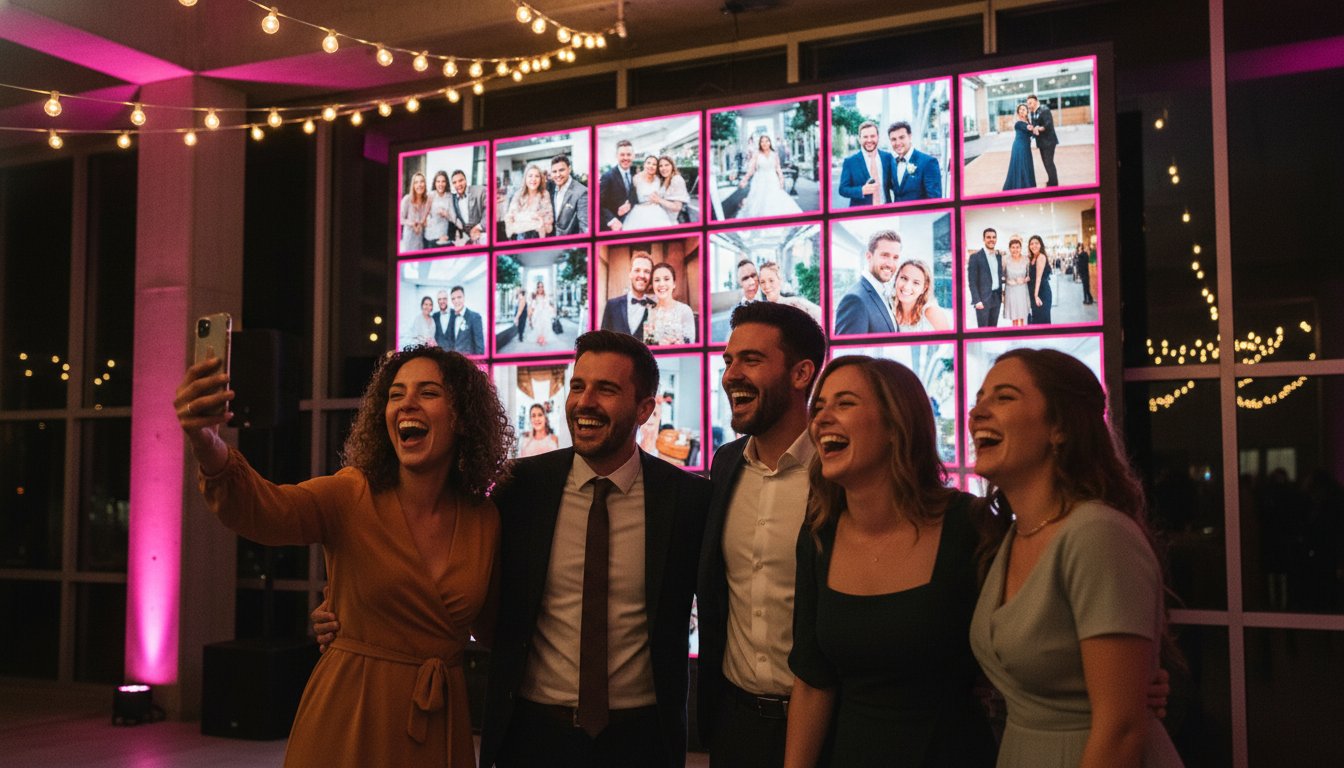
Professional photographers are essential, but they can't be everywhere at once. While your pro captures the ceremony and formal portraits, your guests are catching the "hidden" wedding. They see the laughter at Table 5, the candid reactions during speeches, and the chaos of the dance floor. A live-updating gallery brings these perspectives to the big screen instantly. It creates a digital photo sharing experience that reflects the actual vibe of the room, not just a curated list of poses.
The End of the 'Manual Compilation' Era
Stop planning to spend your honeymoon chasing guests for WhatsApp photos. The old way of collecting memories is broken. Disposable cameras are expensive to develop and often yield blurry results; physical photo booths are bulky and limit guests to a single corner of the room. By moving to a digital collection system, you save hours of post-wedding admin. The history of wedding photography shows a clear shift from waiting weeks for prints to demanding instant results. Embrace that speed by letting tech handle the heavy lifting while you enjoy the party.
Engagement: Making Guests the Stars
Guests love seeing their own snaps on the big screen. It validates their presence and encourages them to stay engaged during natural lulls in the evening. You can even spark a bit of friendly competition by announcing a prize for the "best shot" of the night. This transforms your slideshow into a visual guest book that evolves every minute. It’s a simple way to keep people talking and ensures that every guest feels like an active part of your story, rather than just a spectator in the crowd.
Step-by-Step: Setting Up Your Wedding Guest Slideshow
Setting up your live display shouldn't be a technical nightmare. It's about choosing the right tools to bridge the gap between the guest's phone and the big screen. If you're looking at how to make a slideshow of wedding guest photos, follow these steps to get your reception buzzing with activity. This streamlined process ensures you spend your time on the dance floor rather than troubleshooting cables.
- Select a platform like Bestever.pics that prioritizes instant QR code uploads.
- Create your event profile and generate a unique QR code for your wedding day.
- Design custom signage for your bar, tables, and lounge areas using provided templates.
- Connect your display device to the venue's projector or Smart TV using a reliable HDMI connection.
- Open your private gallery link, activate 'Live Gallery' mode, and test the upload flow with a few sample shots.
Choosing the Right Collection Method
QR codes are the gold standard for 2026 events. They eliminate the friction that kills guest participation. Most people won't download an app just to share a photo; they want to snap and move on. By using a browser-based system, you ensure that even your least tech-savvy relatives can join in. It’s a sophisticated way to collect high-resolution memories without the usual compression issues found on social media. This "no-app" requirement is a non-negotiable factor if you want a gallery that actually grows throughout the night. It's the inevitable evolution of guest engagement.
Signage and Promotion Strategy
Visibility drives results. Place your QR codes where guests naturally linger, like the cocktail bar, the guest book table, or during a village fete setup. You can even include them on physical invitations or display them at Hen dos to start the collection early. While you want plenty of photos, consider the social cost of photo-taking to keep guests present in the moment. A quick mention from the DJ or MC early in the night is usually enough to get the photos rolling in. It's about finding that balance between capturing the memory and living it. This is the most practical way to master how to make a slideshow of wedding guest photos while maintaining the party vibe.
You can set up your private wedding photo gallery in just a few clicks to test the flow before the big day arrives.
Live Displays vs. Post-Wedding Edits: Which Fits Your Vibe?
Deciding between a live reception display and a post-wedding montage isn't an either-or choice. It's about matching the technology to the energy of your celebration. Live displays create an immediate 'wow' factor that static, pre-made videos simply cannot replicate. When you're researching how to make a slideshow of wedding guest photos, the goal is usually to capture the peak energy of the party. Guests love the instant feedback of seeing their own perspective on the big screen while the celebration is still in full swing.
The most successful 2026 weddings often use a hybrid approach. You show live, candid photos during the reception to keep the vibe electric, then use those same files to curate a polished highlight reel later. The candid vs. polished debate is usually won by authenticity. Your friends and family don't want an airbrushed, cinematic production every time they look at a screen; they want to see the real, joyous moments they actually experienced. Knowing how to make a slideshow of wedding guest photos gives you the flexibility to be both spontaneous and sentimental.
The Power of the Live Gallery
Live galleries provide the kind of instant gratification that modern guests expect. A guest snaps a photo at their table, scans a QR code, and sees their work on the display screen less than a minute later. This feedback loop keeps the momentum high, especially during logistical lulls like room turnovers or the gap between the meal and the first dance. I've noticed that guests often start 'performing' for the camera once they see their photos pop up on the big screen, which actually results in much better candid shots than when they feel watched by a professional photographer. You don't have to worry about inappropriate content, either. Sophisticated moderation tools allow you to keep the gallery family-friendly by giving a designated co-host the power to filter uploads in real-time.
Creating a Lasting Digital Legacy
The true value of your guest gallery reveals itself the morning after. You can download the entire high-resolution collection in one click after the 'I dos', providing an immediate library of content for thank-you cards and social media updates. This is the essence of modern wedding photo sharing. You aren't just putting on a show; you're building a permanent archive of memories that professional photographers might miss. It's a practical way to ensure that the 'hidden' moments of your wedding are preserved forever without the long wait for a professional edit. Whether you're at a high-end city venue or a relaxed village fete, having that digital backup is a massive relief.
Hardware and Tech: What You Need for a Smooth Gallery Display
The best software won't matter if your screen stays black. To master how to make a slideshow of wedding guest photos, you need a reliable hardware bridge between the cloud and your venue's display. Most modern ballrooms or wineries have high-definition screens ready to go. You just need to bring the right connection. A standard laptop with an HDMI output is the most reliable choice for a stable, high-resolution feed. It gives you direct control over the browser window and ensures the gallery looks sharp on any size screen.
Wireless casting via Chromecast or AirPlay is an option. However, it can be finicky on crowded networks. Stick to a physical HDMI cable if you want to avoid lag. If your venue uses a Smart TV, you might skip the laptop entirely. Use the built-in web browser to access your gallery link directly. This creates a cleaner look without cables cluttering the DJ booth or cake table. For massive ballroom settings, a projector and a high-gain screen are your best bet to ensure guests at the back don't miss the action.
Internet stability is your biggest variable. Venue Wi-Fi is notoriously unstable once 100+ guests start streaming to their social media stories. Don't rely solely on the venue's guest network. Bring a dedicated 5G hotspot to keep the data flowing. This keeps your live gallery updating in real-time without the spinning wheel of death. High-speed data is the lifeblood of a live event, and a backup hotspot is the cheapest insurance policy you can buy for your reception energy.
Venue Coordination Checklist
Confirm the location of power outlets before the big day. You don't want a dead laptop battery halfway through the speeches. Test the entire connection during your rehearsal. It's the only way to catch weird resolution issues or cable faults before guests arrive. Ask your venue manager if their AV system supports direct HDMI or if you need specific adapters for their projector. Some older systems might require a VGA or DisplayPort converter, so check this early to avoid a last-minute dash to the electronics store.
The Backup Plan: Staying Stress-Free
Start your gallery with a few 'seed' photos. Uploading ten shots of the couple or the venue setup ensures the loop isn't empty when guests walk in. If the internet fails, have a small offline loop of childhood photos ready on your desktop as a fallback. Assign a 'tech usher' to handle any cable swaps or browser refreshes. This person is usually a tech-savvy cousin or a member of the bridal party. This lets you stay on the dance floor while the tech runs itself. They can monitor the feed and ensure the slideshow remains the focal point of the room.
You can start your private wedding photo gallery today and test your hardware setup before the event begins.
Bestever.pics: The Easiest Way to Stream Guest Photos Live
Bestever.pics is the market disruptor that changes everything for your reception. It's built to eliminate the stress of scattered memories and lost files. If you've been searching for how to make a slideshow of wedding guest photos, this is the definitive answer. The platform offers a high-octane solution that works instantly, transforming your reception into a live-action event. It’s about creative freedom and professional-grade output without the usual tech headaches. You don't need a degree in IT to make this work. It's sophisticated simplicity at its finest.
Guests simply won't download apps at a party. They want to snap, scan, and get back to the dance floor. Bestever.pics uses QR codes for a zero-friction experience that even your least tech-savvy relatives can navigate. The instant live gallery mode is designed specifically for wedding displays, keeping the room's energy high and the conversation flowing. You also get simple moderation tools to keep the big screen family-friendly. After the last dance, you can download every high-resolution file for your permanent album in one click. It’s the ultimate way to bridge the gap between the event and your digital legacy.
Why Bestever.pics is the Pro Choice
Event experts designed this to solve the scattered photo problem once and for all. It’s the premier choice for couples who want a streamlined, efficient process. For professional planners running multiple weddings a year, the Pro features provide the necessary social assets and attendee engagement tools. You can customize the branding to match your wedding theme perfectly, from the fonts to the colors. This ensures a sophisticated, cohesive look that feels like a natural part of your reception decor. It’s the inevitable evolution of the modern wedding experience.
Getting Started in Under 60 Seconds
Speed is the core of the service. You can create your account and generate your first QR code in less than a minute. This speed gives you immediate agency over your wedding content. Explore these Creative QR Code Display Ideas to see how to integrate codes into your table cards or bar signage. You can start collecting candid moments from the morning prep through to the final departure. Don't wait months for the professional photos to see the best moments of your day. Start your live gallery now and watch the memories roll in.
Bring Your Wedding Gallery to Life
Your wedding is a high-energy event, and your photos should reflect that energy. By mastering how to make a slideshow of wedding guest photos, you're choosing an interactive experience over a predictable, static montage. You've seen how simple hardware and app-free QR codes remove the friction that usually stops guests from sharing their best shots. This isn't just about collecting files; it's about creating a shared visual story that evolves in real-time on your big day.
Thousands of couples worldwide have already ditched legacy methods for this streamlined approach. With no app download required and a live gallery display included, you're giving your guests the creative freedom they want. You'll end the night with a complete, high-resolution archive of every candid moment captured by the people who matter most. It's time to stop worrying about tech headaches and start focusing on the celebration. Start your Bestever.pics gallery and collect guest photos today. Your future self will thank you for the memories.
Frequently Asked Questions
Do guests need to download an app to add photos to the slideshow?
Guests don't need to download any apps to contribute to your gallery. They simply scan a unique QR code using their phone's native camera and upload photos directly through a web browser. This frictionless approach ensures maximum participation from everyone, from kids at a village fete to grandparents at the head table. It's the most efficient way to solve the problem of photos getting stuck on people's phones.
How do I prevent inappropriate photos from appearing on the screen?
You have full control over every image that hits the big screen thanks to built-in moderation tools. You can assign a trusted co-host, like a bridesmaid or a tech-savvy cousin, to approve or reject photos in real-time before they appear. This ensures your live gallery remains family-friendly and perfectly aligned with the vibe of your reception. It's a proactive way to maintain the professional quality of your event display without any stress.
Can I download all the guest photos after the wedding is over?
You can download your entire high-resolution collection with a single click once the celebration ends. Unlike social media platforms that compress your images, Bestever.pics preserves the original quality for your permanent digital archive. This gives you an instant library of candid moments to use for thank-you cards or social media posts. You'll never have to chase guests for their snaps again; you own the copyright to every single image.
What happens if the wedding venue has poor Wi-Fi?
Bringing a dedicated 5G hotspot is the most reliable backup plan if your venue's Wi-Fi is unstable. While many venues offer guest networks, these often struggle once a hundred people start streaming and uploading at the same time. A personal hotspot ensures your live gallery keeps updating without lag. If the connection drops briefly, the system will continue to loop existing photos until the signal returns, keeping the display active.
How many photos can my guests upload to the slideshow?
There is no limit to the number of photos your guests can upload to your event gallery. This encourages everyone to capture as many candid moments as possible without worrying about storage caps or hidden fees. When you are researching how to make a slideshow of wedding guest photos, knowing you have unlimited capacity is a huge relief. It allows your visual guest book to grow naturally throughout the entire celebration.
Can I play music along with the live photo gallery?
You can easily play music alongside your live gallery by using your laptop or display device's audio output. Since the gallery runs through a standard web browser, you can have a music player or streaming service running in the background. Most couples coordinate this with their DJ to ensure the visual display and the reception soundtrack are perfectly synchronized. It creates a fully immersive atmosphere that keeps your guests engaged during every lull.
Is there a way to show videos in the guest slideshow too?
Video uploads are fully supported, allowing guests to share short clips of speeches, dances, or well-wishes. These clips integrate directly into the live rotation, adding a dynamic layer of movement to your display. Understanding how to make a slideshow of wedding guest photos that includes video is the ultimate way to capture the full energy of the room. It turns a static display into a truly interactive digital experience that guests will love.


