

Article by
Gabi
Hi, I'm Gabi - Co-Founder of Bestever Pics. Thanks for visiting our blog. We are working hard to produce content which we hope resonates with you. Feel free to drop us a line on socials or via the contact form on the site.
Chasing guests for high-res photos weeks after the party ends is a massive drain on your energy. This 2026 guide shows you how to organize guest photos from an event using a central digital hub like bestever.pics that eliminates app-download friction and manual sorting nightmares. You'll master the art of collecting high-quality candid shots while the party is still in full swing.
Key Takeaways
- Learn how to organize guest photos from an event by establishing a central digital hub before your first guest arrives.
- Swap clunky app downloads for instant QR code access to ensure you receive high-resolution files rather than low-quality screenshots.
- Categorize your media by event phase and use timestamp data to build a chronological narrative of the celebration.
- Implement bulk downloads and set an album close date to finalize your collection and move photos to permanent storage.
- Professional planners can scale their workflow by managing multiple event galleries through a single, unified dashboard.
How to Organize Guest Photos From an Event Without the Chaos
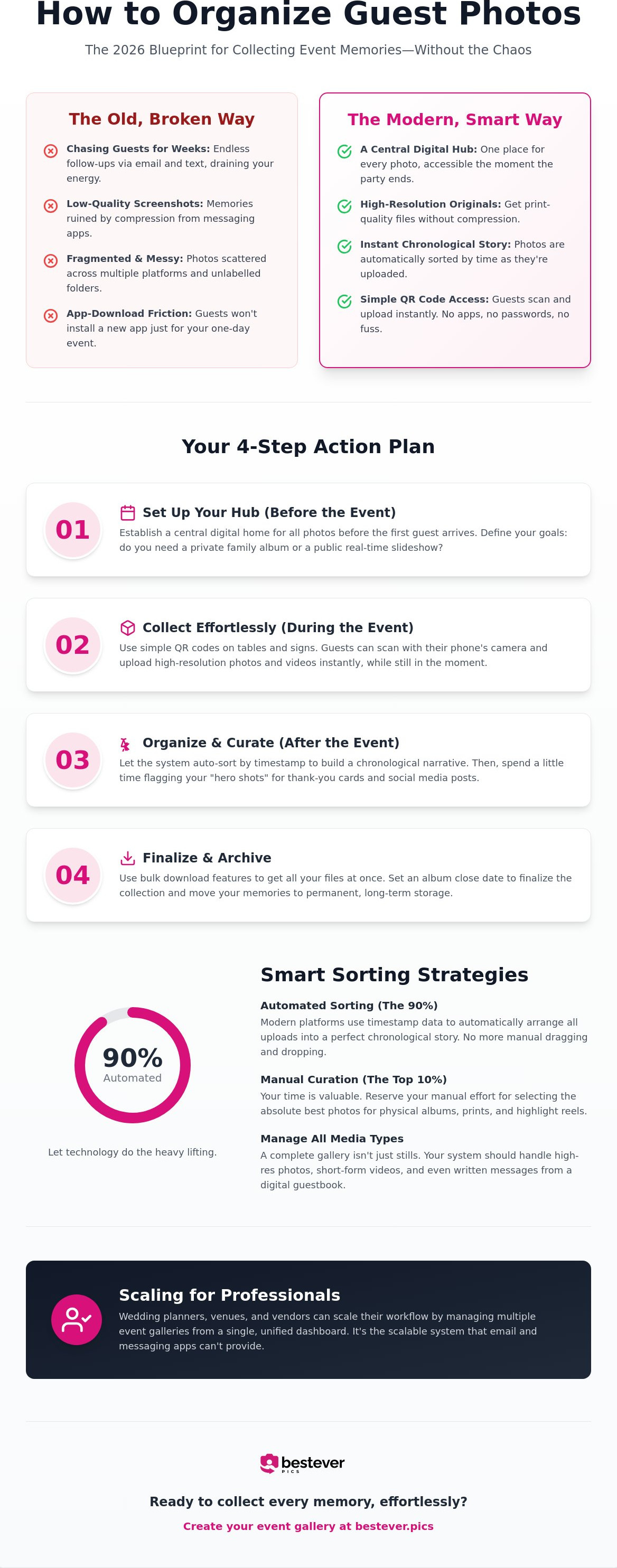
Organizing guest photos means building a central digital home for every memory captured by your attendees. You shouldn't wait until the party ends to start the sorting process. The 2026 standard for event planning moves away from reactive collecting toward proactive, instant uploads. When you master how to organize guest photos from an event, you eliminate the stress of chasing people down weeks later. You need a system that preserves high-resolution quality without the compression that ruins professional-grade memories.
The Problem With Traditional Photo Collection
Legacy methods are fundamentally broken. Chasing guests via WhatsApp or email results in a fragmented mess of low-quality files and unlabelled folders. Social media hashtags might seem easy, but they often miss content from private accounts and strip away the image resolution you need for printing. Relying on a guest's memory to send photos fourteen days after the event is a losing battle. You end up with a handful of grainy screenshots instead of the vibrant, candid gallery you deserve.
Defining Your Event Organization Goals
Success starts with clarity. Before you set up your gallery, decide if you want a private space for intimate family shots or a public slideshow to entertain guests in real-time. Modern photo sharing platforms offer various levels of control depending on your specific needs. Setting these expectations before the first guest arrives ensures a smooth flow of media throughout the day.
Consider these critical factors for your setup:
- Do you need bulk download capabilities for physical albums or professional printing?
- Are you looking to collect guest photos for personal memories or commercial social media content?
- Does the system handle massive file sizes without crashing or requiring a clunky app download?
If you're running a corporate function or a large-scale wedding, you can't afford a system that collapses under the weight of 500 unlabelled files. Using a platform like bestever.pics allows you to establish these parameters instantly. It ensures that every photo uploaded is automatically sorted into a single, high-resolution repository. This proactive approach transforms a post-event nightmare into a simple, organized digital asset you can access the moment the music stops.
Key Strategies for Sorting and Categorizing Guest Media
Drowning in a sea of unlabelled files is the quickest way to kill your post-event buzz. Effective organization starts with a clear structure that mirrors the flow of your day. By breaking your media into phases like the ceremony, the dinner, and the high-energy after-party, you create a logical path for anyone viewing the album later. This phase-based approach is a core part of how to organize guest photos from an event without losing your mind in the process. It turns a massive data dump into a curated story that guests actually want to revisit.
Your most powerful tool is the metadata already attached to every file. Modern systems use timestamp data to rebuild the chronological narrative of your celebration automatically. This means you don't have to guess if a photo was taken during the speeches or the first dance. Identifying your hero shots early is another pro move. These are the standout, high-impact images that capture the essence of the day. Flagging these immediately makes creating thank-you cards or social media reels much faster. Try to batch your curation into 20 minute windows; it prevents fatigue and helps you stay objective about which shots are truly keepers.
Automated Sorting vs. Manual Curation
Let technology handle the heavy lifting of initial organization. Modern platforms sort media by upload time the moment it hits the server, which saves you hours of tedious dragging and dropping. You should reserve your manual curation for the top 10% of memories that deserve a spot in a physical album. Encourage your guests to add captions to their uploads to provide context for those hilarious, behind-the-scenes moments that a stranger might not understand. For those looking for deeper technical insights, following personal digital archiving best practices ensures your files remain accessible and organized for decades to come.
Managing Different Media Types
Your collection isn't just about stills anymore. A modern event gallery must handle short-form video clips alongside high-resolution photos. Keep your professional shots in a separate sub-folder to maintain a clear distinction between the polished editorial work and the raw, authentic guest perspective. You might also consider a digital guestbook to organize written messages alongside your visual media for a complete record of the day. If you want to see how this looks in practice, a private wedding photo gallery offers a streamlined way to keep everything in one place without the mess.
Implementing QR Codes for Instant Photo Collection
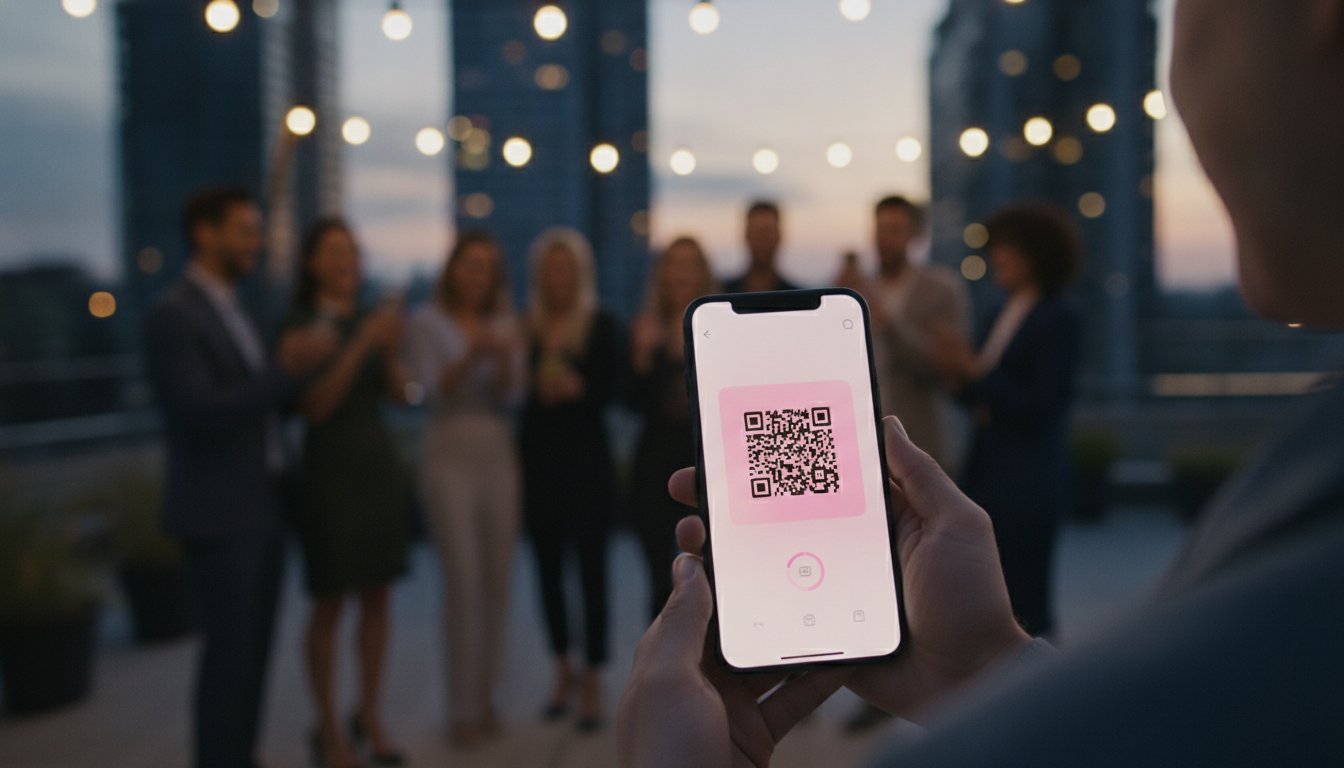
QR codes are the heavy hitters of modern event planning. They act as the digital gateway to your organized event album, stripping away the friction that usually stops guests from sharing their best shots. When you eliminate app downloads, you ensure 100% of your guests can participate the moment they see something worth capturing. This is a massive win for anyone figuring out how to organize guest photos from an event, as it moves the sorting work to the point of capture rather than your living room couch two weeks later. bestever.pics lets you generate these codes in seconds, giving you a professional edge whether you're hosting a backyard birthday or a high-end corporate gala.
Strategic placement is everything. You want your QR codes to be unavoidable but elegant. Think about table cards, bar signage, and even digital displays near the entrance. By putting the "upload button" right in front of your guests, you capture those fleeting, candid moments that a formal photographer might miss. You're effectively crowdsourcing your event coverage without the logistical headache of managing multiple contributors manually.
Setting Up Your QR Photo Hub
Getting your system live takes less time than making a cup of coffee. Follow these four steps to get started:
- Create your private event gallery on bestever.pics to establish your digital home base.
- Customize your upload page with your event colors or branding to keep the experience cohesive.
- Download and print your unique QR code for physical display on cards, posters, or menus.
- Monitor the live feed during the event to see the memories flowing in in real-time.
Maximizing Guest Participation
You can't just set it and forget it. A quick announcement from the DJ or host during the party can skyrocket your upload count. We've seen that a simple reminder often leads to 40% to 50% more photos being shared by the end of the night. Displaying the QR code on large screens during the reception also keeps the momentum high as guests see their own shots appearing in the gallery. For more specific placement ideas, check out our guide on qr codes for wedding photo sharing to see what works best for different venue layouts.
The goal is to make the process so easy that it feels like second nature. When guests don't have to create accounts or wait for emails, they're far more likely to contribute. This creates a richer, more diverse collection of media that's already sorted and ready for you to enjoy. When you master how to organize guest photos from an event using these digital gateways, you're not just collecting files; you're building a live archive of the celebration.
Best Practices for Managing Large-Scale Event Galleries
Collecting the shots is only half the battle. Once you have hundreds of files, the real work of curation begins. You need to enable bulk downloads to move your media into permanent storage or prepare them for physical prints. This is a critical step in how to organize guest photos from an event properly. Don't let your memories sit in a temporary digital limbo. Set a clear 'album close' date, perhaps two weeks after the celebration, to finalize the collection phase. This creates a hard deadline that encourages procrastinating guests to upload their shots while the memory is fresh.
Successful galleries rely on quality, not just quantity. Use built-in moderation tools to scrub your feed of blurry shots, accidental pocket photos, or obvious duplicates. This makes the final viewing experience much more enjoyable for everyone involved. Mastering how to organize guest photos from an event means thinking about the lifecycle of the image, not just the upload. Consider these curation steps:
- Remove duplicates from guests who uploaded the same burst sequence.
- Delete low-quality screenshots that guests took from social media rather than uploading originals.
- Filter out photos with poor lighting that don't add value to the narrative.
Once you've polished the collection, provide your guests with a 'view-only' link. This allows them to relive the day without accidentally deleting files or cluttering the organized structure you've built.
Security and Privacy in Photo Organization
Privacy isn't optional for intimate weddings or high-stakes corporate functions. Keep your gallery private to ensure only those with the link or QR code can view the media. You should verify that your platform uses secure cloud storage rather than relying on public social media folders. Public folders are prone to data scraping and often strip away the high-resolution quality you need. A dedicated hub keeps your data safe and your guests' privacy intact. It also avoids the friction of requiring guests to log into personal accounts just to view a photo.
Long-Term Storage Solutions
Digital files are fragile if they only exist in one place. Transfer your organized files to a physical hard drive for an offline backup. You should also maintain a digital copy in a cloud service that preserves the original metadata, like timestamps and location data. This ensures your chronological narrative stays intact for years. Check out our guide on digital photo sharing modern events for more storage best practices. This redundancy protects your investment and ensures that your curated gallery survives hardware failures or service changes.
Ready to take control of your event media? You can start by setting up a private wedding photo gallery that handles the organization for you.
Scaling Your Organization with Bestever.pics Pro Features
Professional organizers don't have the luxury of managing one folder at a time. If you're a wedding planner or a venue manager, you're likely overseeing dozens of celebrations every month. You need a system that scales as fast as your bookings do. Learning how to organize guest photos from an event at this level requires a dashboard that segregates data without sacrificing speed. bestever.pics Pro provides this infrastructure, allowing you to move between separate client galleries with a single click. It's the inevitable evolution for businesses that want to provide a premium digital experience without the manual labor.
The Pro plan is a flat-rate annual subscription of $399 that includes non-expiring QR codes and unlimited uploads. This means you can set up your systems once and let them run for the entire year. You don't have to worry about galleries disappearing or codes failing mid-season. This level of reliability is what transforms a simple tool into a professional-grade asset. You're giving your clients peace of mind and a high-resolution archive that stays accessible long after the party ends.
Efficiency for Professional Event Planners
Planners often lose hours to post-event administrative tasks. By automating the collection process, you free up your schedule for high-value on-site management. You can provide your clients with a fully organized, high-resolution gallery the moment the music stops. This instant turnaround is a massive selling point that sets you apart from competitors who still rely on fragmented text threads. Use the pro dashboard to monitor recurring functions and ensure every guest has a frictionless way to contribute. It's about working smarter to deliver professional results every time.
Corporate Branding and Customization
Branding is everything in the corporate market. For large-scale activations or product launches, you need to remove third-party logos to keep the spotlight on your client. bestever.pics Pro allows you to customize the upload experience with branded colors and custom URLs that are easy for guests to remember. This is especially vital for companies with strict IT policies that block app downloads. Following our business guide for corporate activations ensures your system remains compliant while maximizing participation. You aren't just solving the problem of how to organize guest photos from an event; you're building brand authority with every scan.
Venues can now offer these branded QR codes as a standard part of their premium booking packages. It's a low-effort, high-impact service that adds tangible value to every contract. By providing a secure, private, and organized digital hub, you position your business as a leader in the modern events market. Stop chasing files and start delivering a streamlined, professional experience that your clients will love.
Take Control of Your Event Memories
Mastering how to organize guest photos from an event is all about choosing the right digital infrastructure before the first guest arrives. By implementing QR codes and automated galleries, you eliminate the friction of app downloads and the frustration of low-quality screenshots. You've seen how to categorize by event phase and use timestamps to build a narrative that actually makes sense. It's time to move away from reactive chasing and toward a proactive, streamlined system.
Don't let your celebration's best moments get lost in fragmented text threads or expire in temporary folders. Join over 150,000 hosts worldwide who trust Bestever.pics to capture and sort every candid angle. Our app-free technology ensures 100% guest compatibility, while high-resolution downloads keep your memories sharp for years. You deserve a gallery that's as vibrant and organized as the event itself.
Start organizing your event photos with Bestever.pics for free today. Your future self will thank you for the stress-free sorting and the beautiful, curated archive you've built.
Frequently Asked Questions
What is the best way to collect photos from guests at a wedding?
The most effective method is using a QR code-based system that directs guests to a web-based gallery. This strategy is central to how to organize guest photos from an event because it captures media in high resolution at the source. You avoid the quality loss associated with social media or messaging apps. It's a professional-grade solution that remains accessible to every attendee with a smartphone.
Can guests upload videos to a QR code photo album?
Yes, guests can contribute both short-form video clips and high-resolution stills directly through the browser. This ensures your collection captures the energy of the dance floor and the emotion of the speeches. Video files are automatically sorted alongside photos in your digital hub. It's a complete media archive that reflects every angle of your celebration.
What happens if my guests don't have a specific photo sharing app?
Guests don't need to download any software or create an account to share their memories. The bestever.pics platform uses a browser-based interface that works instantly on any modern mobile device. This removes the friction that usually stops people from participating. You get higher participation rates because the technology is invisible and incredibly easy to use.
Is there a limit to how many photos guests can upload to bestever.pics?
bestever.pics supports massive collections to ensure you never miss a moment. While specific limits depend on your chosen plan, our Pro infrastructure is built for unlimited uploads to handle the busiest event seasons. You can collect hundreds or even thousands of files without hitting a wall. It's the most scalable way to manage media for any size function.
How do I ensure guests actually use the QR code at my event?
High visibility and clear calls to action are the keys to success. Place your QR codes on table menus, bar signage, and large digital screens throughout the venue. A quick reminder from your MC or DJ can also boost engagement by 40% to 50% during the night. When guests see their shots appearing in a live slideshow, they're far more likely to join in.
Can I download all guest photos in high resolution at once?
You can absolutely download your entire collection in high resolution with a single click. This feature is vital for how to organize guest photos from an event if you plan to create physical albums or professional prints. It ensures you have a permanent, offline backup of every memory captured. You aren't just viewing images online; you're owning the high-quality assets.
Is it possible to moderate photos before they appear in the public gallery?
You have full control over which images are visible to other attendees. Modern moderation tools allow you to review uploads and remove blurry shots or duplicates before they hit the public feed. This keeps your gallery polished and professional. It also provides an essential layer of privacy for sensitive corporate or family gatherings.
How much does a digital guest photo sharing service cost?
Costs generally fall into two categories: per-event fees or annual subscriptions. Basic event plans in the industry often start around $30 for limited access, while professional-grade systems typically use a flat-rate annual model. This subscription approach is ideal for venues or planners who need to manage dozens of events without worrying about individual costs. It provides a predictable expense for a high-value digital service.


