

Article by
Gabi
Hi, I'm Gabi - Co-Founder of Bestever Pics. Thanks for visiting our blog. We are working hard to produce content which we hope resonates with you. Feel free to drop us a line on socials or via the contact form on the site.
Your event memories shouldn't be held hostage by a blue bubble. While Apple's 2026 updates attempt to bridge the gap, finding a dedicated iCloud photo sharing alternative for events remains the only way to guarantee every guest can contribute without friction. You need a system that works as hard as you do, capturing every candid moment in full resolution regardless of whether your guests use Android or iOS.
We know the frustration of chasing down photos days after the party ends only to receive blurry, compressed files via text. It's time to stop settling for low participation rates and technical hurdles that kill the excitement. This article shows you how to collect every high-quality original file without forcing a single app download on your friends or family. We will explore how platforms like bestever.pics and other browser-based tools turn a simple QR code scan into a complete digital legacy for your most important milestones.
Key Takeaways
- Stop leaving your Android-using friends out of the loop by switching to a platform that doesn't require an Apple ID or a forced account login.
- Learn why an iCloud photo sharing alternative for events is the best way to get everyone involved without the usual technical headaches.
- Make it easy for everyone to share by using QR codes that work instantly in any mobile browser, removing the friction of app downloads.
- Focus on systems built for high-speed collection so you don't miss those candid shots while waiting for slow, compressed uploads.
- Pick the right tool for your specific crowd size, whether you're hosting a small milestone party or managing large-scale professional events.
Why iCloud Shared Albums struggle with event photo sharing
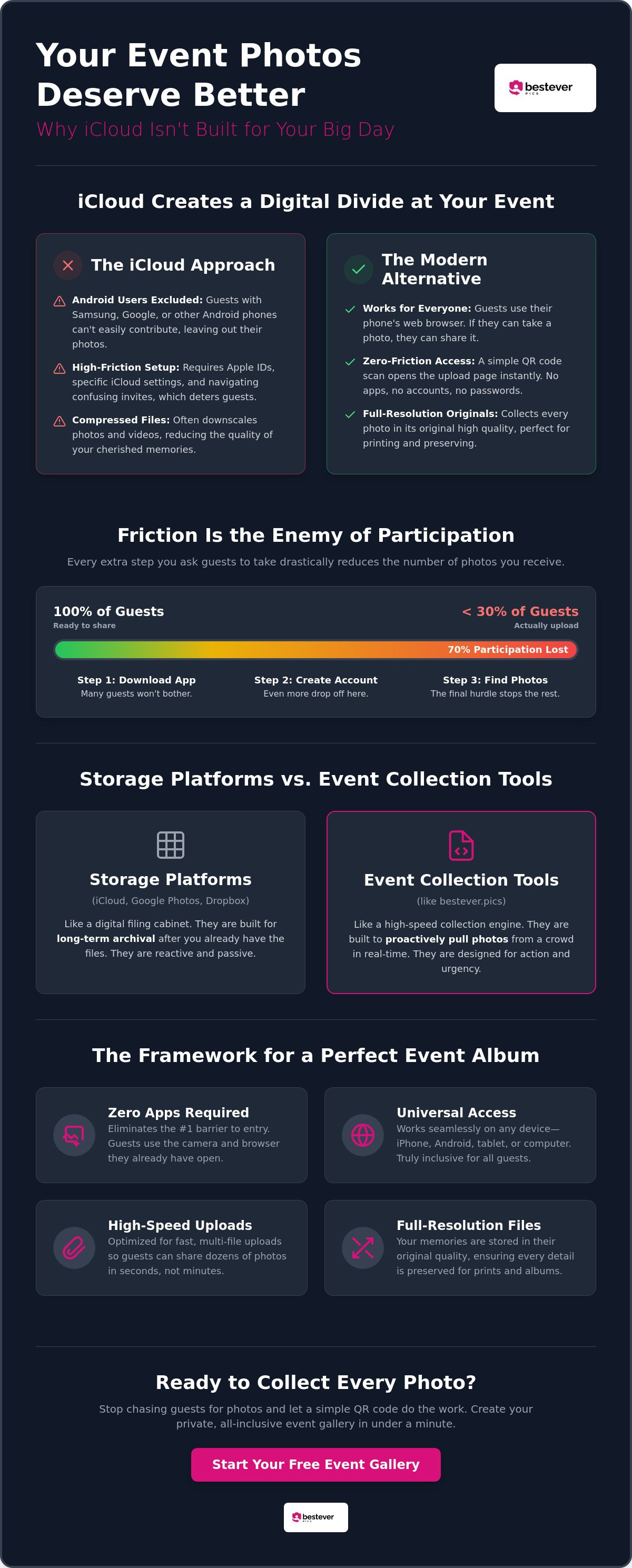
iCloud was built for families, not crowds. It's great for your personal library, but it's often a disaster for big celebrations. When you're looking for an iCloud photo sharing alternative for events, you're usually trying to solve one specific problem: getting everyone involved. Apple's ecosystem is a walled garden that creates a digital divide at the very moment you want connection. Understanding what is image sharing in a modern context means looking beyond single-platform tools. Most guests don't want to troubleshoot settings while they should be enjoying the party.
The Android exclusion problem
Hosting a wedding or a stag do with an iCloud album is an invitation to leave people out. If your best mate uses a Samsung, they're immediately sidelined from the shared gallery. They might be able to view a public link, but contributing their own candid shots is often a technical nightmare. This exclusion kills the vibe of collective storytelling. bestever.pics removes this barrier by moving the entire process to the mobile browser, ensuring every guest has an equal seat at the table regardless of their phone brand.
Friction and the death of participation
Every extra step you ask a guest to take reduces the number of photos you'll actually receive. To join an iCloud Shared Album, guests often need to check their email, ensure their iCloud settings are correct, and have enough personal storage space available. It's a high-friction process that feels like work. Some industry professionals report that participation drops by as much as 70% when guests are forced to create accounts or log in. A reliable iCloud photo sharing alternative for events focuses on speed and accessibility rather than ecosystem loyalty.
Compare that to the speed of a QR code scan. You want instant results, not a tech support session. Browser-based uploads provide several advantages:
- No App Downloads: Guests use the camera app they already have open.
- Zero Accounts: No passwords to remember or emails to verify.
- Instant Upload: Photos go from the camera roll to your album in seconds.
Storage limits also play a hidden role. Even with recent updates, guests might hesitate to contribute if they think it will eat into their own paid storage plan. Plus, Apple often compresses files to save space, meaning those beautiful shots lose their crisp edge. Choosing an iCloud photo sharing alternative for events allows you to bypass these storage caps and keep every file in its original resolution. For a deeper look at making this work for your next big day, check out how it works to see the difference a browser-based system makes.
Comparing storage platforms versus event collection tools
Think of iCloud and Google Photos as digital filing cabinets. They're perfect for long-term archival once you already have the files on your own device. But they're reactive. Event collection tools are proactive and built to pull content from a crowd in real-time. While you can check the official iCloud Shared Album limits, those caps don't solve the real problem: getting photos off guest phones. You need an iCloud photo sharing alternative for events that acts as a high-velocity collection engine.
Why storage-first apps fail at weddings
Guests get caught in the "I'll do it later" trap at every single celebration. By Monday morning, the excitement has faded and those candid shots are buried under a hundred new notifications. Storage apps fail because they lack urgency and visibility. You need a live incentive to drive action while the party is still hopping. Using a digital guestbook provides instant gratification that storage-first apps simply can't match.
The framework for a perfect event album
Engagement lives or dies by the user experience. Whether you're running a corporate gala or a local footy final, your system must follow a strict framework. Friction is the silent killer of memories. Professional planners require this level of reliability to manage recurring events without constant manual follow-up. For corporate events, web-based tools bypass strict IT policies that often block new app downloads on company devices. This iCloud photo sharing alternative for events strategy ensures that technical hurdles never stand in the way of a great shot. Your chosen system should hit these four pillars:
- Zero Apps: Eliminates the download barrier that stops 80% of users.
- Zero Accounts: Removes the login hurdle so guests can stay in the moment.
- Universal Support: Works on every device instantly, from the newest iPhone to an older Android.
- High Resolution: Preserves every pixel of the original shot for future printing and viewing.
Storage platforms assume you've already won the battle of getting the photo. They focus on where the file lives for the next ten years. Event tools focus on the now. They ensure that the photo doesn't stay trapped on a guest's camera roll forever. Learn more about digital photo sharing for modern events to see how these pillars transform your participation rates. If you're ready to start collecting, set up a private wedding photo gallery and watch your album grow in real-time.
How to use QR codes as an iCloud photo sharing alternative
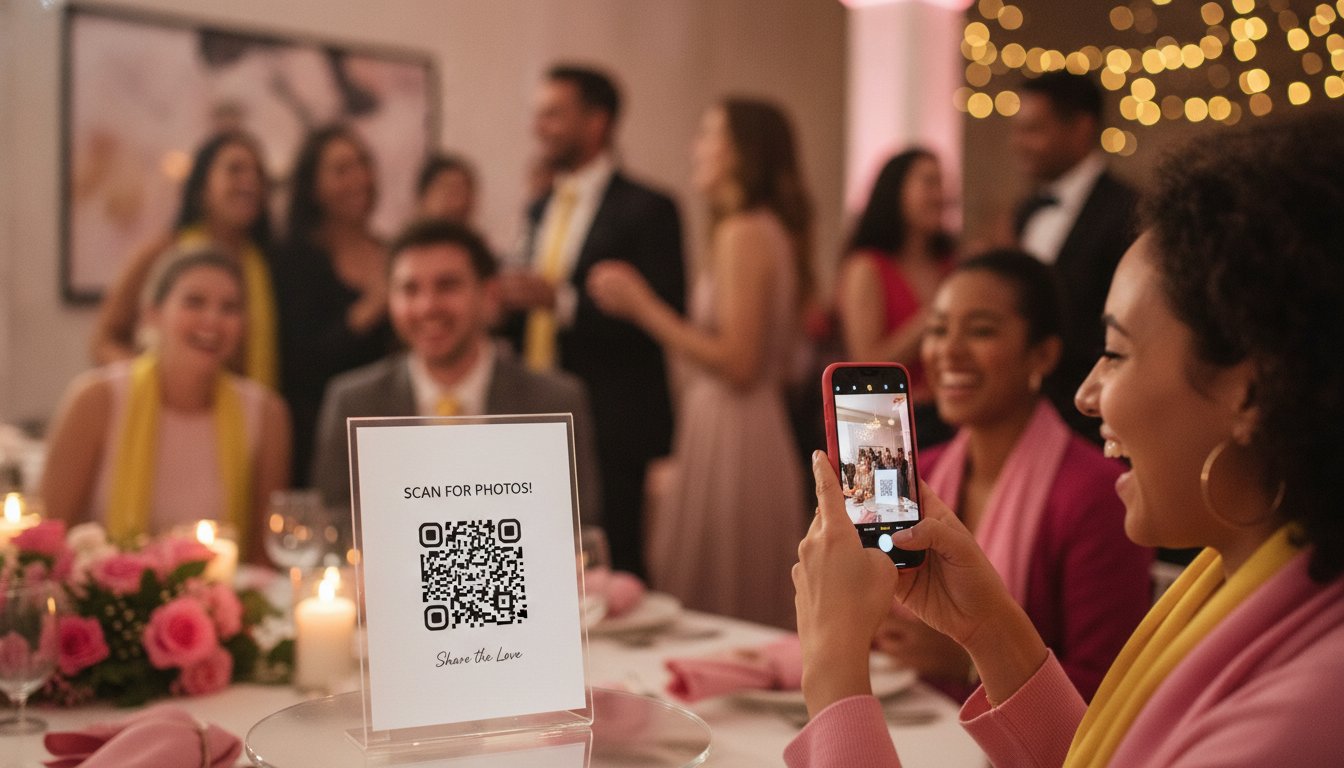
QR codes act as the ultimate physical bridge between your guests' cameras and your digital album. Forget the clunky invite links or the awkwardness of asking for phone numbers at a corporate gala or a quinceañera. This iCloud photo sharing alternative for events simplifies everything down to a single scan. Guests just point their camera, pick their favorite shots, and hit upload. The whole process takes under 30 seconds, which is essential when you want people back on the dance floor or networking.
Setting up your digital album in 60 seconds
Getting started is incredibly easy. Follow these three steps to launch your iCloud photo sharing alternative for events without any stress:
- Create your event gallery: Head to bestever.pics to set up your private space. It's fast and requires zero technical skill.
- Customise your QR code: Make the code your own. You can adjust colors and styles to match your wedding stationery or your corporate branding perfectly.
- Download and print: Grab the high-resolution file and add it to your event signage. Whether it's a sleek acrylic sign or a simple paper insert, it's ready for the spotlight.
Creative ways to display your QR codes
Strategic placement is the secret to high participation. Don't just hide one code at the entrance; create multiple touchpoints throughout the venue. Think about where guests naturally linger. The bar is a prime spot, but table menus and the back of the order of service work just as well. For those hosting a celebration, check out these qr code wedding photo sharing ideas to see how signage can look both professional and inviting. Each scan is an opportunity to catch a candid moment that your professional photographer might miss while they're busy with the formal portraits.
Using a dedicated web-based tool gives you total control over the guest experience. You aren't sending people to a generic cloud storage folder. You're sending them to a curated, branded experience that feels like a natural part of your day. It turns photo collection into a fun, interactive activity rather than a chore. Plus, you won't have to worry about guests accidentally deleting files or seeing private folders they shouldn't access.
Choosing the right photo sharing system for DIY and Pro hosts
Not all events require the same level of digital infrastructure. A micro wedding or a milestone birthday party has different needs compared to a massive corporate conference or a season of footy finals. When you search for an iCloud photo sharing alternative for events, you must decide if you need a simple gallery for a single day or a scalable system that handles a high volume of content year-round. The right choice ensures that technical hurdles never get in the way of capturing a perfect moment.
The DIY approach for weddings and parties
For the couple planning their own big day, simplicity is the only metric that matters. You need a system that your tech-savvy cousins and your great-aunt can use with equal ease. DIY hosts benefit most from a straightforward, browser-based gallery that doesn't require guests to sign up for anything. This ensures that even those who aren't comfortable with new technology can contribute their candid shots without a second thought. It's about creating a space where everyone feels included in the storytelling process.
bestever.pics offers a standard gallery that is perfect for these one-off celebrations like quinceañeras or milestone anniversaries. It removes the stress of chasing people down after the event to get those specific dance floor photos. You get a high-resolution archive without the Apple tax or the Android friction mentioned earlier. If you're looking for more inspiration on how to manage your big day, take a look at these digital photo sharing for modern events tips for hosts who want 100% participation.
Pro features for planners and venues
Professional event planners and venues operate on a different scale. Managing dozens of hen and stag dos or corporate retreats annually requires a central dashboard rather than a series of disconnected folders. Pro users need to keep their own branding front and center for their clients. This turns a simple photo tool into a professional value-add service that justifies a higher booking fee. It's about providing a sophisticated, reliable system that works every single time without manual intervention.
Corporate events present a unique challenge: strict IT policies. Most company-issued phones block the download of new social or storage apps for security reasons. A web-based iCloud photo sharing alternative for events bypasses these firewalls entirely. Guests can participate using their work devices without triggering security alerts or requiring permission from the IT department. For industry professionals looking to streamline their workflow, exploring the bestever.pics pro dashboard is the logical next step toward total event efficiency.
Venues can also benefit by offering QR code galleries as a standard part of their event packages. It's a high-impact way to ensure every client leaves with a full digital album of their celebration. Ready to upgrade your guest experience? You can set up a private wedding photo gallery in minutes and start collecting memories today.
Why bestever.pics is the smarter choice for your 2026 event
Choosing an iCloud photo sharing alternative for events shouldn't feel like a compromise. bestever.pics is built on a foundation of sophisticated simplicity, removing every technical barrier between your guests and your digital album. It offers unlimited uploads and high-resolution storage without the hidden costs or storage limits associated with the "Apple tax." This is the inevitable evolution of event photography, designed for a world where speed and quality are non-negotiable.
The bestever.pics advantage
We've moved beyond the legacy processes of iCloud. While Apple focuses on their ecosystem, we focus on your experience. Our platform was founded by a father-daughter duo who understood that technology should serve the moment, not distract from it. This human-centric approach has powered thousands of successful events throughout 2025 and 2026, from high-stakes corporate galas to intimate backyard weddings. You get a partner that values your memories as much as you do.
The technical edge is clear. Our system works flawlessly on every modern browser, including Safari on iPhone and Chrome on Android. There are no updates to install and no accounts to verify. This reliability is why we see such high participation rates across diverse event types:
- Corporate Galas: Bypass IT firewalls with ease.
- Weddings: Capture every candid angle from the ceremony to the dance floor.
- Community Sports: Share high-action shots from the footy finals instantly.
Final verdict: Storage vs. Memories
iCloud is a storage tool. bestever.pics is a guest engagement tool. One is for filing things away; the other is for bringing people together. Stop fighting against app friction and storage caps that limit your creative freedom. Embrace the QR revolution and turn photo collection into a fun, interactive part of your celebration. It's time to demand more from your digital memories.
You deserve an iCloud photo sharing alternative for events that prioritizes original resolution and total accessibility. Don't let your guest photos stay trapped on individual devices or get lost in a messy group chat. Take control of your event's digital legacy right now. You can set up your private event photo gallery and start collecting every high-quality shot in seconds.
Choose the premier iCloud photo sharing alternative for events
Legacy storage apps simply can't keep up when the party starts. Don't let your memories get lost in the digital divide or trapped behind an Apple ID login. By using a dedicated iCloud photo sharing alternative for events, you guarantee that every guest can contribute instantly regardless of their phone brand. Whether it's a micro wedding or a high-stakes corporate gala, your focus should stay on the celebration; not providing technical support to guests.
bestever.pics delivers Red Dot Design Award level simplicity to over 10,000 events worldwide. We've removed the friction of app downloads and account creation so you can collect 100% of the candid shots you'd otherwise miss. It's time to embrace a system that mirrors the speed and energy of your celebration. You deserve a digital legacy that includes every perspective without the usual technical hurdles.
Start your private event photo gallery with bestever.pics today and experience the future of memory collection. Your guests will thank you for the ease, and you'll love the high-resolution results. Let's make your 2026 event truly unforgettable and inclusive for everyone involved.
Frequently Asked Questions
Do guests need to download an app to share photos?
No, your guests never have to download an app to share their memories. This is the primary reason many hosts choose bestever.pics as their iCloud photo sharing alternative for events. Guests simply scan a QR code with their existing camera app, and their mobile browser handles the rest. It's a fast, frictionless process that ensures your guests spend their time celebrating rather than waiting for a download to finish.
Does bestever.pics work for Android users?
Yes, our platform works perfectly for every guest regardless of whether they use an iPhone or an Android device. Because the system is web-based, it bypasses the compatibility issues that often plague traditional shared albums. Every guest gets the same high-quality experience, ensuring nobody feels excluded from the collective storytelling of your big day.
Will the photos be high quality or compressed?
Every photo and video is stored at its original, high-quality resolution. We don't believe in sacrificing your memories for the sake of storage space. Unlike messaging apps that often crush file sizes, we preserve the full detail of every shot. This means you'll have professional-grade files ready for printing or viewing on large screens long after the event ends.
Is there a limit to how many photos guests can upload?
Most of our plans offer unlimited uploads so you never have to worry about hitting a cap mid-celebration. Whether your guests take 500 photos or 5,000, the system is built to handle the volume of a modern iCloud photo sharing alternative for events. This freedom encourages guests to capture every candid angle without hesitation, giving you a truly comprehensive digital album.
How long do the photos stay in the digital album?
Your photos stay in your digital album for the long term, providing a permanent home for your memories. Unlike the 30-day temporary albums found in some cloud updates, we provide a lasting archive that you can revisit whenever you like. You can also download the entire high-resolution collection to your personal storage at any time for extra peace of mind.
Can I see the photos in real-time as guests upload them?
Yes, you can watch your gallery grow in real-time as guests contribute their shots. This instant feedback is one of the most exciting parts of the experience for both the host and the guests. You can even choose to project the live feed onto screens at your venue to drive more engagement and show off the fun as it happens.
Is my event gallery private or can anyone see it?
Your event gallery is private and only accessible to people who have your specific QR code or unique link. We prioritize your privacy, so your photos won't show up in public search results. You have full control over your digital space, ensuring your celebration stays between you and your invited guests.
What happens if I have no phone signal at my venue?
If your venue has a weak signal, guests can still take plenty of photos and upload them once they're back in range of Wi-Fi or better reception. The QR code link stays active after the event, so guests can easily do a bulk upload from the comfort of their home. This ensures that even the most remote "unplugged" locations don't miss out on the digital guestbook experience.


