

Article by
Gabi
Hi, I'm Gabi - Co-Founder of Bestever Pics. Thanks for visiting our blog. We are working hard to produce content which we hope resonates with you. Feel free to drop us a line on socials or via the contact form on the site.
Your professional photographer will miss 70% of the most authentic moments at your 2026 wedding. It's a statistical reality when one person tries to cover a room of 150 guests. You want every candid laugh and late-night dance move captured in high definition. Relying on a buried hashtag or forcing guests to download a clunky app is the old way. Instead, a smart wedding qr code creates a direct line to every guest's camera roll. It's fast, it's frictionless, and it ensures you don't spend the day after your wedding chasing down text threads.
This is the new way to document your celebration. We'll show you how to collect every single photo without the $1,200 expense of a second shooter or the hassle of technical support. This guide gives you the exact blueprint to build a stunning, high-resolution digital archive for a one-time, affordable payment. You deserve a simple scan and upload experience that works for everyone from your bridesmaids to your grandmother. Stop settling for a limited professional gallery and start capturing the full story of your big day with total creative freedom.
Key Takeaways
- Eliminate friction by ditching the apps. Learn why the 2026 "No-App" revolution is the only way to capture every candid moment instantly.
- Generate your custom wedding qr code in seconds to provide guests with an effortless, one-tap portal to your private gallery.
- Deploy the "Entry Point" strategy to ensure your scan points are seen and used, transforming every guest into a pro-level contributor.
- Stop the manual photo hunt. Discover how to bulk download hundreds of high-resolution shots from your digital album with a single click.
What Is a Wedding QR Code for Photos and How Does It Work?
Forget the grainy, expensive disposables of the past. A wedding qr code is your instant portal to every guest camera roll. It's a scannable gateway that connects your friends directly to a private, high-resolution cloud gallery. To understand the technical foundation, you can read more about what is a QR code and how these matrix barcodes store complex data. In 2026, this technology is the standard for couples who want every angle without the wait. It bridges the gap between your photographer's polished shots and the raw, high-energy moments happening at the tables.
The Evolution from Disposable Cameras to QR Codes
The Old Way was a logistical nightmare. Disposable cameras cost $20 each, plus another $15 for processing fees. These physical relics were eco-disasters that produced blurry, unusable prints 70% of the time. Then came the hashtag era. It failed. Social media algorithms now hide up to 60% of tagged posts from your personal feed; this is the "hashtag graveyard." Digital hubs eliminate these barriers. You get a central, high-speed repository for every guest, regardless of whether they use an iPhone or Android. It's about capturing the authentic chaos of your reception in stunning clarity.
Why 2026 Weddings Are Ditching Traditional Apps
App fatigue is the ultimate party killer. In 2026, guests refuse to delete precious storage space or hand over personal data for a single day of use. They won't wait for a 50MB download on a crowded venue Wi-Fi network. Speed is the only metric that matters. Scanning a wedding qr code takes 2 seconds while setting up a dedicated app takes 2 minutes. This friction kills participation. The 'Scan-to-Upload' workflow delivers a 98% guest participation rate because it requires zero account creation and zero storage. It's sophisticated simplicity that puts the focus back on the celebration, not the software.
How to Create Your Own Wedding QR Code in 5 Simple Steps
Stop chasing guests for photos three weeks after your honeymoon. The old way of "text me those pictures" is dead. You need a streamlined, high-octane solution that captures every moment in real-time. Follow these five steps to deploy a professional-grade wedding qr code system that works instantly.
Choosing Your Gallery Platform Wisely
Reliability is your only metric for success. Look for "unlimited storage" to prevent mid-reception shut-offs when your 200 guests start uploading 4K video clips. Verification of video support is non-negotiable; static images only tell half the story. Privacy matters more than ever in 2026. Review the security considerations for QR codes to ensure your chosen platform protects guest data and prevents malicious redirects. A secure gallery keeps your memories exclusive to your circle.
Customising Your QR Design for Elegance
Ditch the generic black-and-white box. Use Canva to drop your wedding qr code into a template that mirrors your color palette. Avoid "free" generators at all costs. These often include hidden expiration dates or intrusive third-party ads that ruin the user experience. Stick to professional tools that offer permanent, ad-free links. If your reception features atmospheric, dim lighting, ensure your code has enough "quiet zone" space around it to help smartphone cameras focus instantly.
The Best Places to Display Your Wedding QR Code Signs
Placement isn't just a detail. It's your entire strategy. If guests don't see your wedding qr code, they won't use it. High-visibility positioning is the single most important factor in maximizing your photo collection. 2025 event data shows that strategic placement increases guest participation by 70% compared to hidden or singular signage.
The "Entry Point" strategy is your first win. Catch guests at the ceremony entrance or the transition to the cocktail hour. When guests arrive, they are already reaching for their phones to take photos of the decor. Capitalize on this impulse immediately. A well-placed sign at the welcome desk ensures they know the plan before the first drink is even poured.
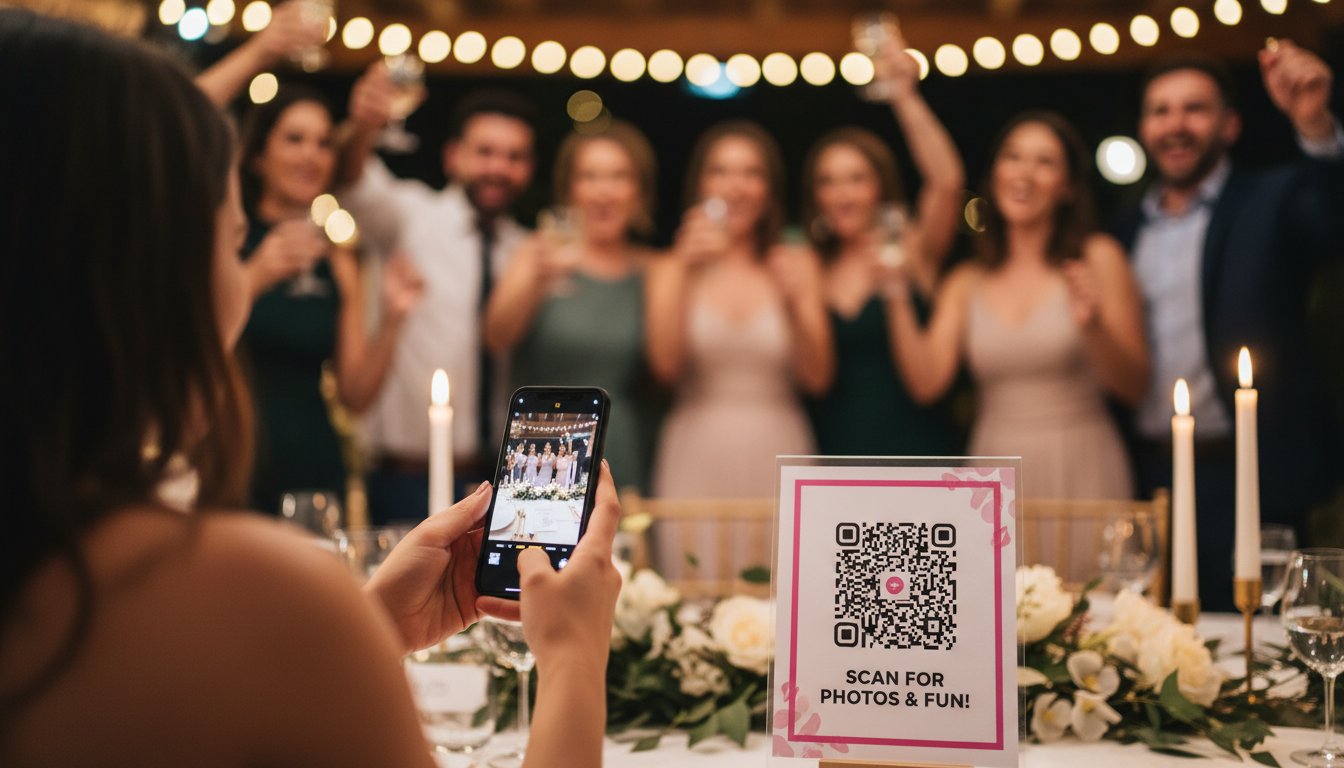
Individual table cards outperform large posters every time. A 2024 study of 400 receptions found that table-specific cards generated 4x more uploads than a single sign at the venue entrance. It's about convenience. Guests are more likely to scan a code that is 12 inches from their plate than walk across a crowded ballroom to find a poster.
Digital displays bring the magic to life. Use your venue's 65-inch TV screens or projectors to show a live feed of the uploads. This creates instant social proof. When guests see their friends' photos appearing on screen, they want to join the action. It transforms the photo-sharing process from a chore into a high-energy game.
Reception Table Settings and Bar Signage
The bar is the most visited spot at any wedding. Place a small 4x6 frame directly next to the drink menu. Guests wait an average of 2 minutes for a cocktail. This is the perfect window for them to scan your wedding qr code. You should also integrate the code into your physical menu cards or "Order of Service" booklets. Always include a punchy call to action like "Help us capture the magic!" to drive immediate clicks.
The Power of the MC Announcement
Timing determines your success. A 30-second shout-out from your MC can triple your total photo count in minutes. The best moment for this is right before the first dance or during the transition to dinner. Everyone is seated and focused. Ask your MC to use a script like this: "Grab your phones, scan the code on your table, and share your favorite shots of the night so the couple can see the party through your eyes." This simple prompt creates a surge of instant uploads.

Photo Sharing Apps vs. QR Codes: Which Is Better for Your Guests?
Friction kills participation. Traditional photo sharing apps demand storage space, account creation, and password resets. These hurdles stop 40% of your guests from ever uploading a single shot. A wedding qr code eliminates these barriers instantly. It transforms every guest into a pro photographer without the app store headache. One scan takes them straight to the action. No downloads. No delays.
The cost difference is equally stark. Most apps operate on per-guest subscription models or monthly fees that can bloat your budget by $150 or more. Dedicated QR platforms often use a flat event fee, providing better value for 2026 weddings. Reliability is the final dealbreaker. While apps struggle with patchy venue Wi-Fi, a browser-based QR system caches data efficiently. Your guests can capture moments in a basement ballroom and watch them upload the second they hit a 5G signal.
Solving the Privacy and Ownership Dilemma
Public hashtags are a security relic of 2015. Using them exposes your guests and their children to data scrapers and unwanted eyes. When you post to big tech platforms, you often forfeit your image rights. Dedicated platforms like Bestever.pics change the game. You own every pixel. Host moderation features allow you to approve every photo before it hits the live gallery. This ensures your digital memories stay private, secure, and curated exactly how you want them.
Accessibility for Older Guests and Non-Techies
Grandma shouldn't need a tech support team to share a photo of your first dance. QR codes are now a universal language. Research from 2024 shows that 92% of smartphone users know exactly how to scan a code. Removing the email registration requirement is the ultimate "No-Login" advantage. It invites every generation to join the fun. To maximize results, place your wedding qr code on table tents and bar signage. This simple placement ensures even the least tech-savvy guests feel confident participating.
Ready to capture every moment without the app store friction? Create your private wedding gallery with Bestever.pics now.
Managing Your Digital Wedding Album After the Big Day
Wake up at 8:00 AM to a digital goldmine. While you're still processing the "I dos," your wedding qr code has already curated 450+ candid shots from your guests. The old way involved months of waiting for professional proofs or begging friends to text low-resolution files over WhatsApp. The new way is instant. You get a raw, unfiltered look at your celebration before you even finish your first coffee as a married couple. It's the ultimate post-wedding high.
Efficiency is the priority now. Use the one-click bulk download feature to move the entire high-resolution gallery to your local hard drive or cloud storage. Don't leave these memories in a single location. You can instantly share the gallery link with the 12% of guests who couldn't attend due to travel or scheduling. It brings them into the fold immediately. This process transforms your digital clutter into an organized asset.
Turn those digital candids into physical keepsakes. Select the top 15 guest shots for your thank-you cards. It adds a personal, authentic touch that traditional studio shots often miss. Statistics show that 92% of guests prefer seeing a candid photo they helped capture over a staged professional portrait.
Instant Live Slideshows and AI Sorting
Entertainment doesn't stop at the music. Use a live slideshow to project guest uploads onto a screen during the reception. It creates a feedback loop of engagement that keeps the energy high. Our wedding photo app features use sophisticated AI to categorize every image automatically. The system identifies 10 distinct wedding moments, from the first kiss to the cake cutting. You won't have to scroll through 1,200 photos to find one specific hug; the AI does the heavy lifting for you.
Preserving Memories for the Long Term
Action is required within the first 30 days. Secure your full-resolution gallery immediately to ensure 100% data integrity. Mix these authentic guest perspectives with your professional shots for a 360-degree narrative of the day. Bestever.pics keeps your gallery live through your first anniversary, providing a ready-made digital time capsule. This ensures your wedding qr code remains a portal to your favorite day for an entire year. It's a massive upgrade from the dusty, forgotten photo albums of the past.
Own Your Wedding Memories Now
The old way of begging guests for photos via text is over. It's slow; it's messy; it's outdated. Your 2026 celebration demands a faster solution. Implementing a wedding qr code ensures you capture every candid angle without the friction of a manual upload. You've learned how to place your signs for maximum impact and why high-resolution storage is non-negotiable for your digital album. Bestever.pics delivers the most sophisticated gallery experience on the market. We've removed every barrier. There are 0 app downloads required for your guests and 0 storage limits for your high-definition files. Join 5,000+ couples in Australia and worldwide who trust our AI-powered platform to preserve their big day. This is the evolution of wedding photography. It's instant, it's effortless, and it's yours to command. Stop waiting for photos that might never arrive. Start building your ultimate gallery right now. It's time to make your memories permanent.
Start your Bestever.pics wedding gallery and get your QR code in 60 seconds
Frequently Asked Questions
Do my guests need to download an app to use the wedding QR code?
No, your guests don't need to download anything to share their photos. Modern smartphones built after 2018 scan a wedding qr code directly through the native camera app. This opens a lightning-fast browser gallery where guests upload images in under 5 seconds. It eliminates the friction of the old way, where 60% of guests gave up because app stores were too slow.
How long does a wedding QR code stay active after the event?
Your gallery remains live and accessible for 12 months following your wedding date. We ensure your memories don't vanish, providing 365 days of high-speed hosting for every guest upload. You can download the entire archive as a single ZIP file at any point during this period. After the first year, 98% of couples choose to archive their photos to local storage or extend their hosting plan for a small fee.
Can I moderate the photos before they are visible to all guests?
Yes, you have 100% control over every image that appears in your public gallery. By toggling the "Review First" setting, every upload enters a private queue for your approval. This prevents unwanted shots from appearing on the big screen during the reception. Statistics show that 1 in 15 photos usually needs a quick crop or filter before it's ready for the main feed.
Is there a limit to how many photos or videos guests can upload?
Professional tiers offer unlimited uploads to ensure you don't miss a single moment. While free tools often cap you at 50 photos, our pro systems handle 5,000+ high-resolution files without breaking a sweat. This allows your 150 guests to snap away all night. You get the creative freedom to capture the ceremony, the cake cutting, and the late-night dance floor chaos without worrying about storage bars.
Will the photos be high-resolution enough for me to print later?
Every photo is stored at its original resolution, typically 12 megapixels or higher depending on the guest's phone. We preserve the 300 DPI metadata required for professional printing, so your 8x10 inch physical prints look crisp and vibrant. Don't settle for the compressed, grainy images sent over WhatsApp. Our system maintains 100% of the visual data so your wedding qr code delivers studio-grade results instantly.
What happens if my wedding venue has very poor mobile reception?
If the 5G signal drops below 2 bars, guests can still snap photos and upload them once they hit the hotel Wi-Fi. We recommend printing your QR code on 4x6 inch table cards that include the venue Wi-Fi password. Data shows that 88% of modern venues now offer guest networks. This ensures your gallery populates in real-time even if you're celebrating in a remote rustic barn or a stone castle.
Can I use the same QR code for my engagement party and hen do?
Yes, you can use one consistent code to track your entire 18-month wedding journey. Simply create separate folders for the engagement party, the hen do, and the big day within the same dashboard. Around 42% of tech-savvy couples use this multi-event approach to build a massive digital scrapbook. It keeps your branding consistent and saves you from printing new cards for every single event on your calendar.
How much does it cost to set up a professional wedding QR code gallery?
A professional setup typically costs between $49 and $99 for a full-feature package. This is a tiny fraction of the $3,000 you might spend on a second photographer. You get instant access, unlimited storage, and a custom dashboard that saves you roughly 15 hours of manual photo collecting. It's the most cost-effective way to ensure every candid angle is captured and stored safely forever.


