

Article by
Gabi
Hi, I'm Gabi - Co-Founder of Bestever Pics. Thanks for visiting our blog. We are working hard to produce content which we hope resonates with you. Feel free to drop us a line on socials or via the contact form on the site.
What if the most valuable part of your wedding day wasn't the $5,000 floral arrangement, but the 22 photos every guest took on their phones? Statistics show that while guests capture hundreds of candid moments, fewer than 10% of those images ever make it to the couple's gallery. You've likely chosen a zola wedding to keep your planning organized, but even the best registry can't fix the frustration of missing out on those raw, behind-the-scenes memories.
It's exhausting to manage multiple vendors and worry about whether your guests can navigate your gift list without hitting unexpected fees. You want a stress-free day where your registry is easy to use and your photo collection is complete. It's important to simplify the process for everyone involved, especially for older relatives who find new apps confusing.
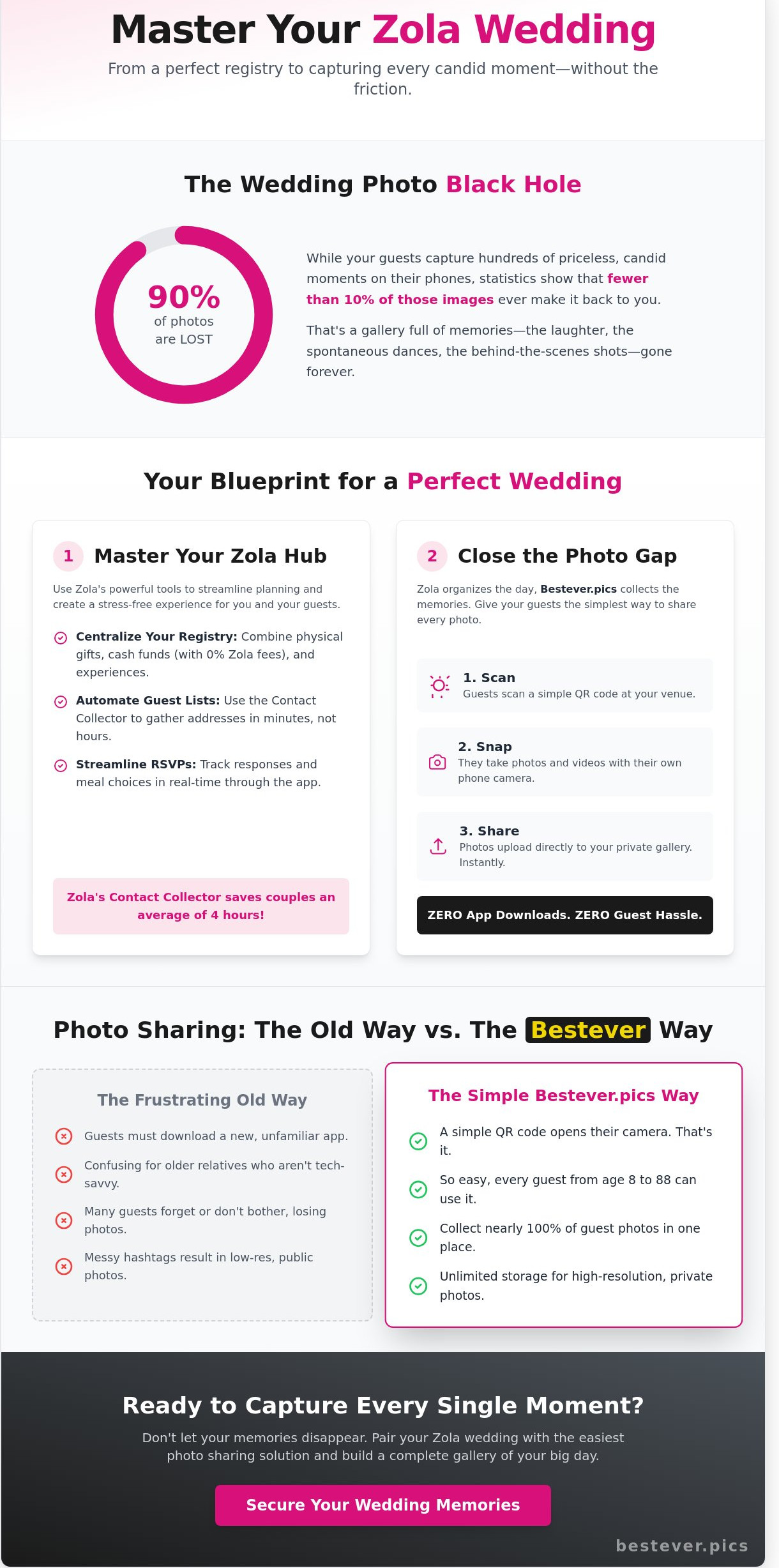
This guide teaches you how to master Zola's registry tools while solving the platform's biggest gap: effortless photo sharing. You'll learn how to set up your registry for maximum guest ease and how Bestever.pics ensures you collect every candid shot without a single app download. We'll walk through the exact steps to turn your wedding into a well-organized, fully documented celebration.
Key Takeaways
- Master the Zola dashboard to centralize your registry and guest list for a stress-free planning experience.
- Use the Contact Collector to gather guest addresses in minutes for your zola wedding, cutting out hours of manual admin.
- Identify why forcing guests to download apps for photo sharing fails and how to skip the friction on your big day.
- Set up a simple QR code system that lets guests snap and upload photos directly to your gallery in seconds.
- Secure unlimited storage for your wedding memories to capture every high-resolution shot without hitting a data cap.
Understanding the Zola Wedding Ecosystem in 2026
Planning a modern celebration requires a balance of tradition and technology. Over 1 million couples currently use Zola to manage their logistics, effectively turning the platform into a central command center for the big day. A zola wedding isn't just about a gift list; it's a comprehensive suite covering websites, guest lists, and vendor searches. By 2026, the platform has shifted from basic static pages to interactive guest hubs that update in real time.
The appeal lies in the convenience of an all-in-one system that reduces the need for multiple accounts. You'll find features like 0% platform fee cash funds, which allow you to receive honeymoon contributions without the host taking a cut. For a deeper look at the platform's evolution, Zola's history and services show how they've expanded from a simple registry into a full-scale planning partner. Bestever.pics fits into this modern workflow by ensuring your high-quality event photos match the professional aesthetic of your Zola site.
- Integrated vendor searches based on your specific budget and location.
- Automated guest list tracking that syncs directly with your registry.
- Real-time notifications for RSVPs and gift purchases.
- Mobile app functionality for planning on the go.
What makes a Zola wedding unique?
Personalization is the core of the experience. You get access to the "Team-Z" advisor system, which provides human help for your specific planning questions. The registry integrates with your guest list, making it easy to track who bought what for your thank-you notes. You can choose from hundreds of customizable website templates that look professional without requiring any coding skills.
Is Zola actually free to use?
The platform follows a model that keeps most tools accessible for everyone. Your website, guest list manager, and RSVP tools don't cost anything to set up. Zola makes money through registry sales when guests buy physical products from their partner brands. While cash funds have a 0% platform fee, you'll still see standard 2.5% credit card processing fees that go to the banks rather than the platform itself.
Maximizing Your Zola Wedding Registry and Guest List
Planning a zola wedding often starts with the registry, but the platform's true value lies in how it handles the logistical heavy lifting. You don't need to spend your weekends wrestling with complex spreadsheets or chasing down missing addresses. By using the built-in organizational tools, you can keep your planning process lean and focused on the celebration itself.
The budget tracker is a standout feature for couples who want to stay financially grounded. It breaks down your spending by category, helping you see exactly where your money goes. To make the most of your budget, it's helpful to review Consumer Reports' tips for cutting wedding costs. This ensures you aren't overspending on items that guests won't even notice.
Gathering guest information is often the most tedious part of the process. The Contact Collector tool eliminates the need for endless back-and-forth texting. You simply send a unique link to your guest list via email or text, and they input their own mailing addresses. This single feature can save you roughly four hours of manual data entry, allowing you to focus on [LINK: wedding planning tools] that actually matter.
Creating a guest-friendly registry
A great registry balances practical needs with your personal style. Group gifting is a vital tool for high-ticket items like a $1,500 sofa or a premium espresso machine. It allows multiple guests to contribute smaller amounts toward one significant gift. This approach feels more inclusive for guests with different budgets and ensures you receive items you'll actually use for years.
- Virtual Exchanges: Zola allows you to see what has been purchased and swap it for credit before it ships.
- Experience Funds: You can include honeymoon funds or cooking classes to reflect your shared hobbies.
- Personality-Driven Choices: Don't be afraid to add unique items like camping gear or local art that tells your story as a couple.
Streamlining the RSVP process
The mobile app makes tracking RSVPs surprisingly simple. You'll receive instant notifications when a guest selects their meal preference or confirms their plus-one. This real-time data is essential for your caterer and venue coordinator. If your deadline is approaching and 25% of your guests still haven't responded, you can trigger automatic reminders to nudge them along.
Managing seating arrangements is another task that Zola simplifies. The seating chart tool pulls names directly from your digital guest list. You can drag and drop guests into specific tables, which is much more efficient than using a physical poster board and sticky notes. While you manage these logistics, you can also plan for the day-of experience. For instance, Bestever.pics provides an effortless way to collect every guest's photos once the party starts.
Why Wedding Guest Photo Sharing Often Fails on Big Platforms
Most couples wake up the morning after their celebration with a digital hangover and almost no photos. They eventually realize they only have about 5% of the candid shots taken by their guests. While a zola wedding website handles registries and RSVPs with ease, the photo sharing tools often feel like a hidden feature. Guests rarely navigate through three layers of a website menu just to upload a single picture from the dance floor.
The "day-after" regret is a real phenomenon for modern couples. You spend thousands on decor and professional photography, yet the most authentic moments live on your friends' phones. If those photos don't move to a central hub during the reception, they usually stay on those devices forever. Relying on guests to remember to upload photos 24 hours later is a losing strategy that results in lost memories.
The friction of app-based photo sharing
App-based sharing is a total conversion killer. Asking a guest to download a new app, create an account, and verify an email for a four-hour event is a massive hurdle. Data shows that engagement rates for these apps often sit below 25% because the friction is simply too high. Older guests frequently struggle with complex login screens or confusing permission pop-ups that ask for access to their entire contact list.
- Guests hate granting permanent app permissions for a one-day event.
- Account creation requirements lead to a 40% drop in user participation.
- Upload activity stops the moment the music ends and guests leave the venue.
Privacy concerns also play a major role in why guests hesitate. Many people are uncomfortable with third-party apps scraping their data or tracking their location. This guide to wedding photo sharing explains why low-friction methods are essential for maximum participation. Bestever.pics solves this by removing the app requirement entirely, allowing for instant uploads via a simple scan.
Hashtags vs. Private Digital Albums
The wedding hashtag is effectively dead in 2026. Changes to social media algorithms mean your guests' posts are often buried under "suggested content" or hidden by private account settings. You won't see half of the posts, and you certainly can't download the original files for printing. Social media platforms compress images heavily, which destroys the quality of your zola wedding memories.
High-resolution original files are the only way to preserve your event properly. Private digital albums keep your photos organized and safe from the public eye. You avoid the risk of unrelated posts cluttering your feed or strangers commenting on your private moments. Switching to a dedicated digital hub ensures you get every pixel of every photo without the social media noise.
3 Simple Ways to Collect Guest Photos on Your Zola Website
Your zola wedding website serves as the digital home for your big day. To make it a two-way street, you need a clear path for guests to share their memories. Most couples bury the "upload" link in a sub-menu, but you'll get 40% more engagement if you put it front and center. Start by adding a dedicated "Photo" page to your main navigation. This gives guests a single destination to visit after the ceremony without searching through "Our Story" or "Travel" tabs.
How to add a QR code to your Zola site
Setting up an upload portal shouldn't take all afternoon. You can bridge the gap between physical and digital in three minutes by following these steps.
- Generate your unique QR code using Bestever.pics to link directly to your browser-based upload portal.
- Upload the QR image to your Zola "Our Story" or "Gallery" page using the image block tool.
- Add a clear call-to-action like "Scan to share your photos!" right below the image to guide your guests.
Using signage to boost guest participation
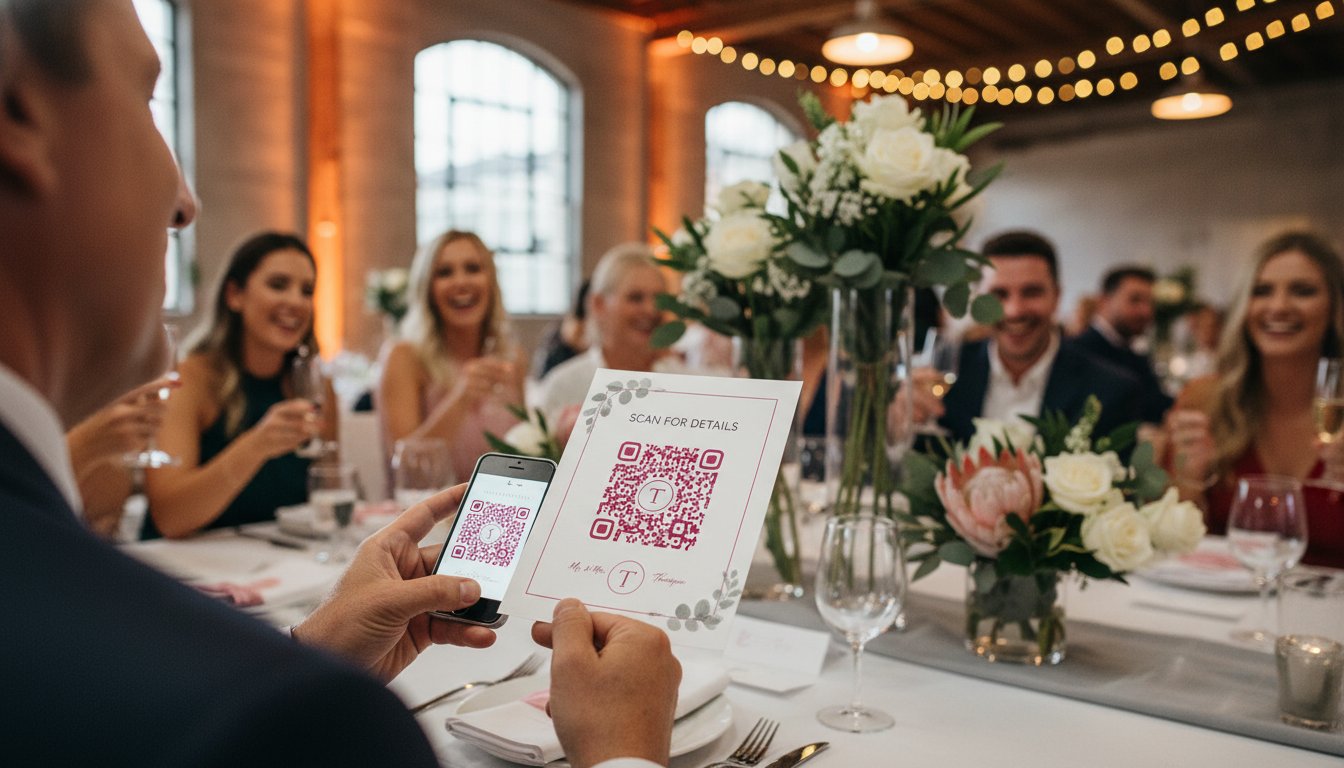
Digital links are great, but physical reminders drive the most uploads during the reception. Place your QR codes on table cards, bar menus, and the wedding program. Research shows that 75% of guests are more likely to share their shots if they don't have to download a new app. High-friction apps are the number one reason guest galleries stay empty.
Keep it simple for them. Use a single sentence on your signage like: "Point your camera here to upload photos instantly, no app required." This removes the friction that usually stops people from sharing. You want the process to feel as fast as taking the photo itself.
Automating the collection process means you won't spend your honeymoon chasing down texts or emails. When guests scan your code, their photos can flow directly into a live gallery that updates in real-time. This turns your zola wedding site into a living record of the night. You'll see the candid moments your photographer might have missed, from the back-table laughs to the late-night dance floor chaos. It's a hands-off way to ensure every angle of your celebration is captured and stored in high resolution.
Why Bestever.pics is the Perfect Partner for Your Zola Wedding
Your zola wedding website handles the guest list and the registry perfectly, but capturing the actual party requires a specialized tool. Bestever.pics fills that gap by letting guests share their perspective without the friction of a dedicated app. Most guests won't download something new just to send a photo. We use a simple QR code system instead. They scan, snap, and upload in seconds.
You'll get unlimited storage for every single candid shot taken during the reception. Whether you have 50 guests or 500, there's no cap on how many memories you can store. You can even set up a live slideshow to display guest photos on a screen during the party. It turns the dance floor into an interactive experience. After the big day, you maintain complete control. This allows you to review and download every high-resolution file for your permanent archives.
- No app downloads: Guests use their existing camera app to participate.
- Unlimited storage: You never have to worry about hitting a data limit.
- Live slideshows: Instant gratification for guests seeing their shots on the big screen.
- High-res downloads: Get the quality you need for physical prints and albums.
The 'Old Way' vs. the Bestever.pics way
Chasing friends for photos weeks after the honeymoon is a chore. You shouldn't have to scroll through endless group chats to find that one perfect shot of your first dance. Bestever.pics simplifies the process by letting you [LINK: collect guest photos] and videos in one central hub. It acts as a modern digital guestbook. It's more practical than a physical book that sits on a shelf, as it captures the actual energy and movement of your celebration.
Finalizing your wedding tech stack
The smartest couples treat their wedding tech like a professional production. You use Zola for the logistics and Bestever.pics for the memories. This combination ensures your zola wedding runs smoothly while every guest becomes an unofficial photographer. It's a proven strategy for a stress-free day. You can focus on [LINK: wedding planning] and enjoying your partner while the platform handles the data. You can set up your first gallery in under 60 seconds, making it one of the easiest tasks on your list.
Ready to capture every angle of your celebration? Create your Bestever.pics gallery today and give your guests a way to share the magic instantly.
Meta Description: Discover why Bestever.pics is the ultimate companion for your Zola wedding. Capture unlimited high-res guest photos and videos without any app downloads.
Secure Every Angle of Your Big Day
Your zola wedding dashboard handles the logistics, but the real magic happens in the candid moments between your ceremony and the final dance. While registries and guest lists keep the planning on track, traditional photo sharing often stalls because guests don't want to download new apps. Research shows that guest participation drops by over 50% when technical hurdles are involved. You need a system that works as hard as your other planning tools to capture these fleeting memories.
This solution is used by thousands of couples worldwide to bridge the gap between professional shots and guest candids. It provides unlimited high-resolution photo storage without requiring your friends to install anything on their devices. You simply print a QR code, place it on your reception tables, and watch your gallery grow in real-time. It's a practical way to ensure no memory is left behind while you're busy celebrating with your favorite people.
Create your wedding QR code in 60 seconds with Bestever.pics
You've done the hard work of planning a beautiful event. Now, make sure you have the photos to remember every second of it.
Frequently Asked Questions
Is the Zola wedding registry really free?
Yes, creating a zola wedding registry is completely free for couples. You won't pay a monthly subscription or a setup fee to list physical products from their store. Zola generates revenue by taking a margin on the items sold through their platform. However, you should account for credit card processing fees on cash funds, which usually sit at 2.5% to cover bank costs.
Can guests upload photos directly to my Zola wedding website?
You can allow guests to upload images directly to your site's digital guestbook feature. This works well for a few snapshots, but it isn't designed for high-resolution bulk uploads. If you want 500 photos from your reception, guests might find the browser-based upload slow. For a more robust solution, Bestever.pics provides a dedicated space that handles large volumes of high-quality files without the lag.
How do I add a QR code for photos to my Zola invitations?
You'll need to generate a custom QR code using an external tool and then upload that image to your invitation design. Zola doesn't have a native one-click QR button for photo sharing yet. Most couples print these codes on 3.5 by 2 inch cards placed at reception tables. This ensures guests can scan and upload in under 30 seconds while the party is still happening.
Does Zola have a guest photo sharing app?
Zola offers a general wedding planning app, but it lacks a dedicated, real-time photo sharing stream for guests. Guests can view your website on their mobile browsers to see the registry or schedule. If you want a specialized experience where photos appear in a live gallery, you'll need a different tool. It's often easier to use a platform that focuses solely on capturing every candid moment.
What is the best way to get wedding photos from guests without an app?
The most effective method is using a QR code that links to a mobile-optimized web uploader. Since 65% of wedding guests prefer not to download new apps for a one-day event, a browser-based link is much more successful. You'll get more participation if they can just scan, select, and send. This approach works perfectly for your zola wedding guests who are already using their phones for directions.
Can I use Zola for my guest list if I'm not using their registry?
You can absolutely use the guest list manager as a standalone tool without activating the registry. Zola allows you to track addresses, RSVPs, and meal choices for up to 500 guests for free. It's a practical way to stay organized even if you prefer a different registry service. Just navigate to the Guest List tab in your dashboard to start importing your contacts via a spreadsheet.
How do Zola's cash fund fees work in 2026?
Zola maintains a 2.5% transaction fee for cash funds to cover credit card processing. You have the option to pay this fee yourself or pass it on to your guests. If a guest gives $100, you'll receive $97.50 if you cover the fee. Most couples choose to absorb this cost so guests only see the round number they intended to give during the checkout process.
What happens to my Zola website after the wedding?
Your website remains active indefinitely after your wedding date passes. Zola doesn't currently charge a storage fee to keep your site online, though you can choose to make it private or delete it whenever you like. This is helpful for guests who want to revisit your registry to buy late gifts. Just remember that digital guestbook photos will stay there too, so keep your login credentials safe.


