

Article by
Gabi
Hi, I'm Gabi - Co-Founder of Bestever Pics. Thanks for visiting our blog. We are working hard to produce content which we hope resonates with you. Feel free to drop us a line on socials or via the contact form on the site.
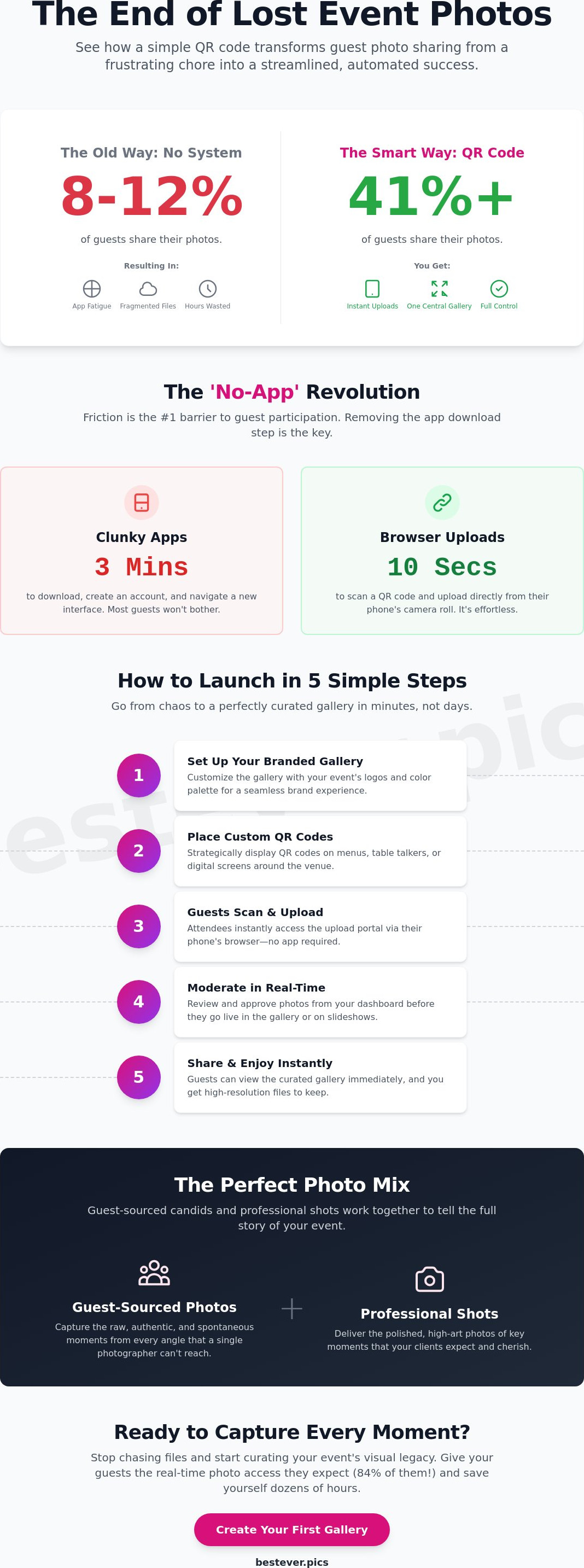
Without a clear sharing mechanism, only 8% to 12% of wedding guests ever share their photos with the couple. That figure jumps to over 41% the moment you swap clunky apps for a simple QR code. You've likely spent far too many hours chasing vendors for files or worrying about what guests might post publicly from a high-stakes corporate gala or a quinceañera. It's frustrating to manage fragmented storage while guest participation stalls due to app fatigue.
This 2026 guide shows you how the right event photo management software for planners transforms that chaos into a streamlined professional workflow. You'll discover how to collect, moderate, and share thousands of guest photos without demanding a single app download. We'll cover everything from the latest privacy regulations like the Take It Down Act to the best ways to give 84% of your attendees the real-time photo access they now expect. Bestever.pics helps you regain control over your event's visual story while saving dozens of hours on manual admin tasks.
Key Takeaways
- Learn how modern event photo management software for planners uses real-time moderation to keep your gallery professional while allowing instant guest access.
- Discover why browser-based uploads are replacing mobile apps to eliminate friction and boost participation rates at everything from weddings to corporate galas.
- See how guest-sourced candid photos act as a perfect complement to professional shots by capturing the spontaneous moments a single photographer can't reach.
- Follow a practical five-step implementation plan that includes setting up branded digital galleries and placing custom QR codes around your venue.
- Understand the benefits of choosing systems that offer unlimited storage and high-resolution downloads to meet the demands of high-stakes professional events.
What is event photo management software for planners?
Event photo management software for planners is a professional system used to capture, organize, and share event media as it happens. It moves beyond simple file storage by offering tools for real-time moderation, custom branding, and instant guest access, ensuring every candid moment is preserved securely without the need for manual uploads.
The days of leaving disposable cameras on tables at weddings or quinceañeras are over. While those physical cameras offered a nostalgic touch, they were often a logistical headache. You'd wait weeks for film development only to find half the shots were blurry, dark, or unusable. Modern planners now favor digital galleries that provide immediate results. This technology allows you to see what guests are capturing while the party is still in full swing.
The shift from collection to management
Simply "getting the files" isn't enough for a high-end corporate gala or a luxury wedding. In the past, planners spent days after an event chasing vendors and guests for their photos. This created a fragmented mess of Google Drive links, Dropbox folders, and email attachments. True event photo management software for planners treats your media as a valuable asset rather than a pile of files.
This technology is a specialized branch of Digital Asset Management (DAM) tailored for the high-pressure environment of live events. Your role as a planner has evolved from a mere coordinator to a digital curator. You aren't just storing photos; you're protecting the event's digital legacy. This involves distinguishing between the polished output of professional photographers and the raw, authentic energy of guest-sourced content. Both are vital, but they serve different purposes in the final story.
Key components of a professional photo stack
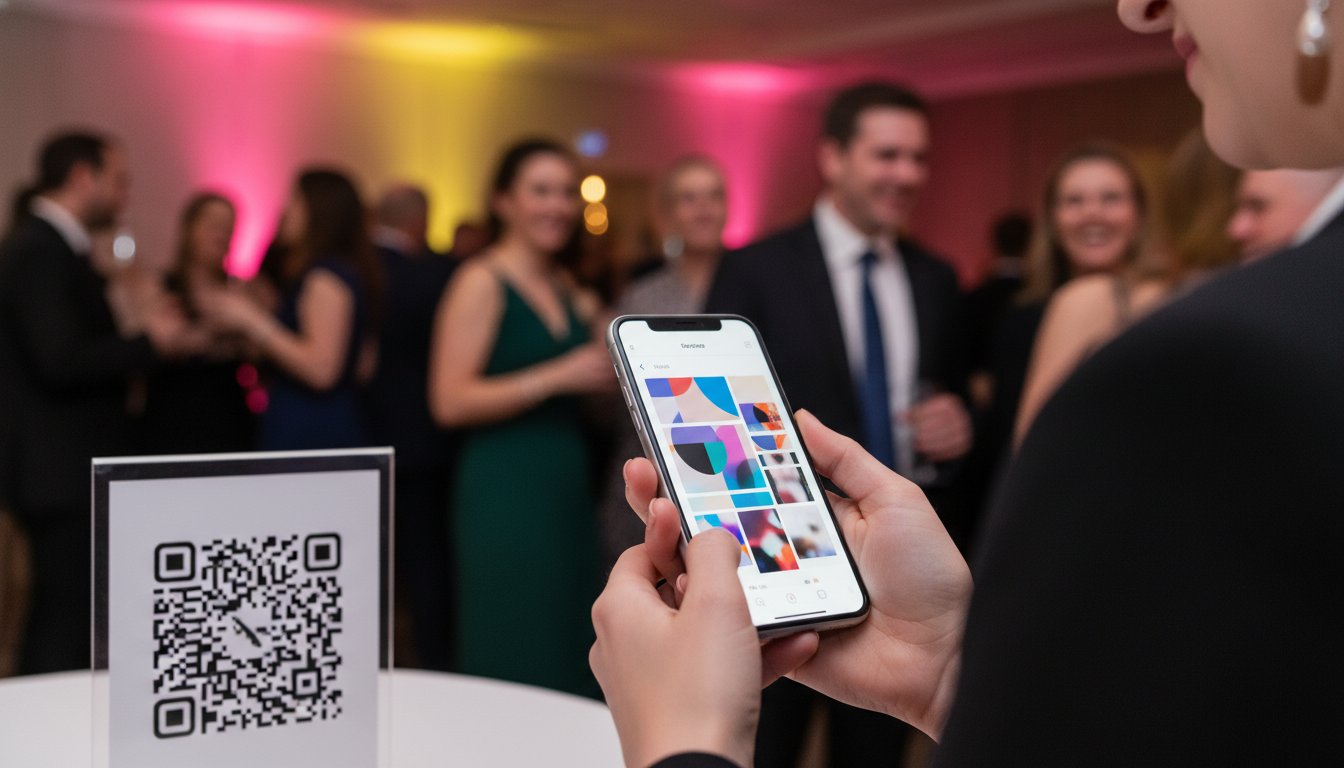
A professional system relies on a few core pillars to function effectively on a busy event day. It starts with the entry point for your guests. QR code technology acts as the bridge between the physical venue and your digital album. Guests scan a code on a bar sign or table card and get instant access to the upload portal. There's no friction. There are no accounts to create.
Once the photos start flowing, you need control. Cloud-based moderation tools allow you to vet images before they appear on a public slideshow or shared gallery. This protects your client's reputation and ensures the content stays appropriate. Finally, the entire interface must match the event's aesthetic. You can customize the color palette and logos to ensure the digital experience feels like a natural extension of the physical decor.
The 'No-App' revolution in event photo management
The single biggest barrier to guest participation isn't a lack of interest. It's friction. Asking a guest to download a new app for a four-hour hen do or a corporate cocktail evening is a massive hurdle. Most people suffer from app fatigue. They don't want to manage another login, clear storage space, or navigate a new interface for a single night. This is why browser-based event photo management software for planners has become the industry standard.
When you remove the download step, participation rates sky-rocket. Setting up an app often takes three minutes of fumbling with passwords and permissions. A browser upload takes ten seconds. This speed factor is critical. Frictionless systems often see upload rates between 31% and 41%. Traditional methods struggle to hit even 10%. You want guests focused on the party, not their settings menu.
Security remains a top priority even without an app. App-free doesn't mean your photos are public or unprotected. Modern systems use secure, temporary sessions that keep the gallery private. You get the benefit of speed without compromising the client's privacy. It's a sophisticated way to manage high volumes of content while keeping the barrier to entry as low as possible.
Why QR codes are the planner's best friend
QR codes act as your digital concierge. You can place them strategically on table talkers, the back of menus, or large-scale signage at the entrance. For high-end events, you can even customise the code's look. Imagine gold foil designs for weddings or sleek monochrome for tech summits. It's easy to create qr code assets that blend into your decor rather than clashing with it. This creates a professional look that encourages guests to interact with the brand.
Compatibility across devices and demographics
You need a system that works for every guest. Whether it's a teenager with the latest iPhone or a grandparent with an older Android, the tech must be invisible. Professional event photo management software for planners handles different file types automatically. This ensures you can use a digital asset management solution to its full potential by populating live slideshows in real-time. If you want to see how this works in practice, Bestever.pics offers a simple way to test the guest experience.
The benefit of instant uploads extends to your social media updates. Instead of waiting for a professional gallery to be edited, you have a stream of raw, authentic content ready for your stories. This keeps the event's momentum going long after the last guest leaves. It turns every attendee into a content creator without adding to your workload on the day.
Comparing guest-sourced media vs. professional photography
Professional photographers capture the hero shots. They handle the lighting, the framing, and the high-stakes portraits that end up in frames or annual reports. But they can't be everywhere at once. Guest-sourced media is a complement, not a replacement. While your pro captures the keynote speaker at a corporate gala, your guests are filming the genuine reactions at the back of the room. It's about capturing the event's energy from the inside out.
Using event photo management software for planners gives you a massive speed advantage. Professional galleries often take four to six weeks to deliver. A digital system lets you hand over thousands of candid shots by the next morning. This immediate gratification is a huge win for client satisfaction. It keeps the event's momentum alive while the memories are still fresh.
Think about the volume of content. Research shows the average attendee takes nearly 23 pictures at a special event. In a room of 200 people, that's over 4,600 unique angles and perspectives. You're adding massive value to your service without doubling your photography budget. It turns every guest into a voluntary member of your content team.
The Planner's ROI: Why this software pays for itself
This content is a goldmine for your own marketing. You can use the raw, authentic energy of these shots for your social media stories and "behind the scenes" posts. You'll also stop wasting hours trying to collect guest photos from individual text threads or fragmented social media tags. It's a cleaner, faster way to build your portfolio. Immediate digital delivery helps you build a stronger, more tech-forward relationship with your clients.
Managing client expectations around photo quality
You should talk to your clients about the "vibe" of guest content. These aren't meant to be technical masterpieces. They are spontaneous, real, and emotional. Use your software's moderation dashboard to cull the blurry shots or anything that doesn't fit the event's tone. This ensures the final gallery remains professional and high-quality.
You can also encourage guests to record short video messages. This creates a digital guestbook that feels far more personal than a traditional signed book. To get the best results, keep these tips in mind:
- Filter out low-light or repetitive shots before the client sees the full gallery.
- Highlight the most emotional candid moments in a "Planner's Favorites" folder.
- Remind clients that these photos capture the guest experience, not just the event's aesthetics.
- Prompt guests to capture short, five-second video clips for a more dynamic end product.
How to implement a photo management system in 5 steps
Setting up a professional system shouldn't require a technical team or hours of configuration. Most planners need a solution that works instantly so they can focus on the event itself. Implementing event photo management software for planners follows a simple, repeatable logic that ensures you capture every moment without adding to your on-site stress. Here is how you can get started in five minutes.
- Create your branded gallery: Upload your client's logo and set the brand colours to match the event's theme. Generate your unique QR code immediately.
- Place your signage: Distribute QR codes at high-traffic points like the bar, guest tables, and lounge areas. Physical cues are essential for high participation.
- Brief your host: Ask the MC or event host to mention the gallery during their opening remarks or before a big moment like the first dance or keynote.
- Monitor the feed: Use your phone or tablet to keep an eye on the moderation dashboard. You can approve or hide photos as they arrive in real-time.
- Deliver the album: Send the final, high-resolution link to your client within 24 hours. This speed is what sets professional planners apart from the rest.
Moderation best practices for planners
Control is vital when managing a public-facing gallery. For sensitive corporate gatherings or high-profile hen dos, you can set your feed to "approval-only" mode. This means no photo appears on the public gallery or live slideshow until you've personally cleared it. It's a simple safety net that protects your client's privacy and reputation.
You can also use the live slideshow feature to keep the energy high during the reception. Guests love seeing their own snaps on the big screen. If a "party photo" arrives that isn't quite fit for the final professional album, you can hide it from the public view while still keeping it in the private archive for the client to see later.
Signage and communication strategies
Think beyond standard A4 posters. You can print QR codes on bespoke cocktail napkins, the back of place cards, or even projected onto the venue walls. The goal is to make the entry point impossible to miss. A clear call to action like "Scan to share your best shots" works much better than a generic "Photos" sign. It gets people excited to contribute to the story.
Remind guests that they are creating a digital guestbook for the hosts. This adds a layer of emotional value to their uploads. If you want to see how easy it is to launch your first branded gallery, try Bestever.pics for your next event. It takes the guesswork out of the setup so you can stay present with your clients.
Why Bestever.pics is the choice for professional organisers
Bestever.pics isn't just another tech tool built in a vacuum. It was designed by people who understand the unique, high-stakes pressure of an event day. Whether you're coordinating a high-end corporate launch in Singapore or a multi-day wedding in the Cotswolds, you need a system that stays out of your way. This is event photo management software for planners that prioritizes the guest experience over complex technical specs. It's a quietly confident solution that puts your brand and your client's celebration first.
You'll never have to worry about hitting storage caps or managing low-resolution thumbnails that aren't fit for print. Every package includes unlimited storage and high-resolution downloads as a standard feature. We've already discussed how the "no-app" revolution drives participation. By removing the friction of downloads and logins, you ensure your gallery is packed with thousands of authentic moments that would otherwise be lost to private camera rolls. It turns a logistical hurdle into a professional asset.
The platform acts as a digital partner that understands your workflow. You get a clean, professional interface that reflects the quality of your planning services. There are no distracting ads or third-party branding to clutter the experience. It's about providing a premium service that justifies your fee and leaves the client with a curated digital legacy they can access instantly.
Designed for every celebration
The platform is built to scale with your business. It works just as effectively for an intimate UK hen do with twenty guests as it does for a large-scale Australian community festival with thousands of attendees. Since 2023, the platform has reliably hosted events across the globe, proving its stability in diverse network environments. You can trust the infrastructure to handle a sudden surge of uploads during a peak moment without any lag or downtime.
Getting started in under 60 seconds
You don't need a technical degree or a long-term contract to begin. The setup process is intentionally minimalist. You can create a branded gallery, generate a QR code, and be ready for your guests in less than a minute. Try the platform for your next wedding planning project to see how it changes the way you handle media. It's a faster, smarter way to manage the visual story of your events. Experience the simplicity of Bestever.pics and reclaim the hours you used to spend chasing files.
Transform your next event workflow
Removing the technical barriers between your guests and their photos is no longer a luxury. It's a standard requirement for modern events. By ditching clunky app downloads and embracing browser-based uploads, you'll see participation rates climb while your manual admin stays low. You've seen how real-time moderation and branded galleries protect your client's reputation and your own professional standing.
The right event photo management software for planners does more than just store files. It creates a smooth bridge between the physical celebration and a lasting digital legacy. Whether you're managing a corporate summit or a high-end wedding, the goal is to capture the candid energy that professional shots sometimes miss. You can now deliver high-resolution, curated albums to your clients before the event's buzz has even faded.
Ready to see how simple it can be? Bestever.pics has been used by professional organisers globally since 2023 to deliver high-resolution downloads without apps, logins, or friction. Start your first event gallery with Bestever.pics today and give your clients the immediate results they deserve. Your next event is the perfect time to trade manual chasing for an automated, professional workflow.
Frequently Asked Questions
Does event photo management software require guests to download an app?
No, modern event photo management software for planners doesn't require guests to download any software. They simply scan a QR code to open a browser-based upload portal instantly. This removes the friction of managing logins or clearing storage space on their phones. It's the fastest way to get guests participating in the moment without technical hurdles.
Can I moderate the photos before they appear in the public gallery?
Yes, you have full control over every image that enters your system. You can set the feed to an "approval-only" mode, which means every photo must be vetted by you or your team before it appears on a live slideshow or public gallery. This is essential for maintaining a professional atmosphere at corporate galas or protecting privacy at hen dos.
How do guests access the photo sharing gallery at the event?
Guests access the gallery by scanning a custom QR code placed strategically around your venue. You can print these codes on table cards, bar signage, or bespoke cocktail napkins. Once scanned, the upload portal opens in their mobile browser. They can then select photos from their camera roll or take new ones to share in seconds.
Is there a limit to how many photos guests can upload?
Professional packages typically offer unlimited photo uploads for your events. This allows you to collect thousands of candid shots from hundreds of guests without worrying about hitting a storage cap. It's designed to handle high-volume media collection for everything from intimate birthday parties to large-scale community festivals and sports club presentations.
Can I use this software for corporate events with strict privacy needs?
Yes, this software is built to handle strict corporate privacy and data security requirements. You can use password-protected galleries and "approval-only" moderation to ensure only vetted content is shared with the group. It's a secure way to manage media for internal work events or high-stakes product launches where confidentiality is a top priority.
What happens to the photos after the event is over?
All photos remain stored in your secure digital gallery after the event ends. You can then organise the files, cull any duplicates, and prepare the final curated album for your client. Most planners provide the client with a high-resolution download link so they can keep the memories forever on their own secure devices.
Can I brand the gallery with my own event planning logo?
You can absolutely brand the gallery with your own event planning logo and a custom colour palette. This ensures the digital experience feels like a natural extension of your professional service. It keeps your brand front and centre when guests and clients interact with the photos, reinforcing your role as the expert curator of the event.
How do I get the high-resolution files for the client's final album?
You can download the high-resolution files directly from your management dashboard once the event is complete. This allows you to provide the client with professional-grade assets for their final physical or digital albums. Using event photo management software for planners ensures you don't lose image quality during the upload or transfer process, unlike sharing via social media or text.


