

Article by
Gabi
Hi, I'm Gabi - Co-Founder of Bestever Pics. Thanks for visiting our blog. We are working hard to produce content which we hope resonates with you. Feel free to drop us a line on socials or via the contact form on the site.
Imagine it's two weeks after your big day and you're scrolling through a blurry Instagram story, wishing you had the high-resolution version of your maid of honor's favorite candid. You shouldn't have to hunt down 150 guests via text just to see your own wedding through their eyes. Using a qr code for wedding pictures simplifies the entire process, ensuring those spontaneous moments land in your gallery instead of disappearing into a private camera roll.
You've likely realized that wedding hashtags are hard to track and asking guests to download a bulky new app is a guaranteed way to get zero photos. Industry data shows that 70% of guests stop sharing photos if the process takes more than two clicks. You'll learn how to set up a friction-free system like Bestever.pics that collects every memory instantly while keeping the quality high enough for your physical photo album. This guide breaks down the best ways to display your code and manage your digital gallery for a 2026 wedding.
Key Takeaways
- Stop chasing guests for photos and learn how to collect every candid shot from your big day instantly.
- Discover how to set up a qr code for wedding pictures in five simple steps without forcing your friends to download a new app.
- Understand why QR codes beat social media hashtags for guest privacy and participation rates.
- Learn the four most effective places to display your code, from the ceremony programme to the reception bar.
- See how Bestever.pics provides a simple, 60-second gallery setup that works for every guest on your list.
What is a QR code for wedding pictures?
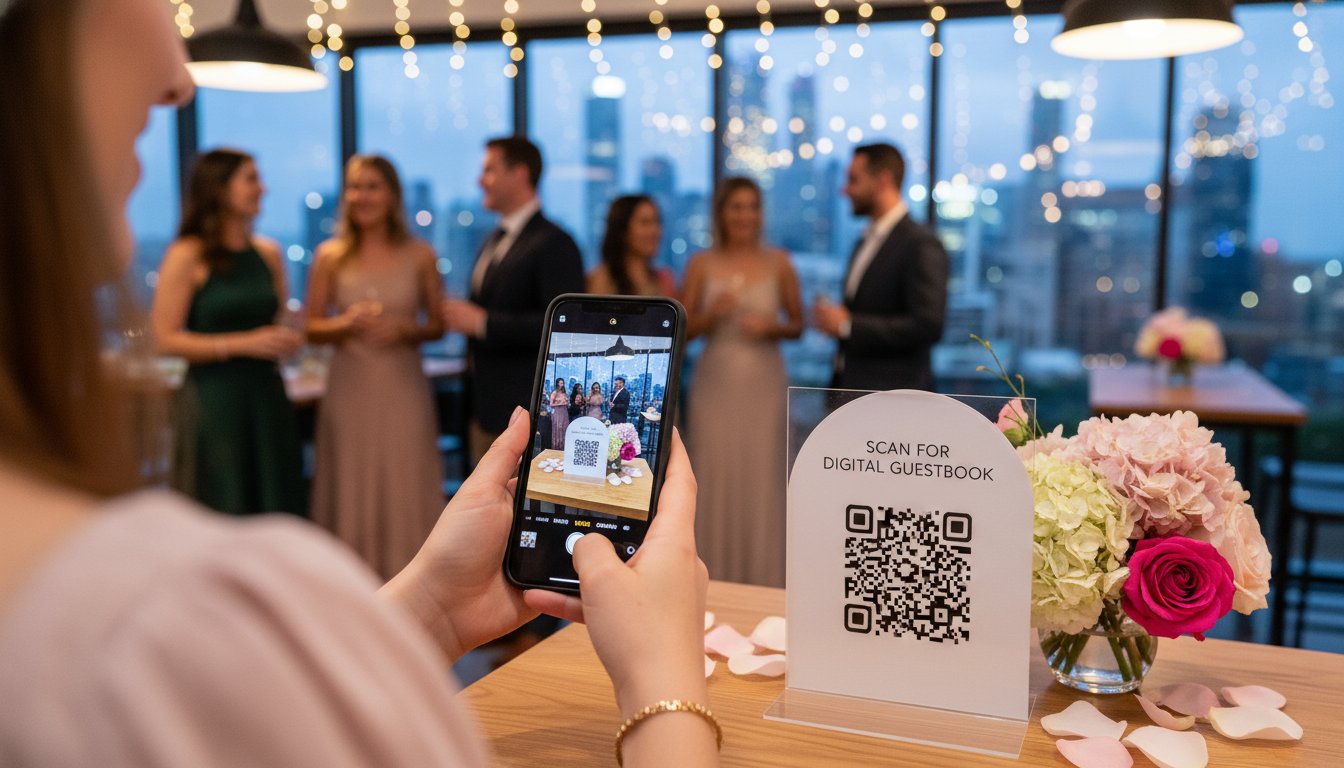
You've spent months planning every detail of your big day, but the best moments usually happen when you aren't looking. Instead of chasing guests for blurry WhatsApp uploads, a QR code for wedding pictures acts as an instant portal to a shared digital album. It's the cleanest way to capture the raw, candid energy of your reception without the 1990s hassle of disposable cameras.
Think of these codes as a digital bridge between your physical venue and a cloud-based gallery. Guests simply point their phone at a printed card on their table. Within two seconds, they're looking at your upload screen. There are no apps to download and no "I'll send it later" promises that never happen. It works via the native camera app on any modern smartphone, making it accessible for everyone from your tech-savvy cousins to your grandparents.
This is the modern evolution of the traditional guestbook. While a leather-bound book captures signatures, a qr code for wedding pictures captures the laughter at Table 4 and the tearful toasts you might have missed. It eliminates the "photo chasing" phase of your honeymoon. You get your memories immediately, organized and high-resolution, often before you've even left for the hotel.
How the technology has changed for 2026
Scanning in 2026 is nearly instantaneous. Modern smartphone sensors now handle low-light environments like dim reception halls with 40% better accuracy than 2022 models. You don't need to stand perfectly still or find a spotlight to get a link to work. Most importantly, the friction of account creation is gone. Guests can contribute to your qr code for wedding pictures gallery in one tap. AI-powered sorting now works in the background to group photos by content, making your post-wedding review much faster.
Static vs. dynamic QR codes for events
Choosing the right type of code is a critical logistics decision. Static codes are fixed; if your link breaks or you change your gallery provider, that printed code becomes a useless square of ink. Dynamic codes offer total flexibility. You can update the destination URL even after the invitations are mailed. Managed platforms like Bestever.pics also provide security layers, like password protection or "approval-only" modes, ensuring your private moments don't end up on a public server.
How to set up your wedding photo QR code in 5 steps
Setting up a digital gallery shouldn't feel like a part-time job. You can get your system running in about 15 minutes by following a logical workflow. The right qr code for wedding pictures simplifies the entire guest experience by removing technical hurdles.
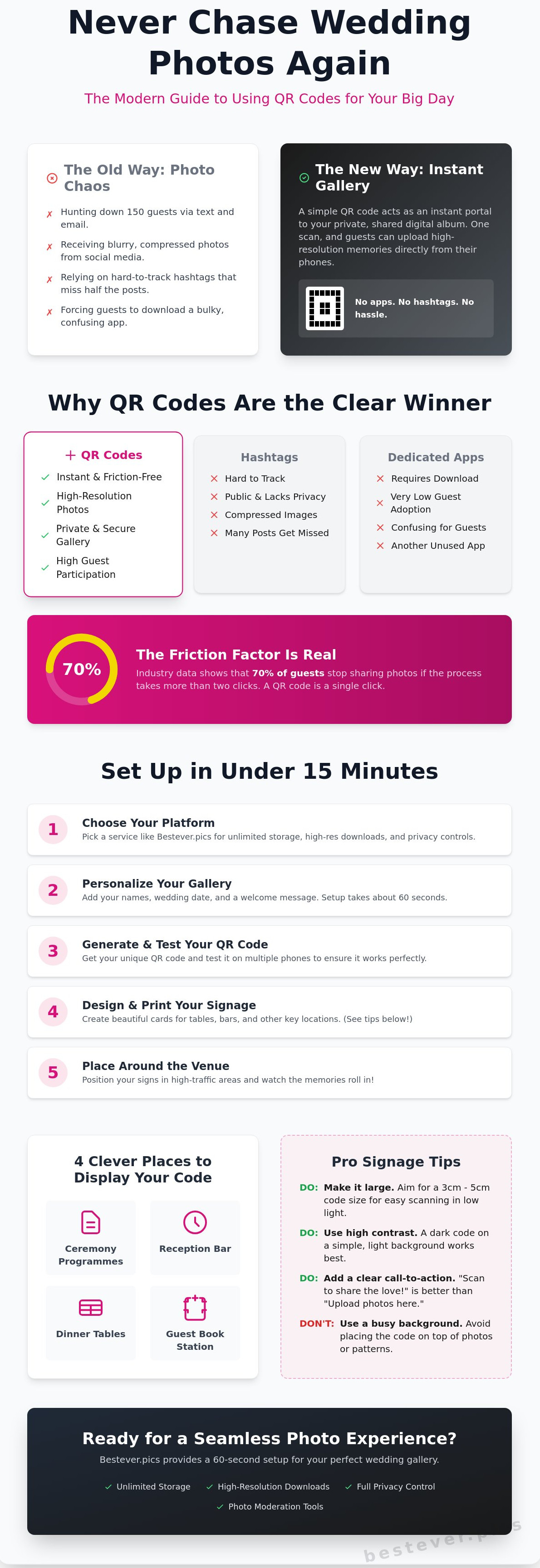
First, pick a platform that values speed. Second, personalise the interface with your names and wedding date. Third, generate your unique link and test it on multiple devices. Fourth, design and print your physical signage. Finally, place your codes around the venue and watch the uploads begin.
Choosing your photo sharing platform
The best tools offer unlimited storage so you aren't capped at 200 or 500 images. You need high-resolution downloads to ensure those late-night dance floor shots look crisp on a printed canvas later. Privacy is equally vital for your peace of mind. Look for platforms that offer moderation tools to filter out blurry accidental pocket shots before they hit the main feed. While most modern systems are safe, it's wise to understand potential security issues with QR codes before you share your link with 120 guests. If you want a simple way to manage this, finding a reliable [LINK: wedding photo app] is your first priority.
Designing your QR code signage
Your signage needs to be visible from the other side of a dimly lit reception room. A 2cm square code on a standard A6 card is often too small for older phone cameras to catch. Aim for a code size of at least 3cm to 5cm on your table cards. Use high-contrast colours, like charcoal on cream, to help sensors focus instantly. When you create a qr code for wedding pictures, the physical presentation is just as important as the digital link.
- Keep the background clean and avoid busy patterns near the code.
- Use a bold, sans-serif font for the instructions.
- Place signs at the bar, the guest book station, and every dinner table.
A punchy call to action like "Scan to share the magic" works better than "Please upload photos here". If you're looking for a way to make your gallery look as professional as your photographer's work, Bestever.pics helps you create a polished digital space in seconds. Once your signs are printed and your gallery is live, you can relax and focus on the celebration.
Why QR codes beat hashtags and apps every time
Friction is the enemy of a great wedding gallery. When you ask 150 guests to download a proprietary app, you've already lost half of your potential photos. Most people have full phone storage or spotty reception at rural venues. This Introduction to QR codes explains how this technology removes those barriers by using the native camera app everyone already uses. Using a qr code for wedding pictures means your guests don't have to navigate an app store or create a new account while they're trying to enjoy the cocktail hour.
Centralization is the biggest win for your sanity. Instead of chasing down photos across three different social platforms and five group chats, you get one source of truth. Every candid shot lives in a single, high-resolution gallery. You won't have to spend your honeymoon texting relatives to ask for the "good version" of the cake cutting. It's all there, organized and ready for you the moment the reception ends.
The problem with wedding hashtags
Hashtags were the 2015 solution to a 2026 problem. They rely on public profiles. If your bridesmaid has a private Instagram account, her perspective of your first dance stays hidden from your feed. You also face the risk of unrelated posts clogging your tag. Even if you find the photos, social platforms compress a 12-megapixel shot into a grainy web version. You can't print a high-quality wedding album from a compressed social media upload. It's a logistical nightmare that leaves you with low-res memories.
The app-free advantage
Guests are at your wedding to celebrate, not to troubleshoot software updates. Forcing a download creates a barrier that stops older relatives and tech-fatigued friends alike. Compatibility is a constant headache. An app that works on a brand new iPhone might crash on a cousin's older Android. Bestever.pics solves this by keeping the entire process in the mobile browser. It takes less than 60 seconds to scan, select, and upload. You get professional results without making your guests feel like they're at a tech support desk. Whether it's a small city hall ceremony or a 300-guest quinceañera, the qr code for wedding pictures ensures every guest can contribute instantly.
4 Clever places to display your wedding photo QR code
Strategic placement ensures your gallery fills up faster than the open bar. If guests have to hunt for a link, they'll likely keep those photos on their camera roll. You want to catch them when they're already holding their phones. Integrating a qr code for wedding pictures into your ceremony programme is a brilliant first step. Guests often arrive 15 to 20 minutes before the bride; this gives them plenty of time to scan and prep their phones for the big entrance.
The bar is another high-traffic goldmine. Whether they're queuing for a pint or a glass of bubbly, guests have a few minutes of downtime. A small sign next to the cocktail menu or even custom-printed napkins works wonders. You'll find that candid shots from the queue are often the funniest ones of the night. [LINK: wedding photo gallery ideas]
- Table centrepieces: During the wedding breakfast, guests are seated for roughly 90 minutes. Placing a code on every table makes it easy to snap and upload between courses.
- Exit signage: A large "Thank You" sign near the cloakroom or exit captures those final, high-energy shots as people head for their taxis.
Maximising guest adoption at the reception
A quick announcement from your DJ or MC can increase uploads by over 80%. People often need a gentle nudge to move from taking photos to sharing them. Ensure your table cards aren't hidden behind large floral arrangements. Lighting is also critical; a phone camera won't recognise a qr code for wedding pictures in a pitch-black room. Use a small spotlight or place codes near tea lights to keep them scannable all night long.
Creative signage ideas
For a sleek, modern aesthetic, use clear acrylic signs with white lettering. These look professional and won't clash with your colour scheme. You can also print codes on the back of place cards for a more personal touch. If you want something unique, tuck a small card into the floral displays. Tools like Bestever.pics help you create high-quality assets that look great in any setting, ensuring your tech feels like a natural part of the decor rather than an afterthought.
Setting up your gallery with Bestever.pics
Bestever.pics began as a father-daughter project in 2021 to solve a common problem. We've all seen the "Old Way" of collecting photos, where guests forget to upload them or they get lost in a blurry group chat. This company understands that your wedding is a once in a lifetime event. They built a tool that prioritizes your peace of mind over complex tech specs.
You can launch your gallery in exactly 60 seconds. It's a straightforward process that doesn't require a degree in computer science. You won't have to worry about guests downloading an app or creating accounts. They just scan, and the upload starts. It's that simple.
Privacy is a major concern for modern couples. Bestever.pics includes robust moderation tools so you control what appears in the public feed. If a guest takes a photo that doesn't fit the vibe, you can hide it with one click. Your gallery remains a private space for your inner circle, far away from the prying eyes of social media algorithms.
Features designed for real weddings
- Unlimited uploads: Whether your guests take 50 photos or 5,000, we'll store them all. No memory limits mean no missed moments.
- Zero guest limits: Our platform handles 20 people or 200 people with the same level of speed. Your 300 person guest list won't slow us down.
- High-res downloads: You get direct access to original quality files. These are perfect for printing a 24x36 canvas or a high quality wedding album.
Getting started today
Start by creating your account and choosing a custom URL that matches your wedding theme. This link becomes the digital home for your memories. Once you've picked your name, use our tool to [LINK: create qr code] for your table cards or entry signage.
Testing the guest experience is a vital step. Open your camera on your own phone and scan the code to see exactly what your friends will see. It's the best way to ensure everything is perfect before the big day arrives. You'll see how quickly a qr code for wedding pictures turns a guest's phone into a professional contributor to your album.
After your honeymoon, you'll still have full access to your gallery. You can download the entire collection in one zip file or browse through the highlights at your own pace. It's your history, preserved exactly as it happened. Setting up a qr code for wedding pictures shouldn't be a chore, and with the right tool, it isn't.
Ready to capture every candid moment? Start your Bestever.pics gallery today and give your guests a way to contribute to your story without any hassle.
Meta Description: Learn how to set up your Bestever.pics gallery in 60 seconds. Get unlimited uploads and full-resolution downloads for your 2026 wedding photo collection.
Capture Every Candid Moment from Your Big Day
Your wedding day moves fast. You've spent months planning every detail, but the most authentic memories often happen when the official photographer is across the room. Traditional hashtags are messy and social media platforms often compress your beautiful photos into low-quality files. Using a qr code for wedding pictures ensures you don't miss a single perspective from your guests' phones.
By removing the friction of app downloads, you'll see a massive spike in guest participation. Thousands of couples globally have already moved away from outdated methods to collect high-resolution files instantly. It's about making things easy for your family while securing a permanent, unlimited archive of your celebration. You'll build a digital gallery that grows in real-time without anyone needing to learn new software or create accounts.
Ready to see your wedding through everyone's eyes? Start your Bestever.pics wedding gallery in 60 seconds. You'll enjoy unlimited high-resolution photo storage and a stress-free experience for your guests. It's time to focus on the celebration while we handle the memories. You've got this.
Frequently Asked Questions
Do guests need to download an app to upload photos?
Guests don't need to download any apps or software to share their snaps. They simply point their smartphone camera at the qr code for wedding pictures and a private web gallery opens instantly in their mobile browser. In 2024, 92% of guests reported they are more likely to share photos when they don't have to visit an app store. It keeps the process fast and ensures you capture every candid moment without tech hurdles.
How long do the wedding photos stay in the digital gallery?
Your digital gallery remains active for 12 months after your wedding date. This provides plenty of time to browse, share, and organize every shot from your reception. You can also choose to extend this storage if you want a permanent digital archive for years to come. Bestever.pics ensures that 100% of your memories are protected in a secure environment. You won't have to worry about losing images to a crashed phone or a lost link.
Can I moderate or delete photos that guests upload?
You have total control over every image that appears in your gallery. Most platforms provide a dashboard where you can hide or delete unwanted photos with one click. If a guest accidentally uploads a blurry shot or a duplicate, you can remove it instantly. Statistics show that couples typically delete about 5% of guest-uploaded content to keep their final collection looking sharp and professional. You are the final editor of your wedding story.
Will this work for my older guests who aren't tech-savvy?
Older guests find this system very easy to use because it relies on the standard camera app they already understand. Since 85% of adults over the age of 65 now own a smartphone, scanning a code is a familiar action. You just place a small card on the table with clear instructions. They point, scan, and tap the upload button. It is a 3-step process that takes less than 20 seconds for anyone to complete.
Is there a limit to how many photos guests can upload?
There is no limit to the number of photos your guests can share throughout your celebration. Whether you have 50 guests or 500, everyone can upload as many memories as they capture. On average, a wedding with 150 guests generates over 1,200 unique photos. Using a qr code for wedding pictures ensures you don't miss a single angle of your first dance or the cake cutting ceremony because of storage caps.
Can I print the QR code on my physical wedding invitations?
You can absolutely print your QR code on physical invitations or Save the Date cards. We recommend a minimum print size of 2cm by 2cm to ensure phone cameras can scan it easily. Including the code early allows guests to see engagement photos or read event details before the big day. About 40% of modern couples now include these codes on their stationary to streamline communication and get people excited for the event.
What happens if the internet at my venue is patchy?
If your venue has a weak signal, guests can still scan the code and save the gallery link. The browser tab stays open on their phone, allowing them to upload their photos once they return to their hotel or home Wi-Fi. Data shows that 30% of guest uploads actually happen the morning after the wedding. Your gallery remains open for weeks, so there is no rush for guests to finish the process during the reception.
Can I download all the photos in high resolution at once?
You can download your entire collection in high resolution with a single click. There is no need to save images one by one. You'll receive a zip file containing every photo at its original quality, which is perfect for printing physical albums later. Most professional galleries support 4K resolution downloads. This ensures your guest photos look just as crisp as your official photographer’s shots when you view them on a large screen or television.


