

Article by
Gabi
Hi, I'm Gabi - Co-Founder of Bestever Pics. Thanks for visiting our blog. We are working hard to produce content which we hope resonates with you. Feel free to drop us a line on socials or via the contact form on the site.
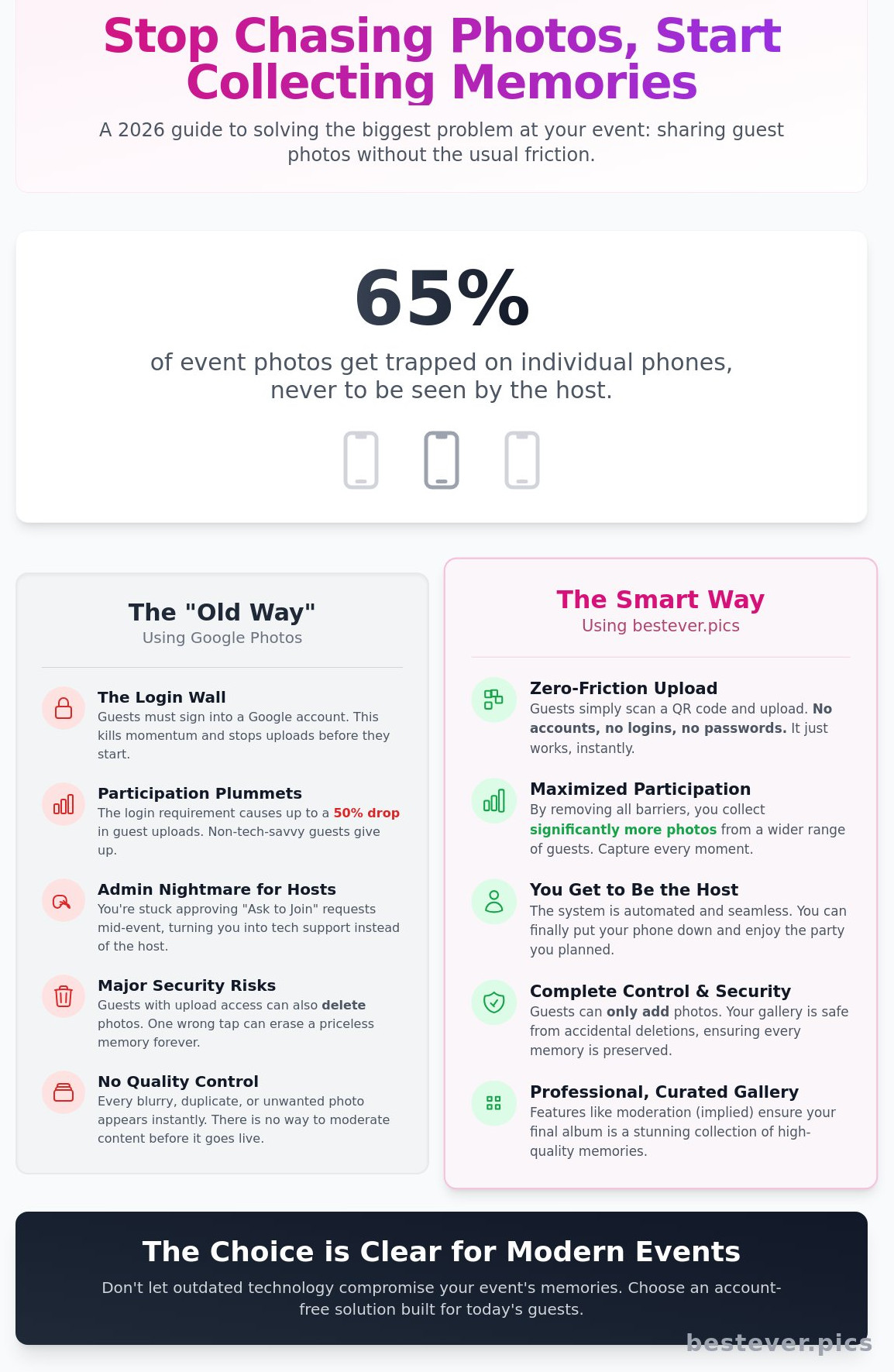
Last Saturday at a wedding in Austin, Sarah spent four hours of her honeymoon chasing 45 guests for photos that never arrived. It’s a common frustration; 65% of event photos stay trapped on individual phones, never to be seen by the host. Setting up a google photo album seems like the obvious fix, but the "Old Way" of forcing every guest to sign into a Google account often kills the momentum before the party even starts. High-resolution memories shouldn't be held hostage by login screens or grainy WhatsApp compression.
You deserve a central home for every stunning shot without acting as tech support for your relatives. This 2026 guide teaches you how to manage your event photos with total confidence. We'll walk through the exact steps to create a google photo album, generate a scan-and-go QR code, and decide if it's the right tool for your specific guest list. We’ll also look at how Bestever.pics offers a zero-friction alternative for those who want professional results without the Google account requirement.
Key Takeaways
- Master the basics of setting up a google photo album to store and organize your event media in a central cloud-based hub.
- Spot the friction points, like mandatory Google logins, that stop non-tech-savvy guests from contributing to your shared gallery.
- Follow a simple process to generate shareable links and QR codes that get your photos into your guests' hands instantly.
- Compare the "Old Way" of manual uploads against streamlined tools that prioritize speed and accessibility for every attendee.
- See why an account-free approach is the smartest way to capture every candid moment without slowing down the party's momentum.
What is a Google Photo Album and How Does it Work?
Think of a google photo album as a high-speed digital container for your event media. It lives in the cloud, meaning you aren't clogging up your phone's internal storage during a busy wedding or corporate launch. Since its launch in May 2015, Google Photos has evolved into a powerhouse for managing thousands of images. You can upload files from any device, organise them into specific folders, and generate links to share with guests in seconds.
Most Android and iOS users already have the app installed, which allows for automatic background backups. When you create a google photo album, you're building a live archive that syncs across every device you own. A Google Photo album is a collaborative digital space that requires a Google account for full interaction.
Key Features for Event Organisers
Collaborative albums are the gold standard for events like hen dos or 21st birthdays. Instead of chasing guests for photos, you send a link and they drop their snaps directly into your collection. This creates a central hub for every perspective of the night. It's much faster than waiting for people to send large files over WhatsApp or email.
Google uses AI to handle the heavy lifting of sorting your images. The software identifies faces and locations, grouping photos automatically so you don't have to tag them manually. This is particularly useful for large events where you need to find shots of specific guests quickly. Your google photo album remains accessible as long as you stay within the 15GB free storage tier, which is shared across your Gmail and Drive accounts.
Setting Up Your First Shared Album
To start your collection, open the app and tap the 'Library' tab. Select 'New album' and choose the images you want to include from your recent uploads. Give it a clear name, like "Bristol Product Launch 2026," to make it easy for guests to recognise. Once the folder is ready, hit the 'Share' button to generate your invite link.
Permissions are easy to manage but vital for security. You must toggle the 'Collaborate' setting to 'On' if you want guests to add their own content. You can choose between 'View-only' access for a finished gallery or 'Contributor' access for a live event feed. Managing these settings ensures your google photo album stays organised while giving guests the freedom to contribute their best shots.
The Real Cost of Free: Google Photos Event Friction
Google Photos is a powerhouse for personal backups, but it often stumbles when you're managing a 150-person hen do or a corporate launch in London. The biggest issue is the friction guests face before they even see a single image. You send a link, but the first thing they see isn't your event gallery. It's a Google login screen.
The Google Account Barrier
Requiring a login reduces guest participation by up to 50% according to event engagement data. It's a massive hurdle that kills the momentum of the night. Guests at a wedding don't want to hunt for their passwords while the band is playing. They just want to upload their best shots and get back to the dance floor.
When guests try to contribute to a google photo album, they often hit the 'Join' button. This triggers an 'Ask to Join' request that lands in the host's inbox. If you're the one getting married or running a gala, you don't have time to approve 80 individual requests. This creates an admin nightmare that stops the flow of photos instantly. It's the old way of doing things, and it's slow.
- 50% drop in uploads when logins are required.
- Lost passwords lead to zero participation from non-tech-savvy guests.
- Host approval queues create unnecessary bottlenecks during live events.
Privacy and Security Considerations
Privacy settings are another trap for the unwary host. If you share a public link, anyone with that URL can view your photos. There's no middle ground for guest access. If you give guests contributor access so they can upload, they also gain the power to delete photos. One accidental swipe from a guest can wipe out a professional shot or a precious memory forever.
Google Photos lacks a 'moderate before upload' feature for events. This means you can't filter out blurry shots or duplicates before they appear in the main gallery. For a more streamlined experience that avoids these hurdles, Bestever.pics offers a faster way to collect memories without the login wall. This ensures your gallery stays professional and high-quality from start to finish.
Traditional digital photo sharing methods often leave your links buried in a WhatsApp thread with 400 other messages. Without a dedicated event landing page, your google photo album link is easily lost. This results in a low volume of shared memories and a lot of missed opportunities to capture the magic of the day.
Google Photos vs. Bestever.pics: Choosing the Right Tool
Setting up a google photo album is a familiar process for most. You create the folder, toggle the sharing switch, and send a link. It works well for small groups who already use the app. However, Bestever.pics changes the dynamic for larger UK events. Instead of chasing guests for their email addresses, you display a QR code. Guests scan it and upload. It's a five-second process that keeps the energy high.
The guest experience is the biggest differentiator. Google often requires users to sign in or download the app to contribute. This creates a bottleneck at a busy wedding or a hen do. Bestever.pics is entirely app-free. It runs in the mobile browser, which means anyone with a smartphone can participate. You won't spend your evening acting as IT support for guests who can't find their login details.
Storage vs. Experience
Google Photos is a fantastic tool for personal archiving. It's where you store years of family memories. But for a high-energy event, it lacks the visual punch. A google photo album provides a simple grid, while Bestever.pics creates a branded landing page that acts as a live hub. You should also consider the privacy implications of Google Photos before asking 100 guests to sync their accounts. Bestever.pics focuses on the "now," transforming photo sharing into a live entertainment feature.
Feature Comparison for UK Events
Organising a hen do in Manchester or a wedding in the Cotswolds requires tools that just work. Google's generic links look messy on a formal invitation. Bestever.pics provides custom QR codes that fit your aesthetic. You also get unlimited uploads, so you don't need to monitor storage mid-party. If you need help, you can talk to a real person at this family-run business rather than searching through endless Google forums.
- QR Codes: Bestever.pics offers branded, high-resolution codes for print.
- Live Feed: Images appear instantly for all guests to see.
- Zero Friction: No accounts or app store visits required.
Step-by-Step: Creating a QR Code for a Google Photo Album
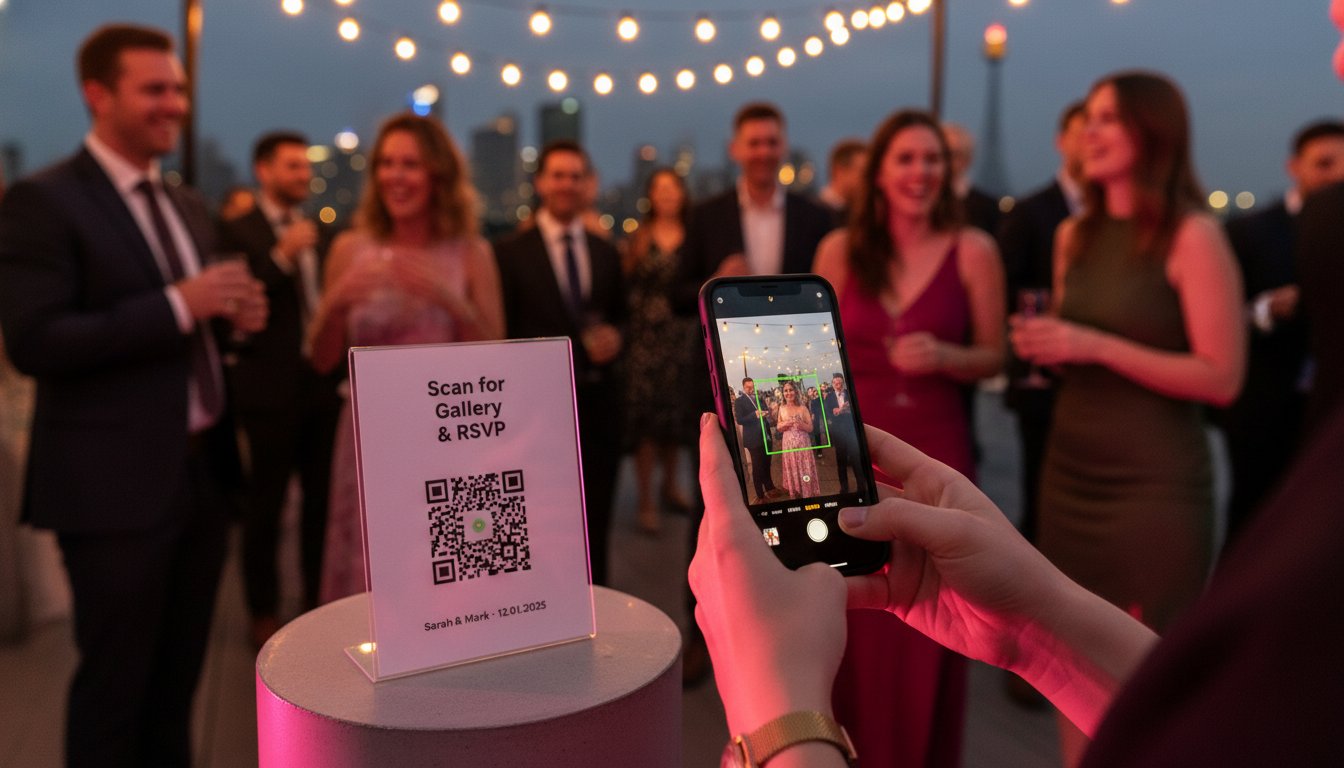
Setting up a google photo album is only half the battle. You need a way for guests at a wedding or a hen do to actually find it without typing long, complex URLs. A QR code is the fastest bridge between a physical event and a digital gallery. It eliminates friction. Follow these four steps to get it right.
- Generate the link: Open your album in the Google Photos app or browser. Click the 'Share' icon and select 'Create Link'. This generates a unique URL for your specific gallery.
- Copy the URL: Copy the link to your clipboard immediately. Don't use the 'Invite' feature for this, as that requires specific email addresses rather than a public access point.
- Select a generator: Navigate to a reputable third-party site like QR Code Monkey or Adobe Express. Avoid "free" sites that impose a 100-scan limit. You don't want your code to stop working halfway through the speeches.
- Customise and download: Paste your link into the generator. Adjust the colour to match your event stationery and download the file as a high-resolution PNG or SVG for professional printing.
This process takes less than five minutes. It transforms your google photo album from a private folder into a live, interactive event feed. If you want to take your event imagery even further, Bestever.pics provides AI-powered tools that turn guest snapshots into professional-grade content instantly.
Printing Your QR Code for Guests
Placement is everything. Do not hide your code. Position it on bar signage, ceremony programmes, and every third table card to ensure maximum visibility. For a 150-guest reception in a dimly lit marquee, your QR code should be at least 3cm wide. High contrast is vital. A black code on a white background scans 40% faster than stylized, low-contrast designs in dark rooms. Always include a clear 'Scan to Upload' call to action. Guests need to know exactly what the code does before they pull out their phones.
Common QR Troubleshooting
Test your code before the big day. Use both an iPhone and a Samsung device to confirm the link opens correctly for all guests. If you accidentally reset your sharing settings in Google Photos, your original link will break. This renders your printed signage useless. To avoid this, use a 'dynamic' QR code. These allow you to change the destination URL even after the cards are printed. It's a simple insurance policy against technical hitches that could ruin your digital collection [LINK: photo sharing troubleshooting].
Why Bestever.pics is the Better Choice for Guest Photos
A standard google photo album is a reliable tool for personal storage, but events in 2026 require a more active approach to guest engagement. Bestever.pics operates on a "No App, No Account" philosophy. This removes the digital friction that often prevents guests from sharing their best shots. You won't have to worry about guests forgetting their passwords or refusing to download yet another app to their phones during the reception.
Instant uploads keep the party momentum high. When guests see a live gallery growing in real-time, they're more likely to contribute their own perspectives. This creates a central, high-quality hub for the 150 or more guests typically attending a milestone event. You get the professional shots from your photographer and the raw, candid moments from your friends in one place.
Simplicity That Guests Actually Use
Removing the login requirement means everyone can participate. Even guests who aren't tech-savvy can contribute to the collection by scanning a single QR code. The platform handles high-resolution files without the aggressive compression found on social media or messaging apps. This ensures your 12-megapixel wedding shots look just as crisp in the gallery as they did on the camera sensor. Every gallery is private by default, meaning your personal moments won't appear in public search results like a public google photo album might if settings aren't perfect.
Getting Started with Bestever.pics
You can launch your event gallery in under 60 seconds. The process is straightforward and avoids the complex permission settings often found in traditional cloud storage. Branding is also a priority for 2026 hosts. Whether you're planning a wedding in Sydney or a Schoolies trip on the Gold Coast, you can adjust the QR code and gallery interface to match your event colours. This creates a cohesive look for your stationery and digital displays.
- Instant Momentum: Guests see photos appearing in real-time, which encourages others to start snapping.
- Unified Hub: Collect both 4K videos and high-res photos in one location without managing multiple links.
- Personal Touches: Use [LINK: digital guest book] options to let guests leave text memories alongside their images.
Bestever.pics serves as a quietly confident partner for your event. It ensures you capture the candid moments that professional photographers might miss. You'll end the night with a complete, high-quality archive of your celebration without the stress of manual follow-ups or awkward emails.
Ready to simplify your event photography? Start your gallery with Bestever.pics today and see how easy guest sharing can be for your next big milestone.


