
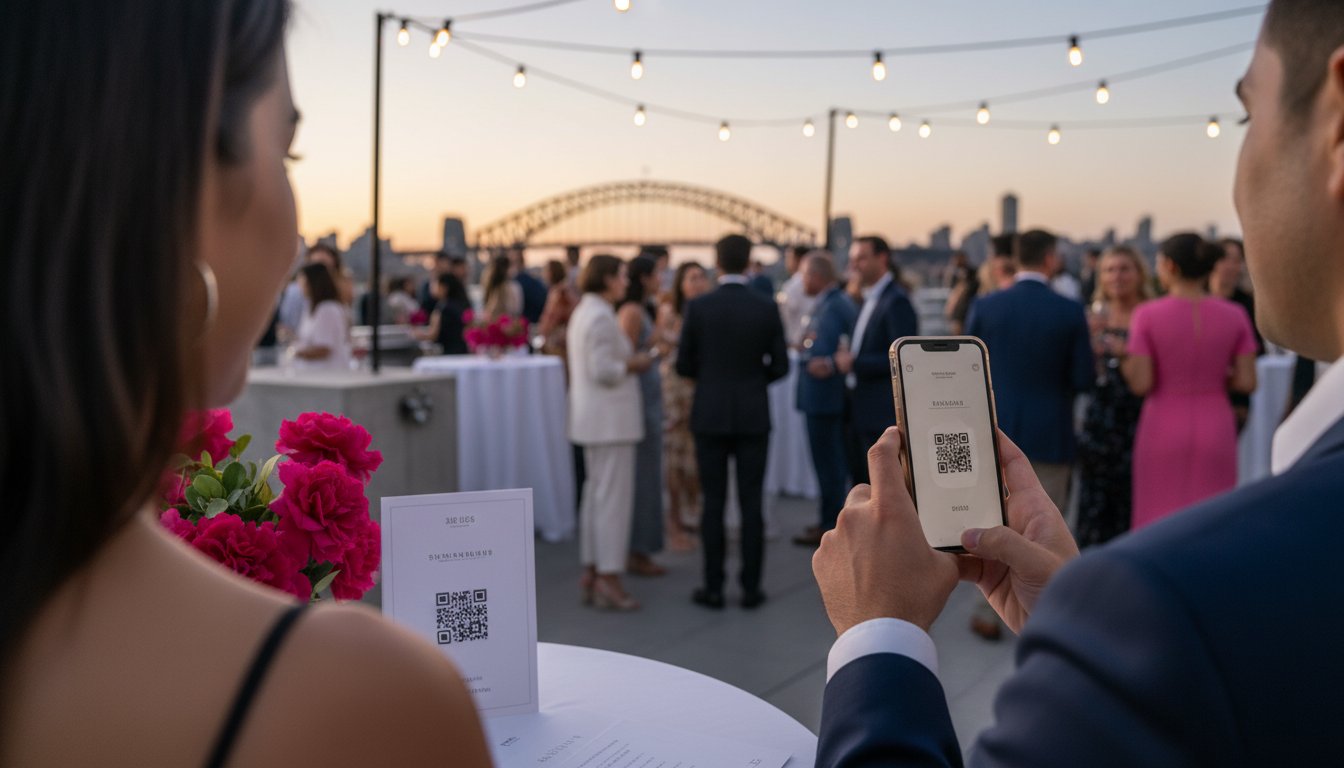

Article by
Gabi
Hi, I'm Gabi - Co-Founder of Bestever Pics. Thanks for visiting our blog. We are working hard to produce content which we hope resonates with you. Feel free to drop us a line on socials or via the contact form on the site.
Last June, a wedding coordinator in Miami watched 200 guests struggle with a QR code that suddenly demanded a $20 monthly subscription just to stay active. It's a common frustration when you're trying to capture memories without a massive tech budget. You need a qr code writer free of hidden fees that won't bombard your guests with intrusive ads or expire before the cake is cut. Nobody wants their quinceañera or corporate gala interrupted by a broken link or a sudden paywall.
You likely believe that high-quality event tech should be accessible and reliable for every host, regardless of their technical skill level. This article guarantees you'll learn how to generate stylish, permanent codes using a qr code writer free of charge to enhance your guest experience without any unexpected costs. We'll explore the top tools for 2026, design strategies for your specific event theme, and how Bestever.pics can help you organize the resulting photos into a professional gallery. Prepare to transform your event into a streamlined, interactive success.
Key Takeaways
- Learn the vital difference between static and dynamic codes to ensure your links never break after your invitations are printed.
- Discover how to use a qr code writer free of hidden catches to connect guests to digital guest books and live event schedules.
- Spot the red flags of generic generators, such as sudden scan limits and intrusive ads that disrupt your guest experience.
- Explore how Bestever.pics replaces basic redirects with a dedicated gallery where guests can upload and share photos instantly.
What is a QR Code Writer and How Does it Work?
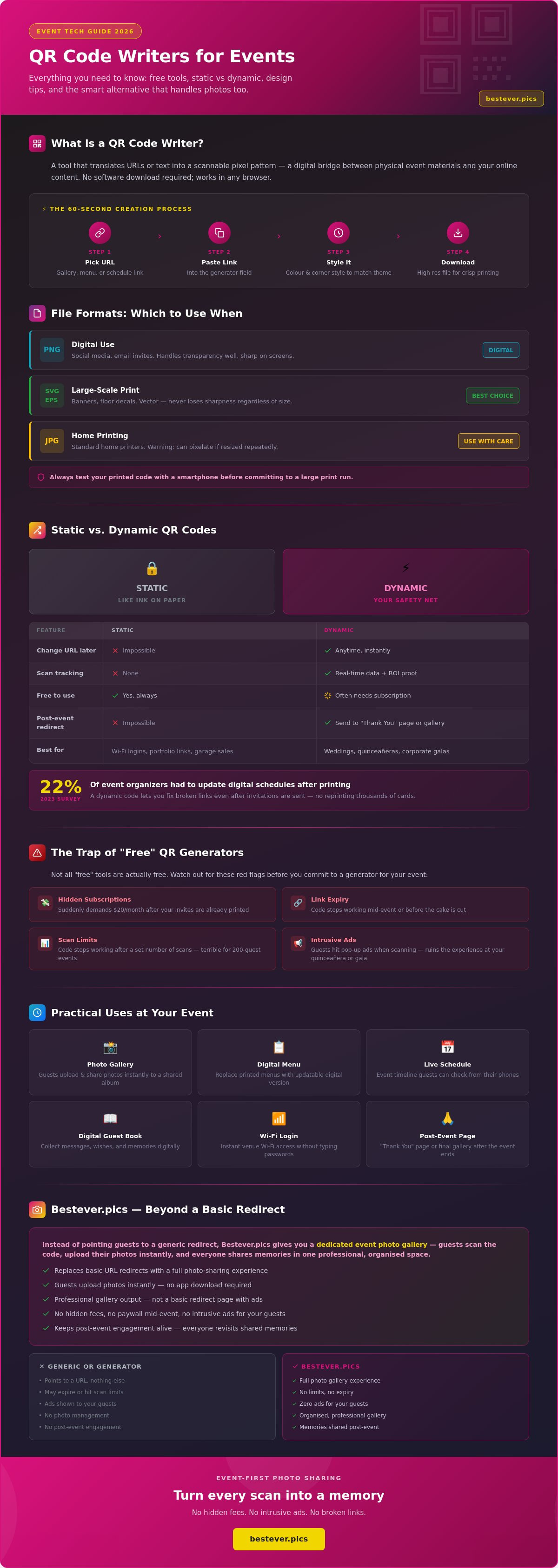
A QR code writer is a straightforward tool that translates text or URLs into a scannable pixel pattern. Think of it as a digital bridge between your physical event and your online content. If you're organising a wedding in London or a hen do in Brighton, these tools help guests access schedules or photo galleries with one quick scan. Using a qr code writer free allows you to generate these assets instantly without adding to your event budget.
Most free versions create "Static" codes. These are permanent redirects where the data is encoded directly into the pixel arrangement. While you can't change the destination link once it's printed, they're incredibly reliable for simple tasks. You can find more details on the technical history and specifications by reading What is a QR Code? on Wikipedia. Most modern tools work directly in your browser, so there's no need to download software to your device.
The best qr code writer free options offer basic customisation features. You aren't stuck with basic black and white squares anymore. You can change the pattern colour to match your event's floral arrangements or stationery. This small touch makes the technology feel like a deliberate part of your design rather than a technical afterthought. It's about blending utility with your specific aesthetic.
The 60-Second Process for Creating a Code
Creating a code is often faster than making a cup of tea. Follow these four steps to get your event assets ready for your guests:
- Pick your destination URL, such as a digital menu or a Bestever.pics event gallery.
- Paste that link into the generator field of your chosen writer.
- Adjust the design settings, like the colour or corner styles, to suit your theme.
- Download the final file in a high-resolution format to ensure it remains scannable.
Common File Formats for Printing
Choosing the right file type is vital for clarity. A blurry code simply won't scan, which leads to frustrated guests and missed connections. Stick to these three standard formats for the best results.
PNG files are ideal for digital use, such as social media posts or email invites. They handle transparency well and look sharp on screens. For large-scale items like banners or floor decals, SVG or EPS formats are essential. These are vector files, meaning they never lose sharpness regardless of how much you enlarge them. JPG is a standard choice for most home printers, but it can become pixelated if you try to resize it too often. Always test your printed code with a smartphone before you commit to a large print run.
Static vs. Dynamic QR Codes: Which is Best for Your Event?
Static codes act like ink on paper. Once the pattern is generated, it’s locked forever. Most people searching for a qr code writer free option end up with these permanent links. This is a gamble for live events. If your venue changes or the catering menu updates, your printed materials become useless. You can't edit the destination once the code is in the wild.
Dynamic codes offer a safety net. They use a redirect system that lets you swap the destination URL instantly. You keep the same code but change where it leads. This flexibility is why professional planners avoid basic static options for high-stakes projects. Most free tools hide this feature behind a subscription, but the control it provides is often worth the extra step.
Dynamic codes also provide scan tracking. You can see how many guests engaged with your content in real-time. This data is vital for corporate functions where you need to prove ROI. If you see low engagement at a specific booth, you can update the link to a more enticing offer immediately. It turns a static piece of paper into a live marketing tool.
When to Use a Static QR Code
Static codes are perfect for permanent information. Use them for a home Wi-Fi login or a personal portfolio link that stays the same for years. They are the go-to choice when you have a zero-dollar budget and don't care about scan data. If you're printing a single flyer for a neighborhood garage sale, a static code is all you need. Just verify the URL works before you print 50 copies. There is no way to fix a typo once the ink dries.
Why Events Usually Need Dynamic Solutions
Events are rarely static. A 2023 industry survey showed that 22% of event organizers had to update digital schedules after printing physical signage. A dynamic code allows you to fix a broken link even after invitations are sent for a large-scale quinceañera or a corporate gala in Las Vegas. It saves you from the nightmare and cost of reprinting thousands of cards. You simply log into your dashboard and point the code to the new URL.
Post-event engagement is another huge benefit. Once the party ends, you can redirect the same code to a "Thank You" page or a shared photo gallery. This keeps the conversation going without requiring new physical assets. If you want your event visuals to match this level of sophistication, Bestever.pics provides the AI-powered tools to create professional-grade images that make your QR codes pop. It's the difference between a DIY look and a polished, high-end brand experience.
Practical Ways to Use a QR Code Writer for Free
Using a qr code writer free tool transforms how you manage logistics for local gatherings and community events. If you're organising a Sunday league football match in Manchester, a single code on the clubhouse door can link to live results and pitch assignments. It's much more efficient than handing out paper sheets that get damp in the rain or lost in kit bags. For a 30th birthday party, you can link a code on the invitation to a shared map. This ensures all your guests find the venue without calling you for directions while you're busy setting up the cake.
These codes also bridge the gap between physical invitations and digital planning. Instead of manually typing out a long URL for a photo gallery, guests simply point their cameras and click. It's a low-friction way to keep everyone connected. You'll find that people are much more likely to engage with your content when it's accessible in under three seconds.
Wedding and Milestone Celebration Ideas
Personalise your big day by adding codes to table cards. This allows guests to upload photos to a digital gallery or sign a virtual guest book without downloading a specific app. You'll save a significant amount on stationery too. Printing a traditional "Order of Service" for 80 guests can easily cost £120 at a high-street printer. A digital version linked via a code costs nothing to host and stays updated even if the ceremony schedule shifts. Use a code on your "Save the Date" cards to collect RSVPs instantly. It cuts down on return postage and helps you track dietary requirements in a simple spreadsheet.
Corporate and Professional Use Cases
Professional networking requires speed and accuracy. Add a vCard code to your business card or LinkedIn profile to let contacts save your phone number and email in one tap. At large trade shows like those held at the NEC, physical brochures often weigh down attendees. Linking to a digital brochure via a qr code writer free service reduces physical waste and lets you track how many people actually viewed your materials. If you're leading a workshop, display a code on the final slide to gather feedback while the information is fresh. Digital surveys often see 30% higher completion rates than paper forms. Bestever.pics helps planners see how these digital tools integrate into high-end professional environments.
The Trap of "Free" QR Code Generators
Many planners hunt for a qr code writer free tool only to find their event materials useless halfway through the night. It's a common nightmare. You spend $400 on high-gloss cardstock for a New York corporate gala, but the code stops working after the first 50 scans. Most "free" tiers act as bait. They lure you in with a simple interface and then lock your data behind a paywall once your guest traffic spikes during the cocktail hour.
Some generators inject their own branding or force guests to watch a 5-second advertisement before redirecting to your content. This feels cheap. It breaks the sophisticated atmosphere of a wedding or a high-end quinceañera. Even worse, poorly coded generators create "heavy" patterns. These dense clusters of pixels are difficult for older smartphone cameras to read in dim ballroom lighting. If your guest has to spend 10 seconds hovering their phone over a table card, they'll give up.
Watch out for 14-day trial periods that expire right when you need the code most. If you print your signage three weeks before the big day, that "free" link might be dead by the time the doors open. These platforms count on your desperation to upgrade at the last minute. Reliable event tech shouldn't hold your guest experience hostage with hidden scan caps or expiring redirects.
How to Spot a Low-Quality Generator
Start by looking at the fine print before you hit download. If a site requires a credit card to access "free" dynamic codes, it's a red flag. Truly transparent tools won't ask for billing info upfront. Test your generated code on three different devices. If an older iPhone takes more than 2 seconds to recognize the pattern, the generator is likely using inefficient encoding. High-quality tools keep the data light to ensure a fast scan every time. [LINK: qr code testing tips]
Ensuring Your Code Never Expires
Stick to reputable platforms that offer permanent static codes. Static codes embed the destination URL directly into the pattern, meaning they don't rely on a middleman server that might vanish in 2027. For critical functions like real-time photo sharing, use a dedicated event platform. Bestever.pics provides a reliable way to manage your event visuals without the risk of broken links or intrusive ads. Always print a short, easy-to-type "vanity link" underneath your code. This serves as a 100% fail-safe backup for your guests if their camera lens is smudged or the lighting is too low for a qr code writer free solution to work.
Ready to ditch the broken links and capture every moment perfectly? Streamline your event photography with professional-grade tools that never let your guests down.
Bestever.pics: The Event-First Alternative to Generic Writers
Most hosts searching for a qr code writer free tool end up with a static link that leads to a confusing landing page. Bestever.pics changes this by combining a custom QR code generator with a high-performance photo sharing gallery. Your guests don't need to download an app or create a login to participate. They simply scan the code and upload their photos directly from their mobile browser.
This integrated approach solves the "photo hunting" problem that plagues modern events. Instead of chasing dozens of guests for their snaps on WhatsApp, you collect everything in one central, high-resolution hub. It's built specifically for the high-pressure environments of weddings, hen dos, and corporate launches. You control the hosting, the code, and the entire guest experience from a single dashboard.
Generic writers often produce ugly, cluttered codes that clash with your event aesthetic. Bestever.pics prioritises sophisticated simplicity, ensuring your digital touchpoints look as professional as your physical decor. It's the inevitable evolution of event photography, moving away from disposable cameras and toward instant, digital collaboration. [LINK: wedding photo sharing]
Simple Setup for Busy Hosts
You can launch your event gallery on Bestever.pics in under 60 seconds. The platform generates a print-ready QR code the moment you name your album. You can customise the gallery colours and headers to match your wedding stationery or corporate branding. This ensures the digital experience feels like a natural part of the day rather than a generic third-party tool. It's an effortless way to ensure no memory goes uncaptured.
Where to Place Your QR Codes for Maximum Scans
Placement determines how many photos you actually collect during the night. If guests can't find the code, they won't use it. Strategic positioning makes the process feel intuitive for everyone involved. Don't hide your codes; make them a feature of the venue layout.
- Table Talkers: Place small, stylish cards on every table so guests can scan while they enjoy their meal.
- Venue Entrance: Position a large, framed code at the door to set the expectation as people arrive.
- Event Programmes: Print a small code on the back of the physical menu or the order of service.
Using a qr code writer free service for your 2026 event shouldn't mean sacrificing the guest experience. Bestever.pics handles the technical hosting and the interface, so you can focus on the celebration itself. It turns every guest into a backup photographer without adding any stress to your schedule. Ready to see your event through your guests' eyes? Set up your first gallery and start collecting memories today.
Meta Description: Create custom QR codes for your 2026 events with Bestever.pics. Host galleries, collect guest photos instantly, and enjoy a free QR code writer experience.
Modernize Your Event Access Today
Finding a reliable qr code writer free of hidden catches shouldn't be a chore. You've learned that while basic static codes work for simple links, event planners often need the flexibility of dynamic options to manage changing schedules or quinceañera programs. Avoid generators that hold your data hostage behind monthly subscriptions or expire after 50 scans. Your guests deserve a friction-free experience where they can scan and participate instantly without hitting a paywall. Modern events in 2026 demand tools that prioritize the user experience over ad revenue.
Bestever.pics offers a better way to handle your event photography and guest interactions. Thousands of wedding couples and professional planners already trust this platform for their celebrations. Guests don't need to download any clunky apps to view or upload photos. You'll get access to premium features through simple, flat-fee pricing that keeps your event budget predictable. It's time to move past generic tools and choose a solution designed for the unique pressure of live events. Your guests will appreciate the simplicity, and you'll love the professional results.
Create your custom event QR code and photo gallery at Bestever.pics
Frequently Asked Questions
Can I create a QR code for free that never expires?
You can create a static QR code for free that never expires because the data is encoded directly into the square pattern. These codes remain functional as long as your destination website stays active on the internet. Most users find that a qr code writer free tool works perfectly for permanent links like a 2026 wedding registry or a local charity auction site. Just remember that you can't edit the destination link once the code is generated.
Do guests need a special app to scan a QR code at my event?
Guests don't need a special app to scan your code since 98% of modern smartphones have built-in scanners within their camera software. Whether they're using an iPhone running iOS 11 or a newer Android device, they simply point their camera and tap the screen notification. This makes entry to a 200-person quinceañera or a corporate gala incredibly fast. It eliminates the frustration of downloading extra software during your busy event schedule.
How do I add a logo to my free QR code?
You add a logo by selecting the upload tab within your generator's customization settings. Most tools allow you to place a small image in the center of the code without breaking its scannability for guests. Keep your logo size under 20% of the total QR area to ensure you don't exceed the 30% error correction threshold. This helps maintain professional brand consistency for all your 2026 event marketing materials and signage.
What happens if I print my QR code and the link changes?
If you use a static code and the destination link changes, the printed code will lead to a broken 404 error page. Static codes are hard-coded, which means the destination is permanent and unchangeable after creation. To avoid wasting 500 printed flyers, many event planners choose dynamic codes that allow for URL updates after printing. Always double-check your destination URL before sending your final designs to the printer for your 2026 conference.
Is there a limit to how many people can scan a free QR code?
Static QR codes have no scan limits, allowing 10 people or 10,000 people to access your content without any extra costs. This makes them the ideal choice for high-traffic events like a city-wide festival or a large trade show. Some free tiers for dynamic codes might cap scans at 100 per month, so check the specific terms of your provider. For unlimited access on event signage, stick to static formats to ensure every guest gets through.
Can I track who scanned my QR code for free?
You typically can't track individual scan data with a standard static code generated by a qr code writer free service. Tracking usually requires a dynamic code, which monitors metrics like scan time, location, and device type. However, you can gain basic insights by using a URL shortener with built-in analytics as your destination link. This provides a simple workaround to see how many of your 150 guests interacted with the code during the party.
What is the best size to print a QR code for an event?
The best size for an event QR code is at least 1 inch by 1 inch for items like table cards or guest badges. If you're placing the code on a 6-foot banner, ensure it's large enough to be scanned from a distance of 10 feet. A reliable rule of thumb is a 10:1 distance-to-size ratio, meaning a code scanned from 20 inches away should be 2 inches wide. This ensures all 300 attendees can scan quickly.
Are free QR code writers safe for my data?
Free QR code writers are generally safe if you use reputable platforms that don't require an account or sensitive personal information. Avoid sites that ask for excessive permissions or redirect your links through suspicious third-party domains. Since 2023, security standards for these tools have improved significantly across the industry. Bestever.pics recommends testing your code on multiple devices before the big day to ensure your event data and guest privacy remain secure.


