
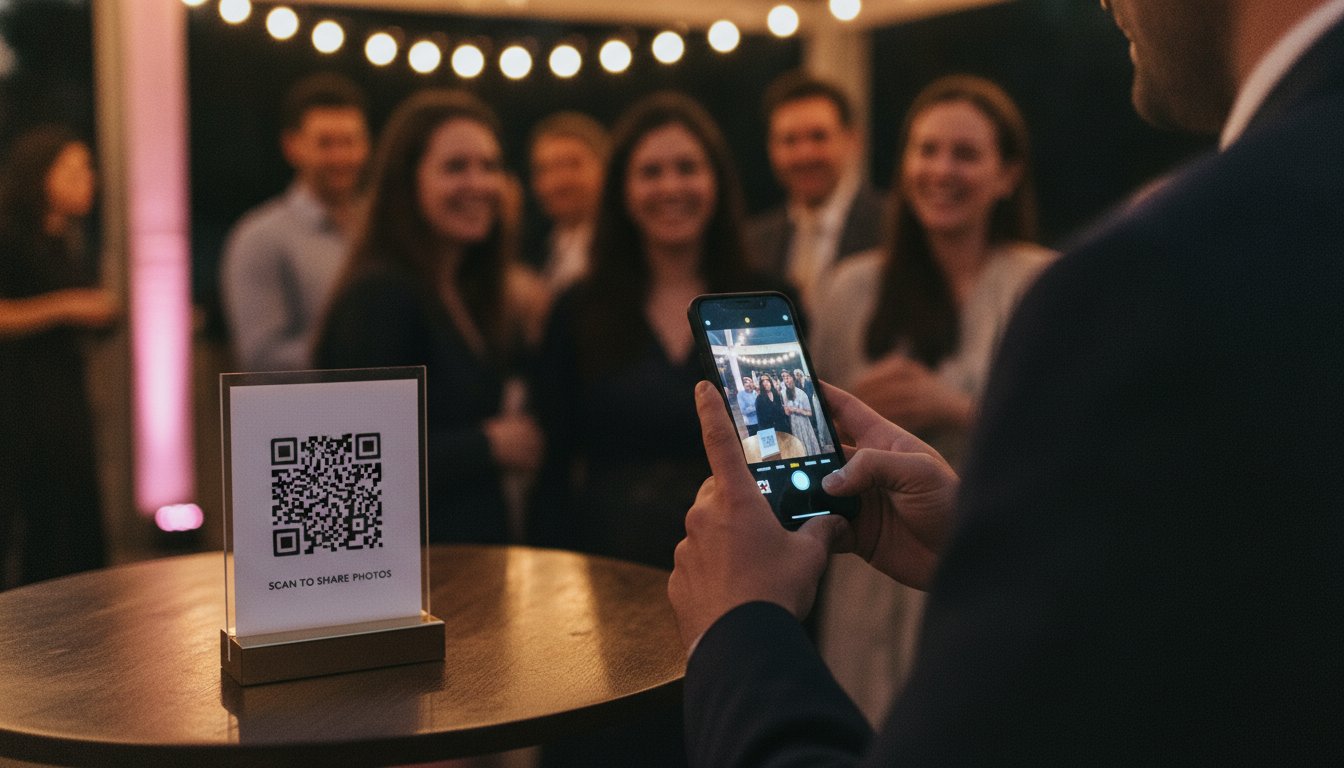

Article by
Gabi
Hi, I'm Gabi - Co-Founder of Bestever Pics. Thanks for visiting our blog. We are working hard to produce content which we hope resonates with you. Feel free to drop us a line on socials or via the contact form on the site.
Stop chasing guests for photos weeks after the celebration ends. While many hosts rely on messy group chats that ruin image quality, Bestever.pics helps you secure a complete digital gallery by the next morning without forcing anyone to download clunky photo sharing apps. It is the simple, browser-based way to ensure you never miss a candid moment again.
Key Takeaways
- Discover why "app fatigue" causes a significant drop in guest participation and how to keep everyone uploading without a sign-up.
- Compare modern photo sharing apps against legacy storage tools to find the fastest way to build your event gallery.
- Learn why QR codes have replaced disposable cameras as the gold standard for gathering high-quality candid shots instantly.
- See how professional organizers use centralized dashboards to manage multiple events and bypass strict corporate security filters.
- Choose the right sharing method based on your specific guest list and whether you need long-term storage or instant results.
The Friction Problem: Why Guest Photo Sharing Apps Often Fail
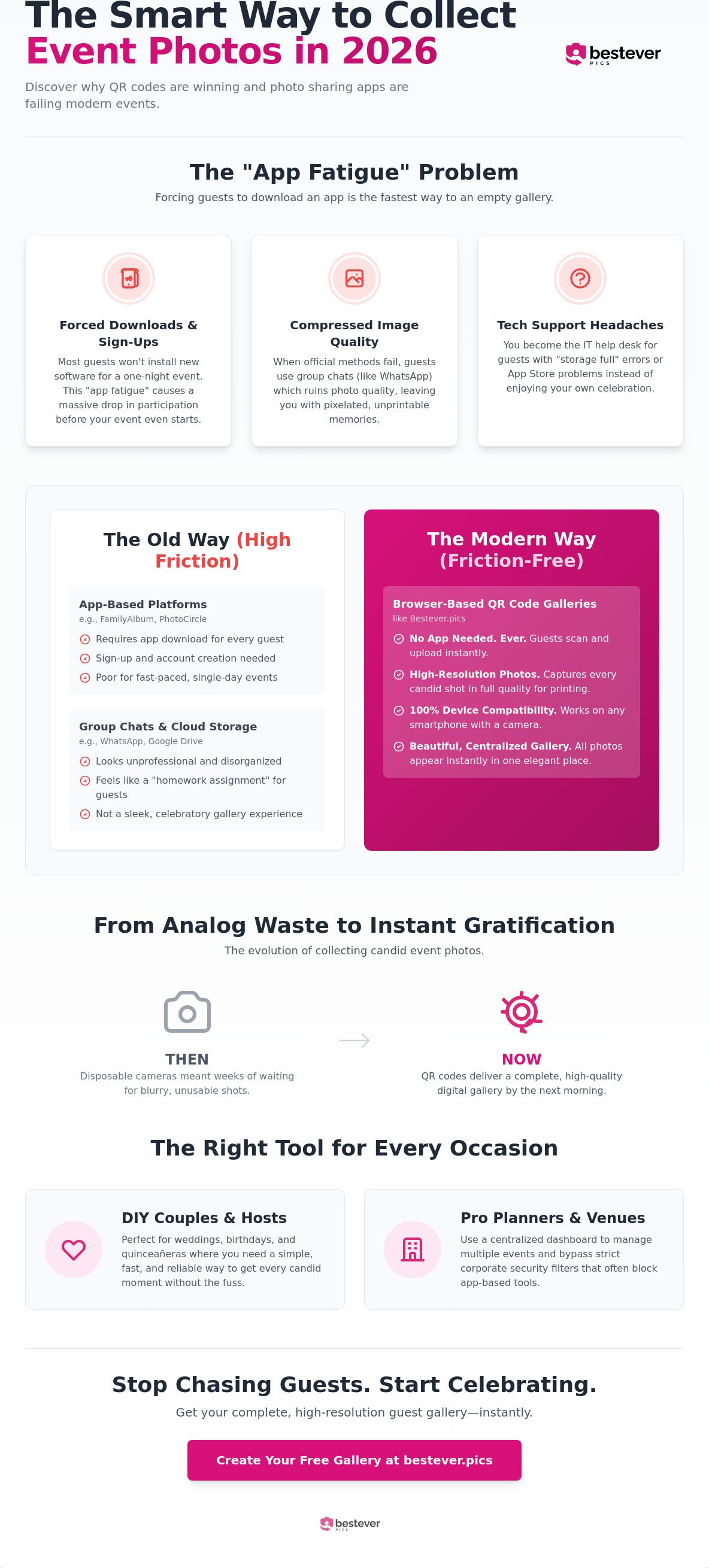
App fatigue is a genuine hurdle for any host. Most people are reluctant to install new software for a four-hour wedding or birthday party. When you force guests to use specific photo sharing apps, participation often drops off because nobody wants more clutter on their home screen. It's a digital barrier that stops candid moments from being shared before the cake is even cut.
Sign-up requirements are the ultimate enthusiasm killer. Industry professionals often observe a massive drop-off in guest participation when guests are forced to create accounts or verify email addresses. If the process isn't instant, the excitement of the moment is lost. While long-term "vault" platforms like FamilyAlbum have their place for archiving, they lack the speed required for live events.
The Hidden Cost of App-Based Sharing
You shouldn't spend your reception acting as a tech support desk for older relatives. Forcing a download often leads to "storage full" errors on older devices, stopping the sharing process before it starts. It's a distraction that pulls you away from the celebration when you should be enjoying the speeches.
- Privacy concerns from guests who don't want to create new profiles just to share a few shots.
- Compressed image quality when guests resort to sending shots via WhatsApp or Instagram DMs.
- Time wasted explaining how to find specific tools in the App Store instead of hitting the dance floor.
Why Web-Based Platforms Are Winning in 2026
Browser-based access provides 100% device compatibility without the bloat of traditional software. Guests can simply scan and upload, keeping the focus on the celebration. This approach ensures high resolution for every candid shot, making it easier to order professional prints later. You can learn more about the history of photo sharing to see how this technology has evolved.
Comparing the Top Photo Sharing Platforms for 2026
Choosing between different photo sharing apps depends on whether you're building a decade-long archive or capturing a single night of chaos. FamilyAlbum is a fantastic choice for parents who want to track a child's growth over years in a private space. However, its requirement for every user to download an app makes it a poor fit for a fast-paced wedding or a corporate gala where guests want to contribute and move on.
Bestever.pics changes the dynamic by moving the entire experience to the mobile web. You get the professional-grade output of a dedicated system without the friction of the App Store. This isn't just a minor technical tweak; it's the deciding factor for event success. When guests can scan a QR code and see a gallery immediately, they're far more likely to contribute high-resolution shots that actually look good in print.
App-Based Giants vs. Browser-Based Disruptors
App-based platforms try to lock you into a closed ecosystem, which often creates headaches for international guests with different App Store regions. Web-based galleries provide instant access while maintaining high standards for online privacy and security. You get the protection of a private link without the bloat of a permanent profile. It's the inevitable evolution of the industry, prioritizing the user's immediate experience over long-term data collection.
Choosing for Your Specific Event Type
Your choice should match the energy of your crowd. If you want to see your kids grow up over the next ten years, go with FamilyAlbum. For high-energy events where you want to collect 500 candid shots by midnight, you need [LINK: digital photo sharing modern events]. Most DIY couples find that a private wedding photo gallery offers the best balance of speed and quality for one-off celebrations like quinceañeras or milestone birthdays.
- FamilyAlbum: Best for long-term growth and family archiving.
- PhotoCircle: Best for corporate teams and branded circles.
- Browser-Based Tools: Best for high-speed candid collection at live events.
The Evolution of QR Code Photo Sharing for Events
Remember the days of disposable cameras on every table? You'd wait weeks for development only to find half the shots were thumbprints or pitch-black blurs. QR codes have replaced that analog waste with instant digital gratification. Unlike traditional photo sharing apps that require a clunky login, a quick scan gets your guests straight to the action. It is the modern upgrade that actually works for everyone in the room.
Don't settle for a basic Google Drive or Dropbox link. These generic storage folders are built for office work; they look unprofessional and feel like a homework assignment for your guests. A custom-built gallery provides a beautiful landing page that keeps the party mood alive. Guests want to see their candid shots in a sleek environment, not a messy list of file names in a storage folder. Using a dedicated system ensures your high-resolution memories are preserved without the compression issues found in group chats.
The psychology of the scan is simple: it is a low-effort, high-reward action. When guests see others scanning and uploading, they want in on the fun. It turns photo collection into a shared activity rather than a post-event chore. You're not just collecting files; you're building a live digital record of the celebration as it happens.
Setting Up Your Gallery in 60 Seconds
- Create your event: Start your gallery on bestever.pics. The process is fast and avoids complex forms or account hurdles.
- Customise the aesthetic: Tailor your landing page to match your event's theme. Whether it's a black-tie wedding or a casual backyard BBQ, the interface should feel like part of the day.
- Deploy your code: Print your unique QR code on table cards, menus, or large-scale signage. Make it impossible to miss.
Maximising Guest Engagement
Placement is the secret to high participation rates. You need to put your QR codes where people naturally pause and linger. Think about the bar, the dessert station, or next to the snacks during the footy finals. If your guests have a few seconds to breathe, they have a few seconds to scan and share. High-traffic areas ensure that even the shyest guests feel prompted to contribute.
Get creative with your presentation. Use creative qr code display ideas to blend the technology with your existing decor. You can also use the 'Live Slideshow' trick to drive massive engagement. Projecting guest photos onto a screen in real-time creates an instant feedback loop. People take more photos just to see their own shots appear on the big screen seconds later, creating a self-sustaining cycle of content creation.
How to Choose the Right Sharing Method for Your Event
Choosing the right platform means matching the technology to your event's specific energy. If you're planning a black-tie gala, your needs are worlds apart from a local sports club fundraiser. You need to decide if you're building a permanent family archive or simply trying to grab every high-resolution candid before the night is over. While some photo sharing apps focus on long-term social networking, others are built for pure speed and volume.
Think about your guest list. A tech-heavy corporate crowd might handle a complex interface, but your grandmother at a wedding needs something foolproof. Simplicity is the ultimate feature for high participation. If the process takes more than five seconds, you'll lose half your potential photos. You also need to consider the vibe of the day. A formal wedding might require moderation tools to ensure the gallery stays elegant, whereas a casual birthday party can be a free-for-all of fun shots.
The DIY Wedding and Milestone Birthday Approach
For DIY planners, the goal is often capturing the moments the professional photographer missed. You should prioritse ease of use over complex folder structures or tagging systems. Focus on modern wedding photo sharing to ensure your digital album is overflowing by the next morning. Unlimited storage is a non-negotiable here; the last thing you want is a "Gallery Full" message just as the dance floor heats up. You can set up a private wedding photo gallery in minutes to keep the focus on the celebration rather than the tech.
Sports Clubs and Community Gatherings
Managing recurring events shouldn't mean creating dozens of different photo sharing apps or folders. You need a centralized hub where community memories can live together. Placing QR codes on club noticeboards or near the canteen makes it easy for parents and fans to upload match-day action shots instantly. This creates a powerful record for the club's history and social media without requiring a dedicated manager to chase people for files. It’s about building a scalable system that works season after season.
Scaling Up: Professional Solutions for Venues and Planners
Professional event planners and venue managers face a different set of challenges than the average DIY couple. While a single wedding is a project, managing forty weddings a year requires a scalable system that doesn't rely on chasing individual guests for files. Much like how a site manager uses New Build Log to maintain a clear record of construction progress, event pros need a centralized dashboard where they can oversee every gallery from a single login. Traditional photo sharing apps often fall short here because they're designed for one-off consumer use rather than high-volume professional management.
Bestever Pro: The Planner's Secret Weapon
Planners who manage dozens of events simultaneously need tools that prioritize efficiency. With Bestever Pro for planners, you can jump between different client galleries without logging in and out of different accounts. It is built for the rapid pace of the industry, allowing you to customize landing pages and moderation settings for each unique brand or couple. You get the professional-grade output your clients expect with the speed you need to stay profitable.
- Centralized Management: View and moderate all active events from one screen.
- Custom Branding: Upload venue or agency logos to every guest-facing page.
- Scalable Systems: Perfect for recurring corporate conferences or seasonal brand activations.
Corporate Security and Data Compliance
Corporate events and large-scale public festivals have strict requirements that most photo sharing apps simply can't meet. Many corporate IT policies block the installation of third-party software on company devices, making app-based sharing impossible for work functions. Browser-based solutions bypass these firewall headaches entirely. They provide a secure environment that respects GDPR and data privacy standards without requiring invasive profile creation.
Stop begging for photos and start receiving them instantly. Whether you're running a boutique wedding agency or a multi-city conference tour, the shift toward web-based collection is the inevitable evolution of the market. You can explore corporate photo sharing to see how professional-grade systems handle high-volume data without the friction of the App Store. It’s time to trade the technical hurdles of legacy methods for a system that delivers a full digital album by the very next morning.
Secure Your Event Memories Instantly
You've seen why traditional photo sharing apps often fail when guests face the friction of the App Store. By switching to a browser-based system, you eliminate the technical hurdles that leave hosts with empty galleries and blurry screenshots. Whether you're planning a wedding, a milestone birthday, or a corporate gala, the goal remains the same. Capture every high-resolution candid without the technical headache. Join over 10,000 event hosts who have ditched clunky downloads for a system that offers Red Dot level simplicity and a zero-friction guest experience.
Stop chasing guests for photos. Start enjoying your full digital album the very next morning. You deserve to see every laugh and dance move from your celebration without acting as a tech support desk for your relatives. Ready to transform your event documentation? Create your private event gallery in 60 seconds at bestever.pics and ensure no moment is ever missed. Your future self will thank you for the stress-free morning after and the stunning prints that follow.
Frequently Asked Questions
Do guests need to download an app to share photos?
No, your guests won't need to download a single thing. While many legacy photo sharing apps force a download, modern browser-based galleries let guests scan a QR code and upload instantly. This ensures that even your least tech-savvy relatives can participate without any frustration. It's the simplest way to keep the focus on the party rather than a troubleshooting session at the bar during the reception.
Is there a limit to how many photos guests can upload?
You can collect an unlimited number of photos with the right plan. Whether your guests take fifty shots or five thousand, the gallery will handle the volume without breaking a sweat. This is particularly useful for large-scale celebrations like a quinceañera or a corporate gala where multiple angles are captured simultaneously. You won't have to worry about hitting a storage ceiling mid-dance or losing shots from the night.
Can I moderate the photos before they appear in the gallery?
Yes, you have full control over what appears in your gallery. You can enable a moderation queue so that every image requires your approval before it becomes visible to other guests. This is a vital feature for professional planners or corporate events where maintaining a specific brand image is necessary. It provides peace of mind while still allowing for candid creativity from every single guest in the room.
What happens to the photo quality when guests upload via QR code?
The image quality remains at its original high resolution. When guests use specific photo sharing apps or browser-based tools, they avoid the heavy compression found in group chats like WhatsApp or Instagram. This means your candid shots will look just as sharp as the ones from your professional photographer. You'll have perfect, print-ready files for your wedding albums and high-quality physical prints to hang on your walls.
How long do I have access to the digital album after the event?
You'll typically have access to your digital album for twelve months or longer. Most hosts download their entire gallery as a high-resolution ZIP file shortly after the event to keep a permanent backup. This ensures your memories are safe on your own hardware while the online gallery remains active for guests to browse and download their favorite shots at their own pace. It's a practical way to manage your files.
Can guests see each other's photos in the gallery?
Guests can see the full gallery if you choose to keep it open. This shared viewing experience is part of the fun, as people can scroll through the day's highlights while sitting at their tables or waiting for dinner. If you prefer more privacy, you can also set the gallery to upload only so that guests can contribute without seeing what others have shared during the event or the reception.
Is this safer than sharing photos on social media?
It is significantly safer than posting to a public social media profile. Your gallery is private and only accessible to those who have the specific link or QR code. You don't have to worry about unwanted eyes or invasive algorithms tracking your data. It's a closed, secure environment designed specifically for you and your invited guests to enjoy your private moments without worrying about digital footprints or public access.
How do I get my guests to actually use the QR code?
The best way to drive participation is to make the QR code impossible to miss. Place it on bar menus, table cards, or even the back of the bathroom doors. If you're at a sports club or a community event, put the code on the main noticeboard. Using a live slideshow also works wonders; people love seeing their own photos appear on a big screen in real-time. It turns sharing into a game.


